Mobile menu
  • Solutions
    • Octopart Discover Go beyond part search to discover viable solutions, evaluate tradeoffs, and make better decisions earlier
    • Altium Develop Design advanced PCBs in Altium Designer, working independently or connecting reviewers, sourcing data, and release coordination when needed
    • Altium Agile Teams Bring structure to multidisciplinary electronics development and collaboration without sacrificing speed
    • Altium Agile Enterprise Connect context from intent through release with an intelligent, governed, extensible platform
  • Resources & Support
    Free Altium 365 Tools
    • Gerber Compare
    • Online PCB Viewer
    Resources & Support
    • Learning Hub
    • Support Center
    • Documentation
    • Webinars
    Altium Community
    • Forum
    • Bug Crunch
    • Ideas
  • Education & Training
    • Student Lab
    • Educator Center
    • Altium Education Curriculum
    • Altium Professional Training
  • Search Open
    Search Close
Sign In
PLM Integration

Main menu

  • Home
  • PCB Design
    • Collaboration
    • Component Creation
    • Data Management
    • Design Outputs
    • ECAD/MCAD
    • HDI Design
    • High Speed Design
    • Multi-Board
    • PCB Layout
    • PCB Routing
    • PCB Supply Chain
    • Power Integrity
    • RF Design
    • Rigid Flex
    • Schematic Capture
    • Signal Integrity
    • Simulation
  • Software
    • Develop
    • Discover
    • Agile
    • Altium 365
    • Altium Designer
  • Education
    • Programs
    • Altium Academy
    • Engineering News
    • Guide Books
    • Newsletters
    • Podcasts
    • Projects
    • Training Courses
    • Webinars
    • Whitepapers
Learning Hub PLM Integration Simplify Your Workflows: Altium 365 Cloud PLM Integration with Duro®

Simplify Your Workflows: Altium 365 Cloud PLM Integration with Duro®

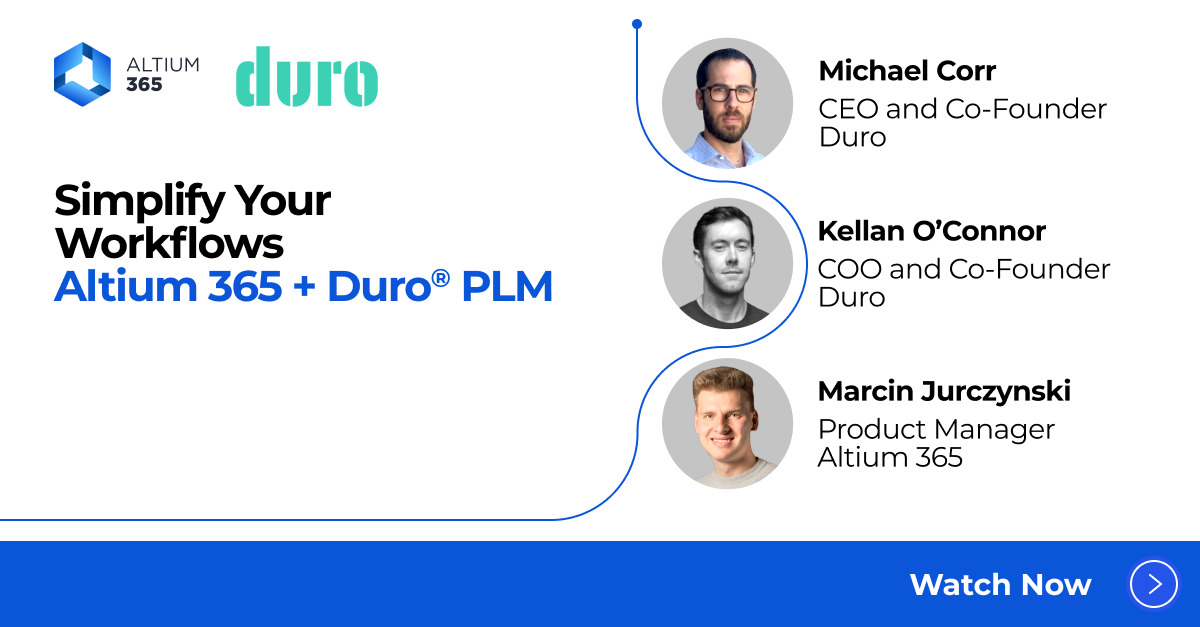
Altium 365 Cloud PLM Integration Duro Webinar Cover

Registration has recently closed. Check back soon for on-demand webinar.

Related Resources

00:59:11 Electronic Design Dream Team: Breaking Down Silos From Concept to Production Watch the webinar to experience the synergy of Altium 365, Duro, and Requirements & Systems Portal in one unified workflow! Watch Video

Related Technical Documentation

PLM Integration PLM Integration

The composite design solution of Altium Designer and an Altium 365 Workspace offers configurable PLM Integration with support available for Windchill®, Arena®, Oracle® Agile™, Aras Innovator®, and Siemens Teamcenter® (with additional setup). The PLM integration setup is performed through the Altium 365 Workspace browser interface, which provides an automated interface for easily configuring the…

Read Documentation
QuickNav - Platform Key Capabilities QuickNav - Platform Key Capabilities

The Altium Platform (Altium 365) on which the various solutions from Altium – Altium Develop and Altium Agile – are delivered, provides a myriad of features and functionality (depending on the solution you are subscribed to) to allow all of the key stakeholders, across multiple disciplines, to connect and collaborate in the creation of product designs in a secure, seamless and streamlined way…

Read Documentation
Setup for Teamcenter PLM Setup for Teamcenter PLM

Parent page: PLM Integration Siemens Teamcenter® PLM integration requires additional setup that is not managed automatically by the Enterprise Server instance installer. Essentially, there are two levels of setup needed, depending on the integration features required. The first level enables Parts Synchronization and is also a prerequisite for the second level, which enables Project Publish…

Read Documentation
PLM Integration PLM Integration

The Enterprise Server Workspace can be hooked up to one or more PLM instances, with direct support for Windchill®, Arena®, Oracle® Agile™, Aras Innovator®, and Siemens Teamcenter® (with additional setup). The interface configuration is performed through the Workspace browser interface, with most configurations defined within an XML-based configuration file (uploaded through the Workspace). With…

Read Documentation
Publishing to a PLM Publishing to a PLM

Design data that has been released from Altium Designer to a connected Workspace – via the Project Releaser – also needs to be available to the wider enterprise through data management processes such as PLM (Product Lifecycle Management). The presence of up to date ECAD engineering data in a company PLM system provides the design production information necessary for managing procurement,…

Read Documentation
Process-based Project Creation Process-based Project Creation

Parent page: Interactive Process Workflows Related pages: Processes & Workflows (Altium 365 Workspace, Enterprise Server Workspace), Creating & Managing Processes (Altium 365 Workspace, Enterprise Server Workspace) Creating a New Process-based Workspace Project When one or more process definitions for the Project Creations process theme are active, the ability to create a new project…

Read Documentation
Hybrid Agent Integration Hybrid Agent Integration

Hybrid Integration applies to the situation where a company using Altium 365 wishes to integrate their Workspace with a PLM system that is hosted on-premises, inside the company's network, which does not have a public IP address – it is not exposed to the internet. To achieve this, a small program called Hybrid Agent is run inside the company's network. This program communicates with Altium 365,…

Read Documentation
Setup for Teamcenter PLM Setup for Teamcenter PLM

As an on-premises, server-based PLM solution, Siemens Teamcenter® PLM must integrate with an Altium 365 Workspace via Altium's Hybrid Agent. The Hybrid Agent service is installed within the same network as the Teamcenter server (such as your company LAN) and acts as a secure data relay between Teamcenter and your Altium 365 Workspace. Setup the Hybrid Agent integration after completing the…

Read Documentation
PLM Integration Using XML Files PLM Integration Using XML Files

This page describes establishing an Altium 365 Workspace connection to a supported PLM system by using a manual process based on editing PLM configuration XML files. The PLM interface based on the manual editing of XML files is activated by unchecking the Enable new PLM Configuration page option in the Admin – Settings – PLM Integration page of the Workspace interface. When this option is checked…

Read Documentation

Simplify Your Workflows: Altium 365 Cloud PLM Integration with Duro®

Created: June 4, 2024
At a Glance
Watch the webinar to discover how Altium 365 Cloud PLM Integration with Duro® can optimize your electronics product development processes. Discover the connection between Altium 365 and a leading Cloud PLM system designed to automate data flow, eliminate manual input, and minimize errors that lead to costly rework.
Go Deeper with AI:
ChatGPT Perplexity Claude Google Grok
2 videos
  • Simplify Your Workflows: Altium 365 Cloud PLM Integration with Duro®
    00:54:07 • May 30, 2024
    Simplify Your Workflows: Altium 365 Cloud PLM Integration with Duro®
    00:54:07 • May 30, 2024

    Watch the webinar to discover how Altium 365 Cloud PLM Integration with Duro® can optimize your electronics product development processes. Discover the connection between Altium 365 and a leading Cloud PLM system designed to automate data flow, eliminate manual input, and minimize errors that lead to costly rework.

  • Simplify Your Workflows: Altium 365 Cloud PLM Integration with Duro®
    00:44:47 • May 29, 2024
    Simplify Your Workflows: Altium 365 Cloud PLM Integration with Duro®
    00:44:47 • May 29, 2024

    Watch the webinar to discover how Altium 365 Cloud PLM Integration with Duro® can optimize your electronics product development processes. Discover the connection between Altium 365 and a leading Cloud PLM system designed to automate data flow, eliminate manual input, and minimize errors that lead to costly rework.

Product: Product Design Collaboration PLM Integration Data Management Lifecycle Management Altium 365 Webinars Project Leads IT Managers Product Managers Engineering / Technology Executive Data Management and Version Control Workflow and Process Management CoDesign and CoEngineering (ECAD/MCAD Collaboration)
Other Recordings
Clear ×
Region
Language

Watch the webinar to discover how Altium 365 Cloud PLM Integration with Duro® can optimize your electronics product development processes. Discover the connection between Altium 365 and a leading Cloud PLM system designed to automate data flow, eliminate manual input, and minimize errors that lead to costly rework.

In this session, we show how Altium 365 Cloud PLM Integration with Duro® automates data flow and creates a single source of truth for all project data within the PLM system. This centralized repository fosters a collaborative environment where design, supply chain, and manufacturing teams have instant access to the latest information, enhancing project visibility and control.

What You'll Learn

  • Create a single source of truth within the PLM system, enhancing collaboration across design, supply chain, and manufacturing teams.
  • See how this integration provides immediate access to the latest project data, improving visibility and control over your projects.
  • Understand how minimizing manual data entry and its associated errors leads to smoother project flows and reduced rework.
  • Explore how fostering a collaborative environment bridges the gaps across product development teams.
  • Discover how Altium 365 integration with Duro® automates data exchange, ensuring accuracy and efficiency.

Agenda

  • Altium 365 Overview
  • Industry Issues with PLM Solutions
  • Benefits of Altium 365 Cloud PLM Integration with Duro
  • Demo

About Duro

Duro provides cloud-based Product Lifecycle Management (PLM) solutions tailored for hardware development, enabling engineering teams to focus on innovation rather than data management. Their platform supports industries such as aerospace, consumer electronics, health and wellness, industrial automation, and computer infrastructure​. Duro emphasizes an agile approach to hardware development, borrowing principles from software development to create a more integrated and flexible workflow for hardware engineers. 
Related Resources

00:59:11 Electronic Design Dream Team: Breaking Down Silos From Concept to Production Watch the webinar to experience the synergy of Altium 365, Duro, and Requirements & Systems Portal in one unified workflow! Watch Video

Related Technical Documentation

PLM Integration PLM Integration

The composite design solution of Altium Designer and an Altium 365 Workspace offers configurable PLM Integration with support available for Windchill®, Arena®, Oracle® Agile™, Aras Innovator®, and Siemens Teamcenter® (with additional setup). The PLM integration setup is performed through the Altium 365 Workspace browser interface, which provides an automated interface for easily configuring the…

Read Documentation
QuickNav - Platform Key Capabilities QuickNav - Platform Key Capabilities

The Altium Platform (Altium 365) on which the various solutions from Altium – Altium Develop and Altium Agile – are delivered, provides a myriad of features and functionality (depending on the solution you are subscribed to) to allow all of the key stakeholders, across multiple disciplines, to connect and collaborate in the creation of product designs in a secure, seamless and streamlined way…

Read Documentation
Setup for Teamcenter PLM Setup for Teamcenter PLM

Parent page: PLM Integration Siemens Teamcenter® PLM integration requires additional setup that is not managed automatically by the Enterprise Server instance installer. Essentially, there are two levels of setup needed, depending on the integration features required. The first level enables Parts Synchronization and is also a prerequisite for the second level, which enables Project Publish…

Read Documentation
PLM Integration PLM Integration

The Enterprise Server Workspace can be hooked up to one or more PLM instances, with direct support for Windchill®, Arena®, Oracle® Agile™, Aras Innovator®, and Siemens Teamcenter® (with additional setup). The interface configuration is performed through the Workspace browser interface, with most configurations defined within an XML-based configuration file (uploaded through the Workspace). With…

Read Documentation
Publishing to a PLM Publishing to a PLM

Design data that has been released from Altium Designer to a connected Workspace – via the Project Releaser – also needs to be available to the wider enterprise through data management processes such as PLM (Product Lifecycle Management). The presence of up to date ECAD engineering data in a company PLM system provides the design production information necessary for managing procurement,…

Read Documentation
Process-based Project Creation Process-based Project Creation

Parent page: Interactive Process Workflows Related pages: Processes & Workflows (Altium 365 Workspace, Enterprise Server Workspace), Creating & Managing Processes (Altium 365 Workspace, Enterprise Server Workspace) Creating a New Process-based Workspace Project When one or more process definitions for the Project Creations process theme are active, the ability to create a new project…

Read Documentation
Hybrid Agent Integration Hybrid Agent Integration

Hybrid Integration applies to the situation where a company using Altium 365 wishes to integrate their Workspace with a PLM system that is hosted on-premises, inside the company's network, which does not have a public IP address – it is not exposed to the internet. To achieve this, a small program called Hybrid Agent is run inside the company's network. This program communicates with Altium 365,…

Read Documentation
Setup for Teamcenter PLM Setup for Teamcenter PLM

As an on-premises, server-based PLM solution, Siemens Teamcenter® PLM must integrate with an Altium 365 Workspace via Altium's Hybrid Agent. The Hybrid Agent service is installed within the same network as the Teamcenter server (such as your company LAN) and acts as a secure data relay between Teamcenter and your Altium 365 Workspace. Setup the Hybrid Agent integration after completing the…

Read Documentation
PLM Integration Using XML Files PLM Integration Using XML Files

This page describes establishing an Altium 365 Workspace connection to a supported PLM system by using a manual process based on editing PLM configuration XML files. The PLM interface based on the manual editing of XML files is activated by unchecking the Enable new PLM Configuration page option in the Admin – Settings – PLM Integration page of the Workspace interface. When this option is checked…

Read Documentation
Back to Home
Altium Develop

Design to Release, Without the Friction

  • Keep reviews tied to the right version
  • Reduce handoff confusion and rework
  • Spot sourcing and release risk earlier
  • Work solo, share when needed

Get Started

Altium Develop
PCB Data Management

Bring all electronic design data together in one secure workspace.

Learn More
Platform-based Solutions
  • Octopart Discover
  • Altium Develop
  • Altium Agile
Tools
  • Altium Designer
  • Octopart
Platform
  • Altium 365
Company
  • Our Customers
  • Trust Center
  • Newsroom
Software Capabilities
  • PCB Layout and Design
  • Requirements Management
  • Electronics Data Management
  • IT Security
  • Electronics Manufacturing
  • Electronics Supply Chain
  • Engineering Management
Resources & Support
  • Status
  • Downloads
  • Learning Hub
  • Support Center
  • Bug Crunch
  • Forum
  • Documentation
  • Ideas
  • Education
  • Professional Training / Certification
  • Webinars
  • Beta Program
Education
  • Student Lab
  • Educator Center
  • Altium Education Curriculum
Careers
  • Career at Altium
  • Copyrights & Trademark
  • Privacy policy
  • Cookie policy
  • Terms of Service
  • Legal
© 2026 Altium Pty. Ltd.

