
Mobile menu
  • Octopart Discover
  • Altium Develop
  • Altium Agile
  • Resources & Support
    Free Altium 365 Tools
    • Gerber Compare
    • Online PCB Viewer
    Resources & Support
    • Learning Hub
    • Support Center
    • Documentation
    • Webinars
    Altium Community
    • Forum
    • Bug Crunch
    • Ideas
  • Education & Training
    • Student Lab
    • Educator Center
    • Altium Education Curriculum
    • Altium Professional Training
  • Search Open
    Search Close
Sign In
BOM Portal

Main menu

  • Home
  • PCB Design
    • Collaboration
    • Component Creation
    • Data Management
    • Design Outputs
    • ECAD/MCAD
    • HDI Design
    • High Speed Design
    • Multi-Board
    • PCB Layout
    • PCB Routing
    • PCB Supply Chain
    • Power Integrity
    • RF Design
    • Rigid Flex
    • Schematic Capture
    • Signal Integrity
    • Simulation
  • Software
    • Develop
    • Discover
    • Agile
    • Altium 365
    • Altium Designer
  • Education
    • Programs
    • Altium Academy
    • Engineering News
    • Guide Books
    • Newsletters
    • Podcasts
    • Projects
    • Training Courses
    • Webinars
    • Whitepapers
Learning Hub BOM Portal Bridge the Gap Between Engineering and Procurement: Altium 365 BOM Portal

Bridge the Gap Between Engineering and Procurement: Altium 365 BOM Portal

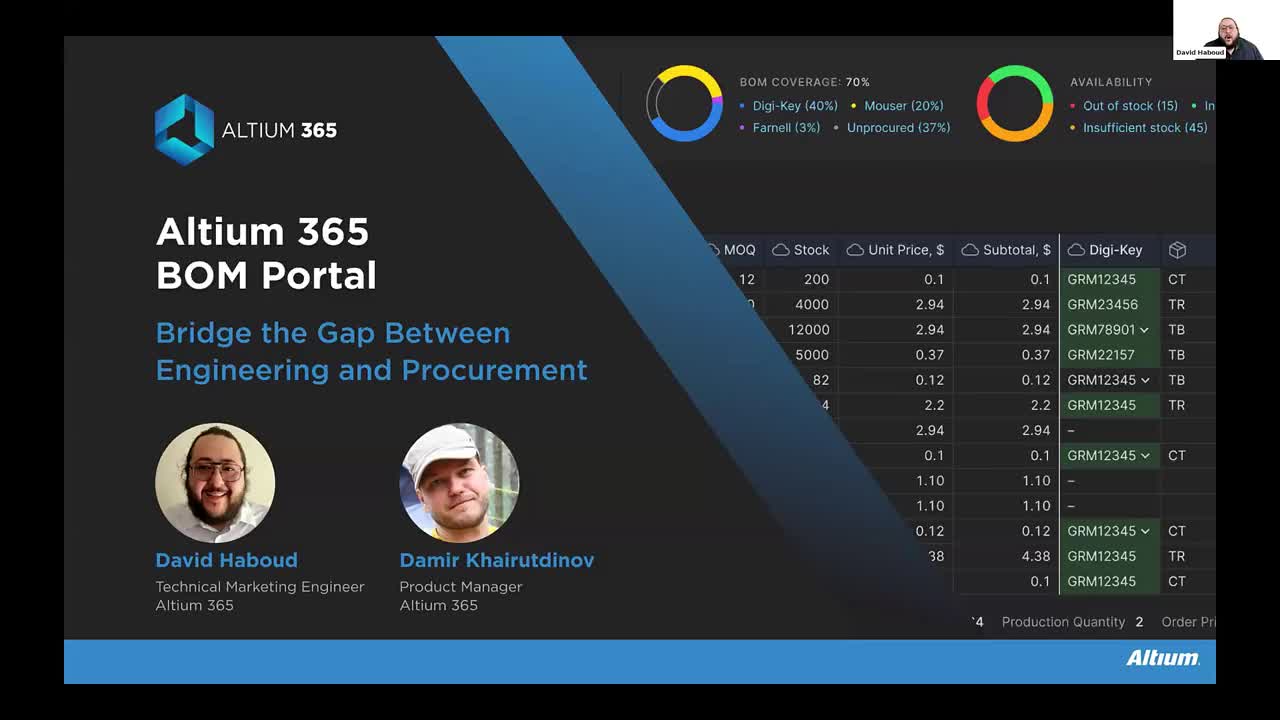
BOM Portal Webinar Cover

Registration has recently closed. Check back soon for on-demand webinar.

Related Resources

00:35:52 Ensuring Electronic Component Traceability From Idea to Innovation Watch the webinar to learn how to achieve full transparency, improve collaboration, and ensure compliance throughout your entire supply chain—whether you are sourcing domestically or abroad. Watch Video
00:53:36 Altium 365 BOM Portal - From PCB Design to Parts Ordering in Minutes Join us to learn how to reduce sourcing time by up to 70% using Altium 365 BOM Portal. Watch Video
00:55:21 From Prototype to Production: Optimizing BOM Costs Without Compromising Quality with Part Analytics Learn how to reduce production BOM costs without redesign, explore techniques to consolidate part demand for volume savings, and discover case examples from supply chain teams that increased sourcing process efficiency by up to 97%. Watch Video

Related Technical Documentation

QuickNav - Platform Key Capabilities QuickNav - Platform Key Capabilities

The Altium Platform (Altium 365) on which the various solutions from Altium – Altium Develop and Altium Agile – are delivered, provides a myriad of features and functionality (depending on the solution you are subscribed to) to allow all of the key stakeholders, across multiple disciplines, to connect and collaborate in the creation of product designs in a secure, seamless and streamlined way…

Read Documentation
Altium 365 BOM Portal Altium 365 BOM Portal

To access all features relevant to the BOM Portal, open the Workspace BOM Portal view from the upper 9-dots menu. With the exception of the Consolidated BOM and Parts in Use features, the information on this page also applies to the Altium BOM Editor. Contact Altium Sales for more information. Use the BOM Portal entry in the Admin – Settings page to configure the application's default settings…

Read Documentation
BOM Portal Consolidated BOM Mode BOM Portal Consolidated BOM Mode

The BOM Portal’s Consolidated BOM mode allows you to create a procurement-orientated BOM document from multiple engineering BOMs, which unifies the parts requirements for delivering a complete product – typically based on multiple PCBs, modules, or functional sub-sections. It replaces the need to aggregate multiple BOM lists through spreadsheets or other manual means while calculating parts…

Read Documentation
BOM Portal Configuration and Options BOM Portal Configuration and Options

The BOM Portal interface provides options and features that allow you to set up the system to match your specific needs for the current Managed BOM. These include configuring the sourced supplier data to your company's requirements, and working with the BOM listing in a manner that suits your processes. BOM Settings The BOM Settings window, opened from the BOM Settings option in the main menu,…

Read Documentation
BOM Portal Workspace Components Integration BOM Portal Workspace Components Integration

The BOM Portal will automatically create a link between a BOM line item and a Workspace component where the latter has the Manufacturer Part Number as a valid Part Choice entry. In this case the Info pane presents an additional Library Data tab view that shows the Workspace component's information (Parameters, Part Choices, etc). Also included is a Where Used section which lists Workspace…

Read Documentation
BOM Error Detection and Correction BOM Error Detection and Correction

The BOM Portal will automatically analyze a Managed BOM document to detect any issues in BOM Item lines, based on their logical structure and the part’s manufacturer and supplier data. These include invalid part numbers, deprecated or low-stock items, non-compliant parts, and much more. BOM line item errors and warnings are summarized by the listing's right-most column icons. Hover over an icon…

Read Documentation
BOM Portal Sourced Manufacturer and Supplier Data BOM Portal Sourced Manufacturer and Supplier Data

A primary capability of the BOM Portal is the dynamic sourcing of real-time manufacture and supplier information for the current Managed BOM. Once the system has mapped and analyzed the BOM content, the BOM line entries are automatically populated with crucial parts information from Altium's resources, including Octopart and IHS Markit, and other enabled parts data sources. The sourced…

Read Documentation
BOM Portal Parts in Use BOM Portal Parts in Use

Related information: BOM Portal, Workspace Components The BOM Portal's Parts in Use page provides an aggregated overview of all manufacturer parts that are currently used in Workspace Projects and Managed BOMs. The listing is populated with key parameter columns (including external sources such as SiliconExpert parameters if available) for each manufacturer part item, and includes active Used In…

Read Documentation
BOM Portal Part Insights Hub BOM Portal Part Insights Hub

The Altium 365 Part Insights Hub is a dynamic analysis system that proactively assesses the viability of component parts used in your Workspace design projects and Managed BOMs. Available as an Altium Platform capability, the Insights Hub provides both alerts and potential solutions for used parts with an elevated risk level. An Insight entry is generated when the risk of using that part exceeds…

Read Documentation

Bridge the Gap Between Engineering and Procurement: Altium 365 BOM Portal

Created: April 19, 2024
At a Glance
Watch the webinar to learn how to make informed decisions and mitigate supply chain risks with Altium 365 BOM Portal, BOM management application purpose-built for electronics engineering and procurement. Improve your time to market and proactively manage electronic component supply chain risks.

Go Deeper with AI:
ChatGPT Perplexity Claude Google Grok
2 videos
  • Bridge the Gap Between Engineering and Procurement: Altium 365 BOM Portal
    00:53:41 • Jun 13, 2024
    Bridge the Gap Between Engineering and Procurement: Altium 365 BOM Portal
    00:53:41 • Jun 13, 2024

    Watch the webinar to learn how to make informed decisions and mitigate supply chain risks with Altium 365 BOM Portal, BOM management application purpose-built for electronics engineering and procurement. Improve your time to market and proactively manage electronic component supply chain risks.


  • Bridge the Gap Between Engineering and Procurement: Altium 365 BOM Portal
    00:56:12 • Apr 18, 2024
    Bridge the Gap Between Engineering and Procurement: Altium 365 BOM Portal
    00:56:12 • Apr 18, 2024

    Watch the webinar to learn how to make informed decisions and mitigate supply chain risks with Altium 365 BOM Portal, BOM management application purpose-built for electronics engineering and procurement. Improve your time to market and proactively manage electronic component supply chain risks.

Product: Altium 365 BOM Portal Webinars Electrical Engineers Procurement Managers Bill of Materials (BOM) BOM Management Design Outputs Manufacturing Supply Chain Supply Chain Management Schematic Capture and Circuit Design Components Manufacturing Outputs and Compliance Component Management and Libraries PCB Design and Layout Data Management and Version Control Supply Chain and Component Sourcing
Other Recordings
Clear ×
Region
Language

Watch Altium 365 BOM Portal in action and discover why early procurement involvement in the engineering process is crucial for avoiding costly design changes later on. Get a firsthand look at how this engineering BOM tool can help you improve your time to market and manage electronics supply chain risks.

In this session, learn how to:

  • Use enriched PCB component and supply chain insights to accelerate time to market without sacrificing quality and performance
  • Access dependable and thorough supply chain intelligence sourced from industry leaders
  • Stay ahead of potential disruptions with supply chain tracking
  • Manage and control your BOMs, keeping them organized, safely collaborating with stakeholders, and tracking revisions
  • Enhance part management with reusability and traceability features
  • Foster efficient BOM synchronization with a centralized component library
  • Ensure alignment between designers and procurement teams, avoiding back-and-forth iterations
  • Utilize the Used Parts Report for manufacturability analysis on production boards

Related Resources

00:35:52 Ensuring Electronic Component Traceability From Idea to Innovation Watch the webinar to learn how to achieve full transparency, improve collaboration, and ensure compliance throughout your entire supply chain—whether you are sourcing domestically or abroad. Watch Video
00:53:36 Altium 365 BOM Portal - From PCB Design to Parts Ordering in Minutes Join us to learn how to reduce sourcing time by up to 70% using Altium 365 BOM Portal. Watch Video
00:55:21 From Prototype to Production: Optimizing BOM Costs Without Compromising Quality with Part Analytics Learn how to reduce production BOM costs without redesign, explore techniques to consolidate part demand for volume savings, and discover case examples from supply chain teams that increased sourcing process efficiency by up to 97%. Watch Video

Related Technical Documentation

QuickNav - Platform Key Capabilities QuickNav - Platform Key Capabilities

The Altium Platform (Altium 365) on which the various solutions from Altium – Altium Develop and Altium Agile – are delivered, provides a myriad of features and functionality (depending on the solution you are subscribed to) to allow all of the key stakeholders, across multiple disciplines, to connect and collaborate in the creation of product designs in a secure, seamless and streamlined way…

Read Documentation
Altium 365 BOM Portal Altium 365 BOM Portal

To access all features relevant to the BOM Portal, open the Workspace BOM Portal view from the upper 9-dots menu. With the exception of the Consolidated BOM and Parts in Use features, the information on this page also applies to the Altium BOM Editor. Contact Altium Sales for more information. Use the BOM Portal entry in the Admin – Settings page to configure the application's default settings…

Read Documentation
BOM Portal Consolidated BOM Mode BOM Portal Consolidated BOM Mode

The BOM Portal’s Consolidated BOM mode allows you to create a procurement-orientated BOM document from multiple engineering BOMs, which unifies the parts requirements for delivering a complete product – typically based on multiple PCBs, modules, or functional sub-sections. It replaces the need to aggregate multiple BOM lists through spreadsheets or other manual means while calculating parts…

Read Documentation
BOM Portal Configuration and Options BOM Portal Configuration and Options

The BOM Portal interface provides options and features that allow you to set up the system to match your specific needs for the current Managed BOM. These include configuring the sourced supplier data to your company's requirements, and working with the BOM listing in a manner that suits your processes. BOM Settings The BOM Settings window, opened from the BOM Settings option in the main menu,…

Read Documentation
BOM Portal Workspace Components Integration BOM Portal Workspace Components Integration

The BOM Portal will automatically create a link between a BOM line item and a Workspace component where the latter has the Manufacturer Part Number as a valid Part Choice entry. In this case the Info pane presents an additional Library Data tab view that shows the Workspace component's information (Parameters, Part Choices, etc). Also included is a Where Used section which lists Workspace…

Read Documentation
BOM Error Detection and Correction BOM Error Detection and Correction

The BOM Portal will automatically analyze a Managed BOM document to detect any issues in BOM Item lines, based on their logical structure and the part’s manufacturer and supplier data. These include invalid part numbers, deprecated or low-stock items, non-compliant parts, and much more. BOM line item errors and warnings are summarized by the listing's right-most column icons. Hover over an icon…

Read Documentation
BOM Portal Sourced Manufacturer and Supplier Data BOM Portal Sourced Manufacturer and Supplier Data

A primary capability of the BOM Portal is the dynamic sourcing of real-time manufacture and supplier information for the current Managed BOM. Once the system has mapped and analyzed the BOM content, the BOM line entries are automatically populated with crucial parts information from Altium's resources, including Octopart and IHS Markit, and other enabled parts data sources. The sourced…

Read Documentation
BOM Portal Parts in Use BOM Portal Parts in Use

Related information: BOM Portal, Workspace Components The BOM Portal's Parts in Use page provides an aggregated overview of all manufacturer parts that are currently used in Workspace Projects and Managed BOMs. The listing is populated with key parameter columns (including external sources such as SiliconExpert parameters if available) for each manufacturer part item, and includes active Used In…

Read Documentation
BOM Portal Part Insights Hub BOM Portal Part Insights Hub

The Altium 365 Part Insights Hub is a dynamic analysis system that proactively assesses the viability of component parts used in your Workspace design projects and Managed BOMs. Available as an Altium Platform capability, the Insights Hub provides both alerts and potential solutions for used parts with an elevated risk level. An Insight entry is generated when the risk of using that part exceeds…

Read Documentation
Back to Home


BOM Management

Centralize BOM management with up-to-date component data.

Learn More
Altium Develop
PCB Manufacturing Handoff Tools

Faster design-to-production handoff with your contract manufacturer.

Learn More
Altium Develop
Streamline Supply Chain Management

Structured BOM management and up-to-date part intelligence.

Learn More
Altium Develop
Manufacturing Made Easy

Centralize DFM reviews and packages to accelerate PCB production handoff.

Learn More
Altium Develop
Essential Part Intelligence

Access up-to-date data and insights needed to navigate supply chain volatility with confidence.

Learn More
Platform-based Solutions
  • Octopart Discover
  • Altium Develop
  • Altium Agile
Tools
  • Altium Designer
  • Octopart
Platform
  • Altium 365
Company
  • Our Customers
  • Trust Center
  • Newsroom
Software Capabilities
  • PCB Layout and Design
  • Requirements Management
  • Electronics Data Management
  • Design Compliance and Security
  • Electronics Manufacturing
  • Electronics Supply Chain
  • Engineering Management
Resources & Support
  • Status
  • Downloads
  • Learning Hub
  • Support Center
  • Bug Crunch
  • Forum
  • Documentation
  • Ideas
  • Education
  • Professional Training / Certification
  • Webinars
  • Beta Program
Education
  • Student Lab
  • Educator Center
  • Altium Education Curriculum
Careers
  • Career at Altium
  • Copyrights & Trademark
  • Privacy policy
  • Cookie policy
  • Terms of Service
  • Legal
© 2026 Altium Pty. Ltd.