
Mobile menu
  • Octopart Discover
  • Altium Develop
  • Altium Agile
  • Resources & Support
    Free Altium 365 Tools
    • Gerber Compare
    • Online PCB Viewer
    Resources & Support
    • Learning Hub
    • Support Center
    • Documentation
    • Webinars
    Altium Community
    • Forum
    • Bug Crunch
    • Ideas
  • Education & Training
    • Student Lab
    • Educator Center
    • Altium Education Curriculum
    • Altium Professional Training
  • Search Open
    Search Close
Sign In
Altium 365

Main menu

  • Home
  • PCB Design
    • Collaboration
    • Component Creation
    • Data Management
    • Design Outputs
    • ECAD/MCAD
    • HDI Design
    • High Speed Design
    • Multi-Board
    • PCB Layout
    • PCB Routing
    • PCB Supply Chain
    • Power Integrity
    • RF Design
    • Rigid Flex
    • Schematic Capture
    • Signal Integrity
    • Simulation
  • Software
    • Develop
    • Discover
    • Agile
    • Altium 365
    • Altium Designer
  • Education
    • Programs
    • Altium Academy
    • Engineering News
    • Guide Books
    • Newsletters
    • Podcasts
    • Projects
    • Training Courses
    • Webinars
    • Whitepapers
Learning Hub Altium 365 Can Agile Development Work for Hardware? 3 Critical Elements for Success

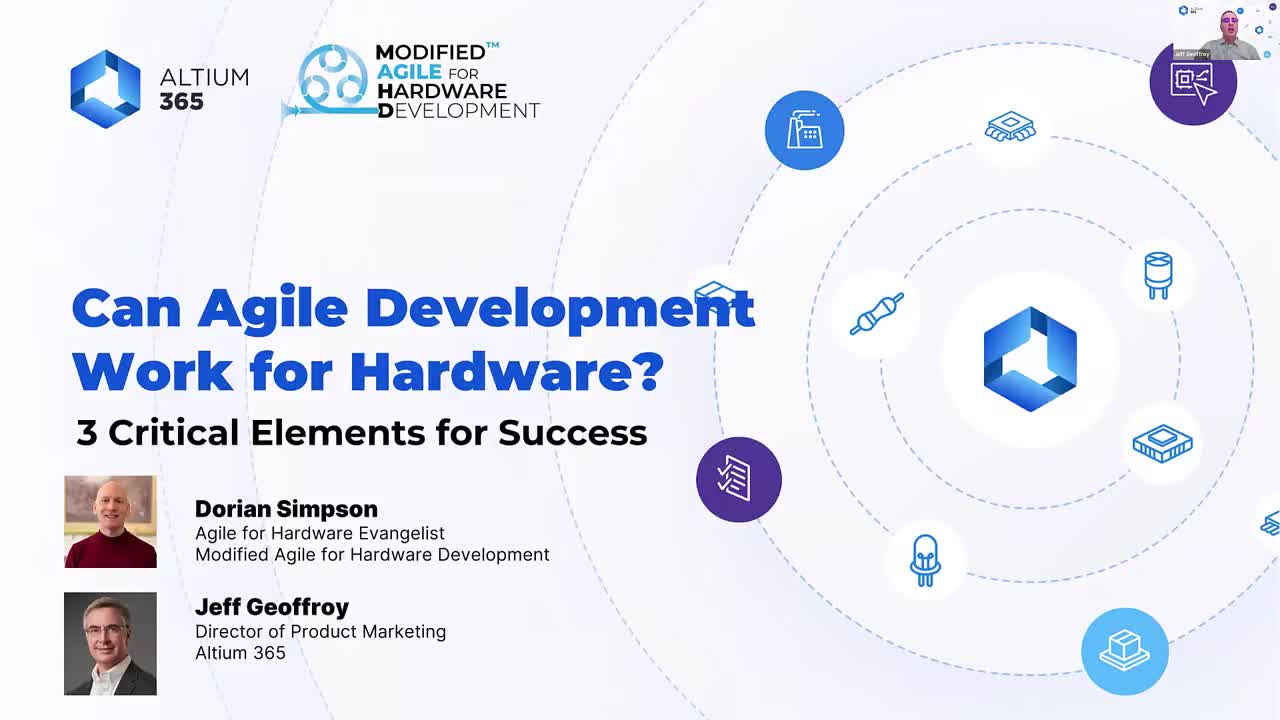
Can Agile Development Work for Hardware? 3 Critical Elements for Success

Agile Development Work for Hardware Webinar Cover

Registration has recently closed. Check back soon for on-demand webinar.

Related Resources

1:2:51 Session 2 - Collaborating with Contractors Altium is pleased to offer a 3 part Altium Academy Virtual series to discuss the problems that companies can encounter while working remotely, and how to effectively overcome these issues. During these 3 webinars, we’ll show how engineering teams working remotely can effectively collaborate to solve critical issues. How to collaborate from multiple locations with colleagues from your organization. How to collaborate with 3rd party companies or Watch Video
44:01 ECAD/MCAD Collaboration: The Secret Sauce of Ribbot from BattleBots Ribbot is a heavyweight combat robot that is both fearsome and fun. With its vibrant green and yellow color scheme, it looks like it could have hopped right out of a cartoon. But don't be fooled by its playful appearance – Ribbot is a serious contender in the world of BattleBots. Don't miss this opportunity to discover the captivating journey behind Ribbot's creation and the innovative design process it entails. Register now for our webinar and Watch Video
00:40:03 Streamline Your Product Development - Altium 365 Cloud PLM Integration with Arena® PLM Watch the webinar to discover how Altium 365 Cloud PLM Integration with Arena® can optimize your electronics product development processes. Discover the seamless connection between Altium 365 and the leading Cloud PLM system, designed to automate data flow, eliminate manual input, and minimize errors that lead to costly rework. Watch Video

Related Technical Documentation

Altium 365 Platform Interface Altium 365 Platform Interface

Depending on your relationship with Altium, the services offered on the Altium Platform will be experienced from within Altium Designer and through the platform's browser-based interface. This page takes a look at the latter and provides an overview of what you'll see when you register an Altium Account and sign in to the Altium Platform Interface. For the latest information on the security,…

Read Documentation
Renesas 365 Renesas 365

Renesas 365, powered by Altium, is built on the Altium 365 platform and developed for electronics system design. It liberates engineers by unifying development workflows to improve efficiency and accelerate design cycles from concept to volume production. The main, high-level entity in Renesas 365 is a Solution that unifies different aspects of the system that you create – system design, software…

Read Documentation
ESD ESD

In early stages of electronic designs, it is important to define the design on the conceptual/functional level. This initial step serves as a crucial foundation for the entire development process, providing a high-level overview of the system's architecture and its primary elements. A well-crafted block diagram clarifies the major functional units of the electronic system and illustrates their…

Read Documentation
Search Query Reference Search Query Reference

This document is a reference guide for the syntax, operators, and conventions used in the Workspace hardware design search language. Search queries are based on a familiar field:value syntax, and can be used to perform quick, simple searches through to constructing powerful and precise queries. See Advanced Design Search for usage information. Search Syntax and Guide The below reference…

Read Documentation
Working with a Component Manufacturer RFQ Working with a Component Manufacturer RFQ

Once the RFQ is created, an RFQ number is associated to it. (Refer to the Creating a Component Manufacturer RFQ page for details regarding creation of an RFQ). Once you click the RFQ Number you are directed to the selected RFQ. There are three Subtabs to an RFQ – RFQ Inputs, Bid Details and Messages. RFQ Inputs – Overview of RFQ. User can view/download and add/ delete files User can add/ delete…

Read Documentation
Risk Details Risk Details

Category Analysis gives an overview of the total spends (includes spend by Manufacturer, Category, Business Units, BOM Supplier, Age and Manufacturer, Age and Category and Country of Origin), Opportunity savings (Savings from Public price, Approved Alternate, Part Analytics Alternates, Duplicate Price, Contract Manufacturer) and Risks with suggested Part Analytics Alternates. Risk Details…

Read Documentation
Opportunity Details Opportunity Details

Category Analysis gives an overview of the total spends (includes spend by Manufacturer, Category, Business Units, BOM Supplier, Age and Manufacturer, Age and Category and Country of Origin), Opportunity savings (Savings from Public price, Approved Alternate, Part Analytics Alternates, Duplicate Price, Contract Manufacturer) and Risks with suggested Part Analytics Alternates. Opportunity Savings…

Read Documentation
By Category By Category

Category Analysis gives an overview of the total spends (includes spend by Manufacturer, Category, Business Units, BOM Supplier, Age and Manufacturer, Age and Category and Country of Origin), Opportunity savings (Savings from Public price, Approved Alternate, Part Analytics Alternates, Duplicate Price, Contract Manufacturer) and Risks with suggested Part Analytics Alternates. The platform…

Read Documentation
BOM Parts BOM Parts

The BOM Parts tab allows user to view the details of an item number ((internal part number of an uploaded BOM) or a Manufacturing Part Number (MPN in the uploaded BOM), Login to Parts and use the search functionality in BOM Parts. Item Number Details can be searched in two ways, Type the item number in the search box to find a part and Left click Search Icon or BOM Type-Select Production and…

Read Documentation
Data Issues Data Issues

Data Issue - Details of data issues found in BOM. To view the part details of the BOM, select the BOM from the BOMs Page. To search for the BOM: Type the BOM to be viewed in the Search BOM Tab or Type the BOM to be viewed under the column BOM Number BOM List Search as Per Annual Usage, Spend, Cost and More There is a dropdown and equal to sign box besides the search boxes of Annual Usage, Cost,…

Read Documentation

Can Agile Development Work for Hardware? 3 Critical Elements for Success

Created: February 29, 2024
At a Glance
Watch the webinar to explore the benefits of agile methodologies and how they can be translated into the physical world of hardware development!
Go Deeper with AI:
ChatGPT Perplexity Claude Google Grok
1 video
  • Can Agile Development Work for Hardware? 3 Critical Elements for Success
    00:55:31 • Feb 28, 2024
    Can Agile Development Work for Hardware? 3 Critical Elements for Success
    00:55:31 • Feb 28, 2024

    Watch the webinar to explore the benefits of agile methodologies and how they can be translated into the physical world of hardware development!

Product: Product Design Collaboration Data Management Data Security Supply Chain Altium 365 Webinars Workflow and Process Management CoDesign and CoEngineering (ECAD/MCAD Collaboration) Data Management and Version Control Component Management and Libraries Supply Chain and Component Sourcing

Watch the webinar to explore the benefits of agile methodologies and how they can be translated into the physical world of hardware development!

This session brings to life agile concepts with a hands-on example of a quad-copter. We examine this project through a series of critical milestones, showcasing agile principles in a practical way. Learn how Altium 365 can support the adoption of this approach by enhancing collaboration and the electronics product development process, uniting diverse stakeholders in real-time. Discover the three key elements for success!

Speakers:

  • Dorian Simpson, Chief Evangelist at MAHD Framework
  • Jeff Geoffroy, Director of Product Marketing at Altium 365

Learn to:

  • Adapt agile methodologies for hardware projects to foster continuous improvement
  • Improve cross-discipline collaboration between engineering, manufacturing, procurement, and software development
  • Optimize your product development process, reducing time-to-market without compromising quality
  • Transform agile tactics with elements of the Modified Agile for Hardware Framework
  • Utilize Altium 365 for effortless, real-time information sharing and decision-making
  • Manage digital requirements effectively for adaptable and traceable project evolution
  • Leverage rapid prototyping to align teams, facilitate learning, and adapt to changes swiftly
  • Establish robust customer feedback loops for early concept validation and feature prioritization

Related Resources

1:2:51 Session 2 - Collaborating with Contractors Altium is pleased to offer a 3 part Altium Academy Virtual series to discuss the problems that companies can encounter while working remotely, and how to effectively overcome these issues. During these 3 webinars, we’ll show how engineering teams working remotely can effectively collaborate to solve critical issues. How to collaborate from multiple locations with colleagues from your organization. How to collaborate with 3rd party companies or Watch Video
44:01 ECAD/MCAD Collaboration: The Secret Sauce of Ribbot from BattleBots Ribbot is a heavyweight combat robot that is both fearsome and fun. With its vibrant green and yellow color scheme, it looks like it could have hopped right out of a cartoon. But don't be fooled by its playful appearance – Ribbot is a serious contender in the world of BattleBots. Don't miss this opportunity to discover the captivating journey behind Ribbot's creation and the innovative design process it entails. Register now for our webinar and Watch Video
00:40:03 Streamline Your Product Development - Altium 365 Cloud PLM Integration with Arena® PLM Watch the webinar to discover how Altium 365 Cloud PLM Integration with Arena® can optimize your electronics product development processes. Discover the seamless connection between Altium 365 and the leading Cloud PLM system, designed to automate data flow, eliminate manual input, and minimize errors that lead to costly rework. Watch Video

Related Technical Documentation

Altium 365 Platform Interface Altium 365 Platform Interface

Depending on your relationship with Altium, the services offered on the Altium Platform will be experienced from within Altium Designer and through the platform's browser-based interface. This page takes a look at the latter and provides an overview of what you'll see when you register an Altium Account and sign in to the Altium Platform Interface. For the latest information on the security,…

Read Documentation
Renesas 365 Renesas 365

Renesas 365, powered by Altium, is built on the Altium 365 platform and developed for electronics system design. It liberates engineers by unifying development workflows to improve efficiency and accelerate design cycles from concept to volume production. The main, high-level entity in Renesas 365 is a Solution that unifies different aspects of the system that you create – system design, software…

Read Documentation
ESD ESD

In early stages of electronic designs, it is important to define the design on the conceptual/functional level. This initial step serves as a crucial foundation for the entire development process, providing a high-level overview of the system's architecture and its primary elements. A well-crafted block diagram clarifies the major functional units of the electronic system and illustrates their…

Read Documentation
Search Query Reference Search Query Reference

This document is a reference guide for the syntax, operators, and conventions used in the Workspace hardware design search language. Search queries are based on a familiar field:value syntax, and can be used to perform quick, simple searches through to constructing powerful and precise queries. See Advanced Design Search for usage information. Search Syntax and Guide The below reference…

Read Documentation
Working with a Component Manufacturer RFQ Working with a Component Manufacturer RFQ

Once the RFQ is created, an RFQ number is associated to it. (Refer to the Creating a Component Manufacturer RFQ page for details regarding creation of an RFQ). Once you click the RFQ Number you are directed to the selected RFQ. There are three Subtabs to an RFQ – RFQ Inputs, Bid Details and Messages. RFQ Inputs – Overview of RFQ. User can view/download and add/ delete files User can add/ delete…

Read Documentation
Risk Details Risk Details

Category Analysis gives an overview of the total spends (includes spend by Manufacturer, Category, Business Units, BOM Supplier, Age and Manufacturer, Age and Category and Country of Origin), Opportunity savings (Savings from Public price, Approved Alternate, Part Analytics Alternates, Duplicate Price, Contract Manufacturer) and Risks with suggested Part Analytics Alternates. Risk Details…

Read Documentation
Opportunity Details Opportunity Details

Category Analysis gives an overview of the total spends (includes spend by Manufacturer, Category, Business Units, BOM Supplier, Age and Manufacturer, Age and Category and Country of Origin), Opportunity savings (Savings from Public price, Approved Alternate, Part Analytics Alternates, Duplicate Price, Contract Manufacturer) and Risks with suggested Part Analytics Alternates. Opportunity Savings…

Read Documentation
By Category By Category

Category Analysis gives an overview of the total spends (includes spend by Manufacturer, Category, Business Units, BOM Supplier, Age and Manufacturer, Age and Category and Country of Origin), Opportunity savings (Savings from Public price, Approved Alternate, Part Analytics Alternates, Duplicate Price, Contract Manufacturer) and Risks with suggested Part Analytics Alternates. The platform…

Read Documentation
BOM Parts BOM Parts

The BOM Parts tab allows user to view the details of an item number ((internal part number of an uploaded BOM) or a Manufacturing Part Number (MPN in the uploaded BOM), Login to Parts and use the search functionality in BOM Parts. Item Number Details can be searched in two ways, Type the item number in the search box to find a part and Left click Search Icon or BOM Type-Select Production and…

Read Documentation
Data Issues Data Issues

Data Issue - Details of data issues found in BOM. To view the part details of the BOM, select the BOM from the BOMs Page. To search for the BOM: Type the BOM to be viewed in the Search BOM Tab or Type the BOM to be viewed under the column BOM Number BOM List Search as Per Annual Usage, Spend, Cost and More There is a dropdown and equal to sign box besides the search boxes of Annual Usage, Cost,…

Read Documentation
Back to Home
Altium Develop

Design to Release, Without the Friction

  • Keep reviews tied to the right version
  • Reduce handoff confusion and rework
  • Spot sourcing and release risk earlier
  • Work solo, share when needed

Get Started

Altium Develop
PCB Data Management

Bring all electronic design data together in one secure workspace.

Learn More
Keep Your Data Secure

Experience identity governance, compliance support, and access visibility built into workflows

Learn More
Platform-based Solutions
  • Octopart Discover
  • Altium Develop
  • Altium Agile
Tools
  • Altium Designer
  • Octopart
Platform
  • Altium 365
Company
  • Our Customers
  • Trust Center
  • Newsroom
Software Capabilities
  • PCB Layout and Design
  • Requirements Management
  • Electronics Data Management
  • Design Compliance and Security
  • Electronics Manufacturing
  • Electronics Supply Chain
  • Engineering Management
Resources & Support
  • Status
  • Downloads
  • Learning Hub
  • Support Center
  • Bug Crunch
  • Forum
  • Documentation
  • Ideas
  • Education
  • Professional Training / Certification
  • Webinars
  • Beta Program
Education
  • Student Lab
  • Educator Center
  • Altium Education Curriculum
Careers
  • Career at Altium
  • Copyrights & Trademark
  • Privacy policy
  • Cookie policy
  • Terms of Service
  • Legal
© 2026 Altium Pty. Ltd.