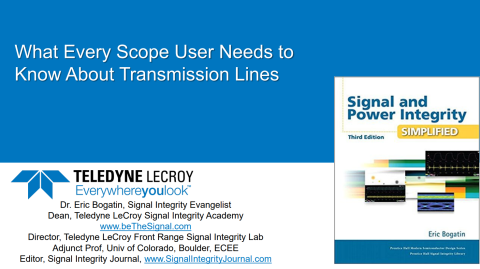
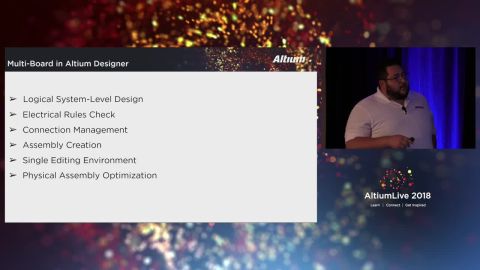
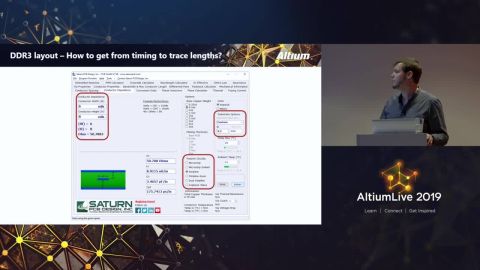
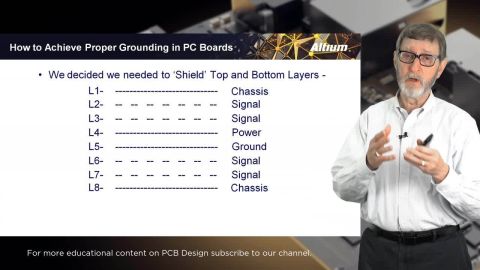
Learn about the importance of PC Board Stack-Up with Rick Hartley by viewing the presentation above. Or watch the video below:
Or view the video in a separate screen here.
Download PDF
Depending on your relationship with Altium, the services offered on the Altium Platform will be experienced from within Altium Designer and through the platform's browser-based interface. This page takes a look at the latter and provides an overview of what you'll see when you register an Altium Account and sign in to the Altium Platform Interface. For the latest information on the security,…
The Altium Platform (Altium 365) on which the various solutions from Altium – Altium Develop and Altium Agile – are delivered, provides a myriad of features and functionality (depending on the solution you are subscribed to) to allow all of the key stakeholders, across multiple disciplines, to connect and collaborate in the creation of product designs in a secure, seamless and streamlined way…
Renesas 365, powered by Altium, is built on the Altium 365 platform and developed for electronics system design. It liberates engineers by unifying development workflows to improve efficiency and accelerate design cycles from concept to volume production. The main, high-level entity in Renesas 365 is a Solution that unifies different aspects of the system that you create – system design, software…
In early stages of electronic designs, it is important to define the design on the conceptual/functional level. This initial step serves as a crucial foundation for the entire development process, providing a high-level overview of the system's architecture and its primary elements. A well-crafted block diagram clarifies the major functional units of the electronic system and illustrates their…
This document is a reference guide for the syntax, operators, and conventions used in the Workspace hardware design search language. Search queries are based on a familiar field:value syntax, and can be used to perform quick, simple searches through to constructing powerful and precise queries. See Advanced Design Search for usage information. Search Syntax and Guide The below reference…
Once the RFQ is created, an RFQ number is associated to it. (Refer to the Creating a Component Manufacturer RFQ page for details regarding creation of an RFQ). Once you click the RFQ Number you are directed to the selected RFQ. There are three Subtabs to an RFQ – RFQ Inputs, Bid Details and Messages. RFQ Inputs – Overview of RFQ. User can view/download and add/ delete files User can add/ delete…
Category Analysis gives an overview of the total spends (includes spend by Manufacturer, Category, Business Units, BOM Supplier, Age and Manufacturer, Age and Category and Country of Origin), Opportunity savings (Savings from Public price, Approved Alternate, Part Analytics Alternates, Duplicate Price, Contract Manufacturer) and Risks with suggested Part Analytics Alternates. Risk Details…
Category Analysis gives an overview of the total spends (includes spend by Manufacturer, Category, Business Units, BOM Supplier, Age and Manufacturer, Age and Category and Country of Origin), Opportunity savings (Savings from Public price, Approved Alternate, Part Analytics Alternates, Duplicate Price, Contract Manufacturer) and Risks with suggested Part Analytics Alternates. Opportunity Savings…
Category Analysis gives an overview of the total spends (includes spend by Manufacturer, Category, Business Units, BOM Supplier, Age and Manufacturer, Age and Category and Country of Origin), Opportunity savings (Savings from Public price, Approved Alternate, Part Analytics Alternates, Duplicate Price, Contract Manufacturer) and Risks with suggested Part Analytics Alternates. The platform…
The BOM Parts tab allows user to view the details of an item number ((internal part number of an uploaded BOM) or a Manufacturing Part Number (MPN in the uploaded BOM), Login to Parts and use the search functionality in BOM Parts. Item Number Details can be searched in two ways, Type the item number in the search box to find a part and Left click Search Icon or BOM Type-Select Production and…
Get Started