
Mobile menu
  • Solutions
    • Octopart Discover Go beyond part search to discover viable solutions, evaluate tradeoffs, and make better decisions earlier
    • Altium Develop Design advanced PCBs in Altium Designer, working independently or connecting reviewers, sourcing data, and release coordination when needed
    • Altium Agile Teams Bring structure to multidisciplinary electronics development and collaboration without sacrificing speed
    • Altium Agile Enterprise Connect context from intent through release with an intelligent, governed, extensible platform
  • Resources & Support
    Free Altium 365 Tools
    • Gerber Compare
    • Online PCB Viewer
    Resources & Support
    • Learning Hub
    • Support Center
    • Documentation
    • Webinars
    Altium Community
    • Forum
    • Bug Crunch
    • Ideas
  • Education & Training
    • Student Lab
    • Educator Center
    • Altium Education Curriculum
    • Altium Professional Training
  • Search Open
    Search Close
Sign In
Altium Designer

Main menu

  • Home
  • PCB Design
    • Collaboration
    • Component Creation
    • Data Management
    • Design Outputs
    • ECAD/MCAD
    • HDI Design
    • High Speed Design
    • Multi-Board
    • PCB Layout
    • PCB Routing
    • PCB Supply Chain
    • Power Integrity
    • RF Design
    • Rigid Flex
    • Schematic Capture
    • Signal Integrity
    • Simulation
  • Software
    • Develop
    • Discover
    • Agile
    • Altium 365
    • Altium Designer
  • Education
    • Programs
    • Altium Academy
    • Engineering News
    • Guide Books
    • Newsletters
    • Podcasts
    • Projects
    • Training Courses
    • Webinars
    • Whitepapers
Learning Hub Altium Designer Empowering Faster Electronics Development with Altium Designer 24

Empowering Faster Electronics Development with Altium Designer 24

Audience:
Electronic Engineers, Mechanical Engineers, Engineering Managers

We are excited to introduce Altium Designer 24: a game-changing advancement in PCB design and connected data. With focus on enhancing efficiency, fostering collaboration, and overcoming the ever-growing challenges of complex product requirements, this release elevates electronics design to unprecedented levels.

Join our upcoming webinar, hosted by Alex Hall, Technical Marketing Engineer at Altium, to discover how Altium Designer is no longer a requested tool - it’s a requirement that is setting the standard in electronics design.

JOIN THIS WEBINAR TO EXPLORE THE FOLLOWING:

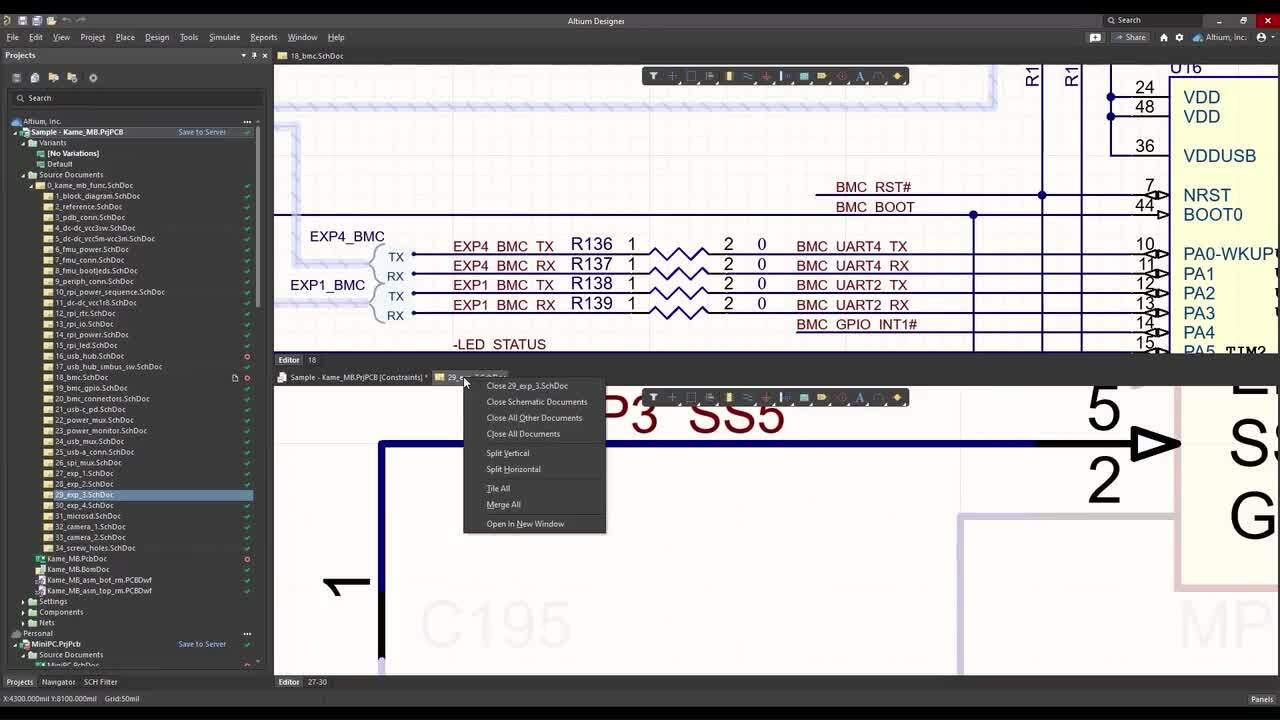
  • Learn how multiple engineers - regardless of location - can simultaneously design different parts of the same PCB.
  • Explore the digital connection with Ansys Electronics Desktop, enabling electronic and simulation engineers to seamlessly work together.
  • Discover how to easily duplicate components and connections to reduce errors and save time.
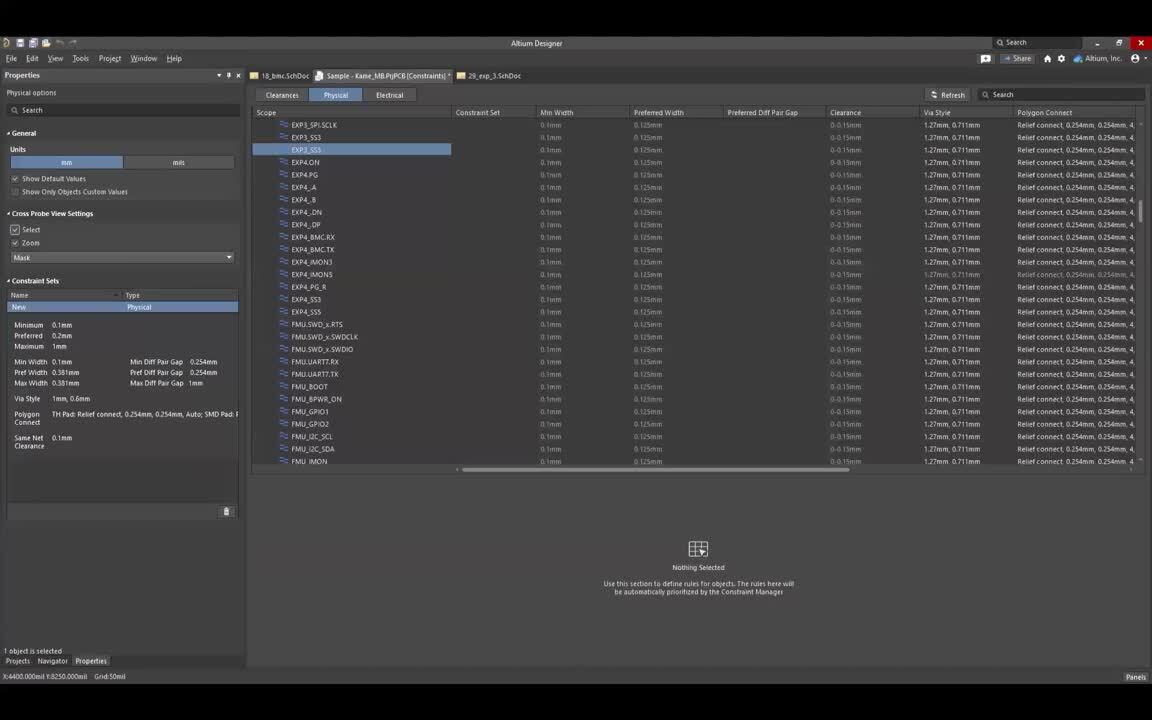
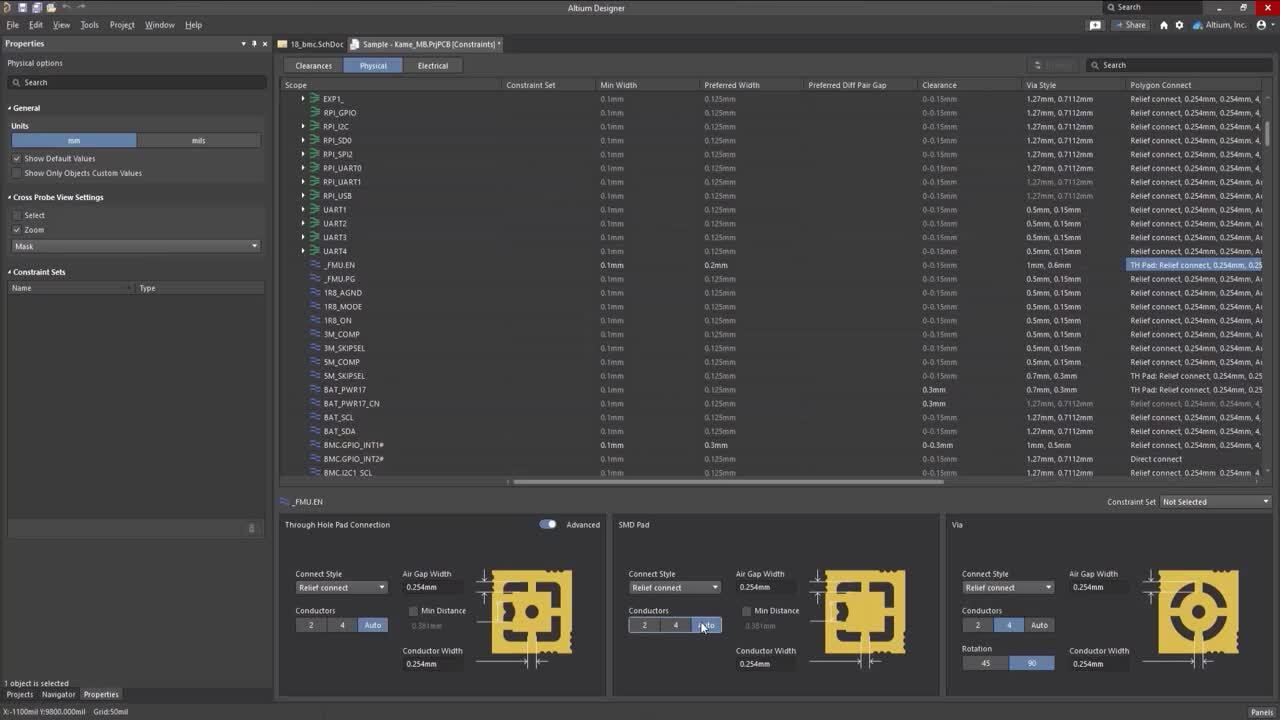
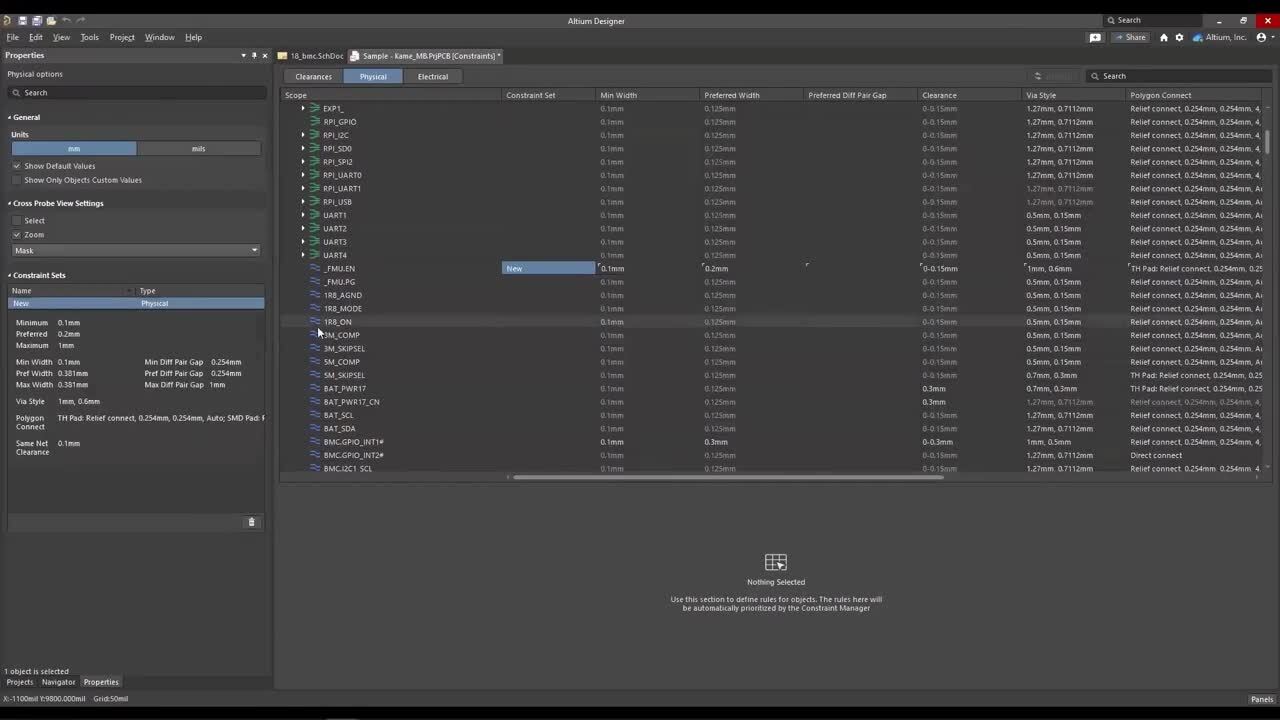
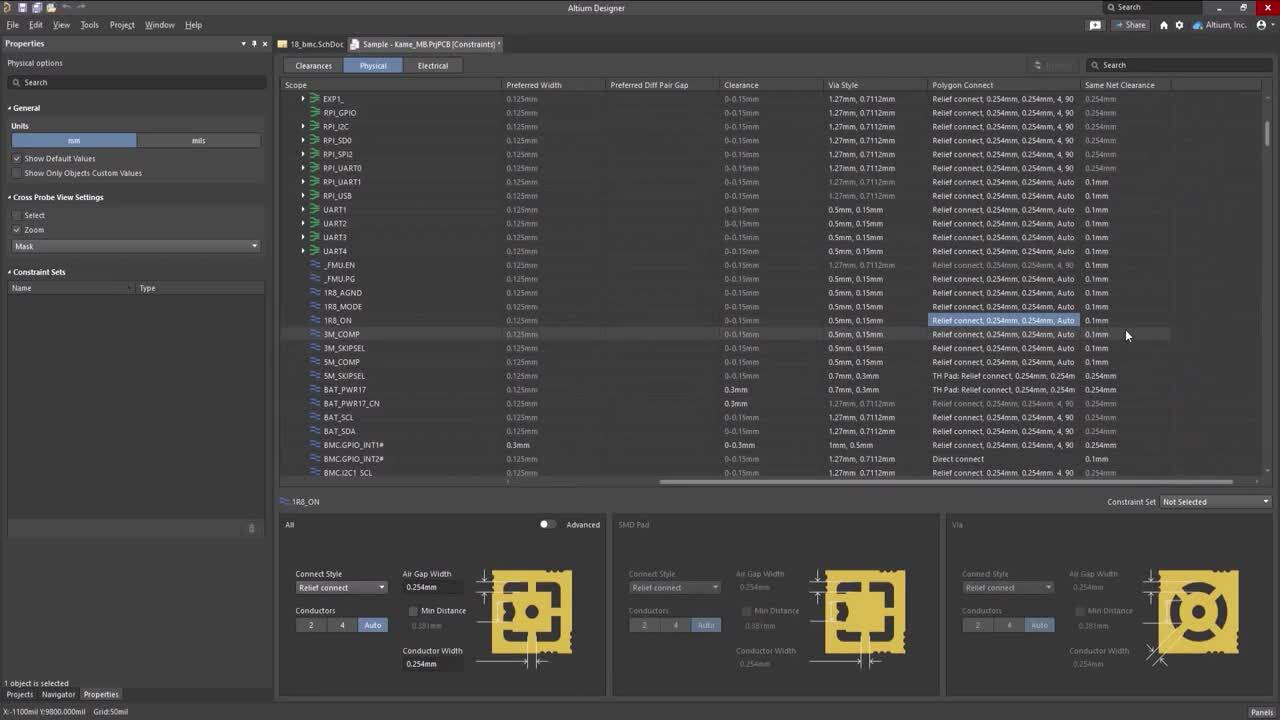
  • Explore a spreadsheet-like, object-based constraint editor to manage an increasing number of nets and design objects to ensure design performance and requirements are met.
  • See how streamlined design review and documentation significantly reduces errors and costs.
  • Learn how you can simplify complex wiring tasks and validate your designs in a virtual environment for high performance and reliability.
  • See how you can perform SPICE simulations, resolve power issues without relying on expensive prototypes, and analyze signal integrity - all within Altium Designer.
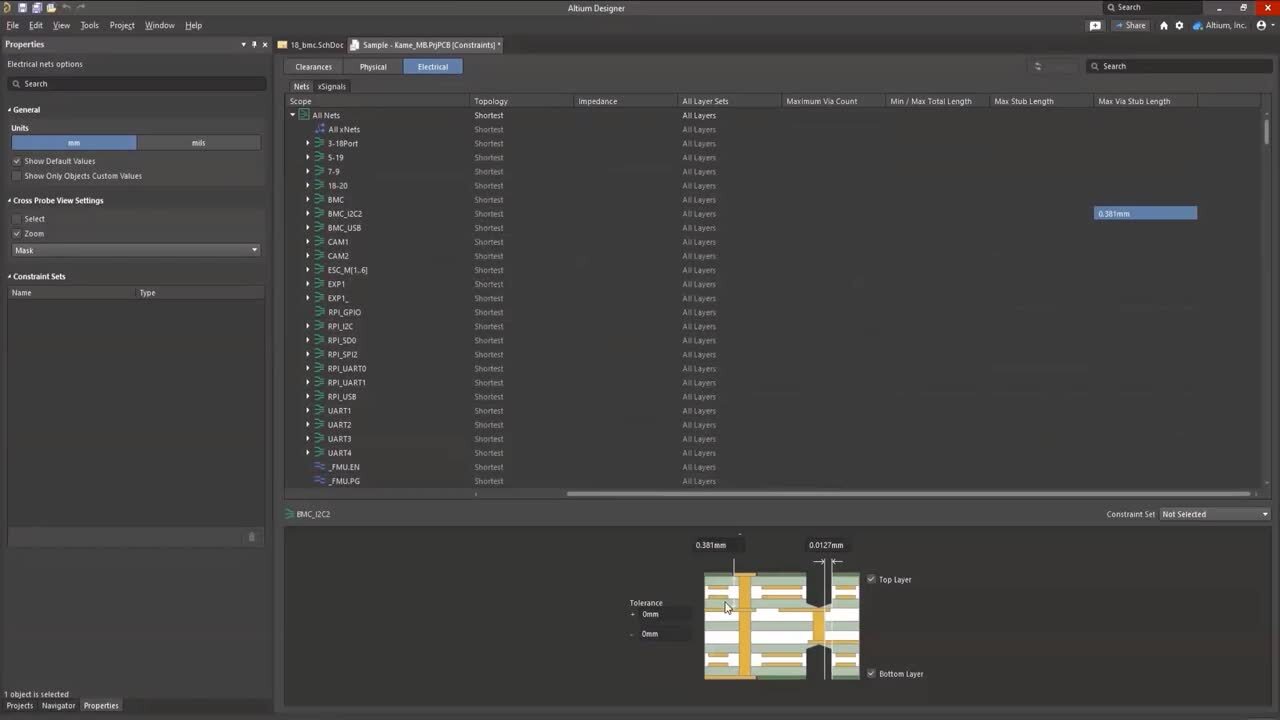
  • Discover how detailed cross-sectional perspective enables accurate design reviews and identifies issues with components and clearances.
  • Explore how to achieve precision with custom pad shapes, solder and paste masks to enhance PCB performance.
faster electronics design

Registration has recently closed. Check back soon for on-demand webinar.

Related Resources

15:20 ON Demand - XJTAG Watch Video
1:04 DRC Flexibility - Features Watch Video

Related Technical Documentation

Object & Layer Transparency Object & Layer Transparency

The Object Visibility region of the View Configuration panel can be used to set the transparency of each PCB object. Use the Transparency slide bar to set the percentage or enter the desired percentage directly in the percentage field. Altium Designer also provides support for setting the transparency of each object type individually and on a per-layer basis for each layer that can be used in…

Read Documentation
Interfacing to Other Design Tools Interfacing to Other Design Tools

Altium Designer is probably just one of many engineering design environments that you work with, or need to interface to. Perhaps you need to interface to another design and analysis platform to perform a power simulation, or perhaps you need to import an older design that was developed in another design environment. Whatever the reason, it's likely that one day you'll need to be able to…

Read Documentation
Moving to CoDesigner from SOLIDWORKS PCB Connector - FAQs Moving to CoDesigner from SOLIDWORKS PCB Connector - FAQs

What do SOLIDWORKS PCB and SOLIDWORKS PCB Connector end-of-life mean? Starting August 15, 2023, SOLIDWORKS PCB and SOLIDWORKS PCB Connector will no longer receive updates or support. Will SOLIDWORKS PCB or SOLIDWORKS PCB Connector still be supported? SOLIDWORKS PCB and SOLIDWORKS PCB Connector will be supported through August 14, 2023. Will I need to export all the files from the solutions before…

Read Documentation
Altium Designer Documentation Altium Designer Documentation

Altium Designer combines a myriad of features and functionality, including: Advanced routing technology Support for cutting-edge rigid-flex board design Powerful data management tools ECAD Libraries containing over 300,000 ready-to-use components Powerful design reuse tools Real-time cost estimation and tracking Dynamic supply chain intelligence Native 3D visualizations and clearance checking…

Read Documentation
Ansys CoDesigner Ansys CoDesigner

Due to the complexity of modern electronic products featuring high-speed and RF circuits, intensive communication between PCB and simulation engineers is required during the PCB design process, and this communication should be as clear and simple for both sides as possible. It is not sufficient to export a design changed by the PCB engineer or optimized by the simulation engineer and pass it to…

Read Documentation
ECAD-MCAD Video Tutorials ECAD-MCAD Video Tutorials

Altium CoDesigner brings the electronic and mechanical design worlds together. With this comes the challenge of defining design object and spatial requirements in different design domains, and different design languages. This series of videos will help in the process of understanding how best to transfer your design between the mechanical and electronic design domains. The videos on this page…

Read Documentation
Public Release Notes Public Release Notes

The following sections list the release notes for publically released versions of Altium Designer 15.1 and Altium Designer 15.0 For a summary of new features and enhancements in Altium Designer 15.x, see New in Altium Designer. For a listing of release notes for versions of the software prior to 15.0, see Historical Release Notes. Version 15.1.16 Build: 63332 Date: 2 June 2016 7492 Restored the…

Read Documentation
New in Altium Designer New in Altium Designer

Release Notes Release Notes for Altium Designer 15.1 Release Notes for Altium Designer 15.0 Historical Release Notes QuickLinks Exploring Altium Designer Altium Designer - Features Altium Designer 15.1 Released: 8 May 2015 - Version: 15.1.9 Released: 2 June 2015 - Version: 15.1.12 Released: 2 July 2015 - Version: 15.1.13 Released: 22 July 2015 - Version: 15.1.14 Released: 14 September 2015 -…

Read Documentation
Working with a SPICE Netlist Working with a SPICE Netlist

Parent page: Advanced Topics The SPICE netlist is a textual representation of the circuit. It must include all necessary components with parameters, component models, connections, and types of analysis. It is the SPICE netlist that is processed by the simulation engine. The graphical representation of the schematic is used to simplify the creation of the netlist from the user's work when…

Read Documentation
Simulation Generic Components Simulation Generic Components

Parent page: Advanced Topics Installed by default and available from the Components panel, the Simulation Generic Components library provides access to various simulation-ready components: from RLC passives through discrete semiconductors to digital components in different formats. Refer to the Adding Simulation Models to the Design section of the Verifying & Preparing a Project for…

Read Documentation

Empowering Faster Electronics Development with Altium Designer 24

Created: November 30, 2023
At a Glance
Revolutionize your approach to electronic product development and unlock the full potential of collaborative design. Join us as we discover how Altium Designer 24's intuitive and intelligent design platform empowers engineers and design teams to accomplish tasks with precision and speed, leading to enhanced efficiency and accelerated project timelines.
Go Deeper with AI:
ChatGPT Perplexity Claude Google Grok
8 videos
  • Presented by Jan Grooten and Amit Kumar
    01:03:13 • Dec 7, 2023
    Presented by Jan Grooten and Amit Kumar
    01:03:13 • Dec 7, 2023

    In this webinar we’ll explore all of the new features of Altium Designer 24.
  • Presented by Aida Gharahkani
    01:10:09 • Dec 6, 2023
    Presented by Aida Gharahkani
    01:10:09 • Dec 6, 2023

    In this webinar we’ll explore all of the new features of Altium Designer 24.
  • Presented by Alex Hall
    01:02:28 • Dec 6, 2023
    Presented by Alex Hall
    01:02:28 • Dec 6, 2023

    In this webinar we’ll explore all of the new features of Altium Designer 24.
  • Presentato da Manuel Valero
    00:54:19 • Dec 7, 2023
    Presentato da Manuel Valero
    00:54:19 • Dec 7, 2023

    Potenziamento dello sviluppo elettronico con Altium Designer 24
  • Presente por Manuel Valero
    00:52:52 • Dec 7, 2023
    Presente por Manuel Valero
    00:52:52 • Dec 7, 2023

    Desarrollo electrónico más rápido con Altium Designer 24
  • Presented by Martin Malenica
    00:44:35 • Dec 7, 2023
    Presented by Martin Malenica
    00:44:35 • Dec 7, 2023

    Schnellere Elektronikentwicklung mit Altium Designer 24
  • 오힘찬 FAE 발표
    00:55:32 • Dec 6, 2023
    오힘찬 FAE 발표
    00:55:32 • Dec 6, 2023
    Altium Designer 24를 통해 더욱 빠른 전자 제품 개발 지원
  • プレゼンター:ダニエル チョウ
    00:55:47 • Dec 6, 2023
    プレゼンター:ダニエル チョウ
    00:55:47 • Dec 6, 2023
Product: Product Design Collaboration Altium Designer Webinars Workflow and Process Management CoDesign and CoEngineering (ECAD/MCAD Collaboration)
Other Recordings
Clear ×
Region
Language

The session spotlights the ability to expedite layout design by collaborating and connecting seamlessly, allowing multiple engineers from different parts of the world to work on distinct sections of the same PCB concurrently. Attendees learned about the quick duplication of components and connections, a time-saving measure that minimizes errors.
    
The webinar showcases Altium Designer 24's intuitive object-based constraint editor, likened to a spreadsheet, which efficiently manages an increasing number of nets and design objects to ensure optimal performance and meet design requirements. Additionally, the tool's capacity to streamline design reviews and documentation will be demonstrated, emphasizing error reduction and cost savings.

Participants gained insights into the direct link with Ansys Electronics Desktop for swift signal and thermal checks, contributing to time efficiency and minimizing mistakes. Altium Designer 24's capability to simplify complex wiring tasks and facilitate virtual environment validation for performance and reliability will be explored. The webinar will also cover the platform's features for performing SPICE simulations to tackle any design complexity, addressing power issues without relying on expensive prototypes, and analyzing signal integrity.

The detailed cross-sectional perspective for accurate design reviews, along with the customization of pad shapes, solder, and paste masks for precision and enhanced PCB performance, will be highlighted. Altogether, the webinar delivered a comprehensive exploration of Altium Designer 24's features, providing attendees with valuable insights to optimize their electronics development workflow and design intuitively and intelligently.

Related Resources

15:20 ON Demand - XJTAG Watch Video
1:04 DRC Flexibility - Features Watch Video

Related Technical Documentation

Object & Layer Transparency Object & Layer Transparency

The Object Visibility region of the View Configuration panel can be used to set the transparency of each PCB object. Use the Transparency slide bar to set the percentage or enter the desired percentage directly in the percentage field. Altium Designer also provides support for setting the transparency of each object type individually and on a per-layer basis for each layer that can be used in…

Read Documentation
Interfacing to Other Design Tools Interfacing to Other Design Tools

Altium Designer is probably just one of many engineering design environments that you work with, or need to interface to. Perhaps you need to interface to another design and analysis platform to perform a power simulation, or perhaps you need to import an older design that was developed in another design environment. Whatever the reason, it's likely that one day you'll need to be able to…

Read Documentation
Moving to CoDesigner from SOLIDWORKS PCB Connector - FAQs Moving to CoDesigner from SOLIDWORKS PCB Connector - FAQs

What do SOLIDWORKS PCB and SOLIDWORKS PCB Connector end-of-life mean? Starting August 15, 2023, SOLIDWORKS PCB and SOLIDWORKS PCB Connector will no longer receive updates or support. Will SOLIDWORKS PCB or SOLIDWORKS PCB Connector still be supported? SOLIDWORKS PCB and SOLIDWORKS PCB Connector will be supported through August 14, 2023. Will I need to export all the files from the solutions before…

Read Documentation
Altium Designer Documentation Altium Designer Documentation

Altium Designer combines a myriad of features and functionality, including: Advanced routing technology Support for cutting-edge rigid-flex board design Powerful data management tools ECAD Libraries containing over 300,000 ready-to-use components Powerful design reuse tools Real-time cost estimation and tracking Dynamic supply chain intelligence Native 3D visualizations and clearance checking…

Read Documentation
Ansys CoDesigner Ansys CoDesigner

Due to the complexity of modern electronic products featuring high-speed and RF circuits, intensive communication between PCB and simulation engineers is required during the PCB design process, and this communication should be as clear and simple for both sides as possible. It is not sufficient to export a design changed by the PCB engineer or optimized by the simulation engineer and pass it to…

Read Documentation
ECAD-MCAD Video Tutorials ECAD-MCAD Video Tutorials

Altium CoDesigner brings the electronic and mechanical design worlds together. With this comes the challenge of defining design object and spatial requirements in different design domains, and different design languages. This series of videos will help in the process of understanding how best to transfer your design between the mechanical and electronic design domains. The videos on this page…

Read Documentation
Public Release Notes Public Release Notes

The following sections list the release notes for publically released versions of Altium Designer 15.1 and Altium Designer 15.0 For a summary of new features and enhancements in Altium Designer 15.x, see New in Altium Designer. For a listing of release notes for versions of the software prior to 15.0, see Historical Release Notes. Version 15.1.16 Build: 63332 Date: 2 June 2016 7492 Restored the…

Read Documentation
New in Altium Designer New in Altium Designer

Release Notes Release Notes for Altium Designer 15.1 Release Notes for Altium Designer 15.0 Historical Release Notes QuickLinks Exploring Altium Designer Altium Designer - Features Altium Designer 15.1 Released: 8 May 2015 - Version: 15.1.9 Released: 2 June 2015 - Version: 15.1.12 Released: 2 July 2015 - Version: 15.1.13 Released: 22 July 2015 - Version: 15.1.14 Released: 14 September 2015 -…

Read Documentation
Working with a SPICE Netlist Working with a SPICE Netlist

Parent page: Advanced Topics The SPICE netlist is a textual representation of the circuit. It must include all necessary components with parameters, component models, connections, and types of analysis. It is the SPICE netlist that is processed by the simulation engine. The graphical representation of the schematic is used to simplify the creation of the netlist from the user's work when…

Read Documentation
Simulation Generic Components Simulation Generic Components

Parent page: Advanced Topics Installed by default and available from the Components panel, the Simulation Generic Components library provides access to various simulation-ready components: from RLC passives through discrete semiconductors to digital components in different formats. Refer to the Adding Simulation Models to the Design section of the Verifying & Preparing a Project for…

Read Documentation
Back to Home
Altium Develop

Design to Release, Without the Friction

  • Keep reviews tied to the right version
  • Reduce handoff confusion and rework
  • Spot sourcing and release risk earlier
  • Work solo, share when needed

Get Started

Platform-based Solutions
  • Octopart Discover
  • Altium Develop
  • Altium Agile
Tools
  • Altium Designer
  • Octopart
Platform
  • Altium 365
Company
  • Our Customers
  • Trust Center
  • Newsroom
Software Capabilities
  • PCB Layout and Design
  • Requirements Management
  • Electronics Data Management
  • IT Security
  • Electronics Manufacturing
  • Electronics Supply Chain
  • Engineering Management
Resources & Support
  • Status
  • Downloads
  • Learning Hub
  • Support Center
  • Bug Crunch
  • Forum
  • Documentation
  • Ideas
  • Education
  • Professional Training / Certification
  • Webinars
  • Beta Program
Education
  • Student Lab
  • Educator Center
  • Altium Education Curriculum
Careers
  • Career at Altium
  • Copyrights & Trademark
  • Privacy policy
  • Cookie policy
  • Terms of Service
  • Legal
© 2026 Altium Pty. Ltd.