Mobile menu
  • Octopart Discover
  • Altium Develop
  • Altium Agile
  • Resources & Support
    Free Altium 365 Tools
    • Gerber Compare
    • Online PCB Viewer
    Resources & Support
    • Learning Hub
    • Support Center
    • Documentation
    • Webinars
    Altium Community
    • Forum
    • Bug Crunch
    • Ideas
  • Education & Training
    • Student Lab
    • Educator Center
    • Altium Education Curriculum
    • Altium Professional Training
  • Search Open
    Search Close
Sign In
Workshops

Main menu

  • Home
  • PCB Design
    • Collaboration
    • Component Creation
    • Data Management
    • Design Outputs
    • ECAD/MCAD
    • HDI Design
    • High Speed Design
    • Multi-Board
    • PCB Layout
    • PCB Routing
    • PCB Supply Chain
    • Power Integrity
    • RF Design
    • Rigid Flex
    • Schematic Capture
    • Signal Integrity
    • Simulation
  • Software
    • Develop
    • Discover
    • Agile
    • Altium 365
    • Altium Designer
  • Education
    • Programs
    • Altium Academy
    • Engineering News
    • Guide Books
    • Newsletters
    • Podcasts
    • Projects
    • Training Courses
    • Webinars
    • Whitepapers
Learning Hub Workshops Altium 365: Design Management Fundamentals
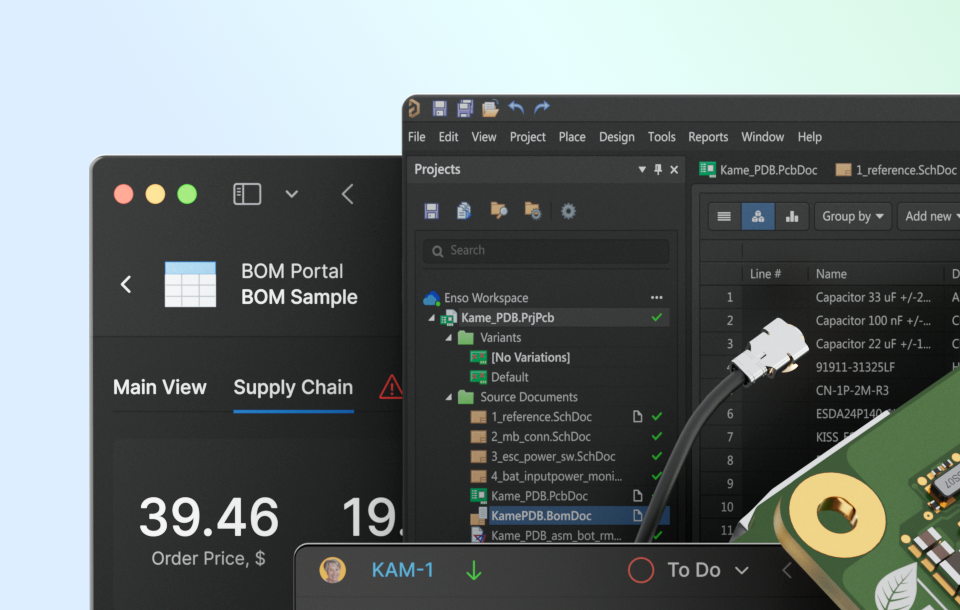
Altium 365: Design Management Fundamentals

Workshop - Design Management

Registration has recently closed. Check back soon for on-demand webinar.

Related Resources

Ask the Expert Weekly Sessions Join our Weekly "Ask an Expert" Session! Ask questions and learn from Altium 365 experts. Multiple Dates and Times June 17, 2026 10:00 AM Register
00:46:29 Altium 365: MCAD CoDesigner Learn how to effectively use Altium 365 MCAD CoDesigner for efficient collaboration between PCB and mechanical design teams. Watch Video
00:14:43 Getting Started with Requirements & Systems Portal Learn how to effectively use Altium Requirements & System Portal for managing and collaborating around requirements throughout the design process. Watch Video
00:16:20 Assembly Assistant Workshop Develop a comprehensive understanding of how to use the Assembly Assistant in Altium Develop and Altium Agile to reduce errors, increase efficiency, and ensure consistency in your Printed Circuit Board Assembly. Watch Video
00:07:17 Altium 365: Jira Integration This workshop on Altium 365’s Jira integration provides a clear, step-by-step guide for setting up and leveraging the integration to streamline project management. Watch Video
00:25:16 Altium 365: Workspace Setup Join us for an interactive workshop on setting up and optimizing your Altium 365 workspace. Watch Video
00:35:53 Altium 365: Library & Component Management Fundamentals In this comprehensive workshop, we will delve into the intricacies of component management within Altium 365. Watch Video

Related Technical Documentation

Altium 365 Platform Interface Altium 365 Platform Interface

Depending on your relationship with Altium, the services offered on the Altium Platform will be experienced from within Altium Designer and through the platform's browser-based interface. This page takes a look at the latter and provides an overview of what you'll see when you register an Altium Account and sign in to the Altium Platform Interface. For the latest information on the security,…

Read Documentation
Web Viewer Functionality on the Altium 365 Platform Web Viewer Functionality on the Altium 365 Platform

The Altium 365 Web Viewer interface provides universal access to PCB project documents through a standard web browser. Much more than just a web-based viewer, its advanced browser technology allows users to navigate through the project structure, interact with design documents, extract information about elements in the design, and highlight areas or objects for commenting notes. When viewing…

Read Documentation
Viewing Manufacturing Packages on the Altium 365 Platform Viewing Manufacturing Packages on the Altium 365 Platform

The Manufacturing Package Viewer, an element of the Altium 365 platform's Global Sharing support, allows invited stakeholders to view a manufacturing package from any web browser – anywhere in the world – but outside of your Workspace, so that your designs themselves and other valuable IP are kept off limits. The Viewer opens in its own browser tab and provides a summary overview of the design,…

Read Documentation
Altium 365 Altium 365

Altium 365® is a cloud-based infrastructure platform that connects all the key stakeholders and disciplines, from mechanical designers to parts procurement, to fabrication and assembly. In other words, the Altium 365 Platform connects electronics design to the manufacturing floor. Since it is cloud-based, there is nothing to install and no servers to configure. It’s just there with Altium…

Read Documentation
QuickNav - Platform Key Capabilities QuickNav - Platform Key Capabilities

The Altium Platform (Altium 365) on which the various solutions from Altium – Altium Develop and Altium Agile – are delivered, provides a myriad of features and functionality (depending on the solution you are subscribed to) to allow all of the key stakeholders, across multiple disciplines, to connect and collaborate in the creation of product designs in a secure, seamless and streamlined way…

Read Documentation
Renesas 365 Renesas 365

Renesas 365, powered by Altium, is built on the Altium 365 platform and developed for electronics system design. It liberates engineers by unifying development workflows to improve efficiency and accelerate design cycles from concept to volume production. The main, high-level entity in Renesas 365 is a Solution that unifies different aspects of the system that you create – system design, software…

Read Documentation
ESD ESD

In early stages of electronic designs, it is important to define the design on the conceptual/functional level. This initial step serves as a crucial foundation for the entire development process, providing a high-level overview of the system's architecture and its primary elements. A well-crafted block diagram clarifies the major functional units of the electronic system and illustrates their…

Read Documentation
Search Query Reference Search Query Reference

This document is a reference guide for the syntax, operators, and conventions used in the Workspace hardware design search language. Search queries are based on a familiar field:value syntax, and can be used to perform quick, simple searches through to constructing powerful and precise queries. See Advanced Design Search for usage information. Search Syntax and Guide The below reference…

Read Documentation
Working with a Component Manufacturer RFQ Working with a Component Manufacturer RFQ

Once the RFQ is created, an RFQ number is associated to it. (Refer to the Creating a Component Manufacturer RFQ page for details regarding creation of an RFQ). Once you click the RFQ Number you are directed to the selected RFQ. There are three Subtabs to an RFQ – RFQ Inputs, Bid Details and Messages. RFQ Inputs – Overview of RFQ. User can view/download and add/ delete files User can add/ delete…

Read Documentation
Risk Details Risk Details

Category Analysis gives an overview of the total spends (includes spend by Manufacturer, Category, Business Units, BOM Supplier, Age and Manufacturer, Age and Category and Country of Origin), Opportunity savings (Savings from Public price, Approved Alternate, Part Analytics Alternates, Duplicate Price, Contract Manufacturer) and Risks with suggested Part Analytics Alternates. Risk Details…

Read Documentation

Altium 365: Design Management Fundamentals

Created: April 4, 2025
At a Glance
In this workshop, we will focus on best practices for managing design projects and enhancing collaboration within Altium 365.
Go Deeper with AI:
ChatGPT Perplexity Claude Google Grok
1 video
  • Hosted by Abe Kealaiki - Customer Success Manager
    00:25:33 • Apr 3, 2025
    Hosted by Abe Kealaiki - Customer Success Manager
    00:25:33 • Apr 3, 2025

    In this workshop, we will focus on best practices for managing design projects and enhancing collaboration within Altium 365.

Product: Altium 365 Workshops Electrical Engineers

In this workshop, we will focus on best practices for managing design projects and enhancing collaboration within Altium 365. Participants will gain valuable insights into project management and user collaboration, ensuring a streamlined design process.

Workshop Agenda

Introduction: Overview & Session Objectives

  • Outline the goals and objectives of the session.
  • Brief overview of Altium 365 and its importance in design management.

Collaboration Challenges: Identifying and Overcoming Common Hurdles

  • Common collaboration challenges faced in design management.
  • Strategies for overcoming these hurdles within A365.

Project Management

  • Opening, Creating, and Migrating Projects
  • How to open existing projects within A365.
  • Creating new projects and managing them effectively.
  • Best practices for migrating projects to A365.

Sharing Projects and Managing Permissions

  • How to share projects with team members and external collaborators.
  • Managing permissions and access control to ensure project security.

Inviting Users and Collaborating with Contractors

  • Inviting users to your workspace and assigning roles.
  • Collaborating with contractors and external partners within A365.

Best Practices: Utilizing Project Templates and Version Control Effectively

  • Importance of using project templates for consistency and efficiency.
  • Overview of version control to track project changes.
  • Best practices for maintaining project integrity and accountability.

Related Resources

Ask the Expert Weekly Sessions Join our Weekly "Ask an Expert" Session! Ask questions and learn from Altium 365 experts. Multiple Dates and Times June 17, 2026 10:00 AM Register
00:46:29 Altium 365: MCAD CoDesigner Learn how to effectively use Altium 365 MCAD CoDesigner for efficient collaboration between PCB and mechanical design teams. Watch Video
00:14:43 Getting Started with Requirements & Systems Portal Learn how to effectively use Altium Requirements & System Portal for managing and collaborating around requirements throughout the design process. Watch Video
00:16:20 Assembly Assistant Workshop Develop a comprehensive understanding of how to use the Assembly Assistant in Altium Develop and Altium Agile to reduce errors, increase efficiency, and ensure consistency in your Printed Circuit Board Assembly. Watch Video
00:07:17 Altium 365: Jira Integration This workshop on Altium 365’s Jira integration provides a clear, step-by-step guide for setting up and leveraging the integration to streamline project management. Watch Video
00:25:16 Altium 365: Workspace Setup Join us for an interactive workshop on setting up and optimizing your Altium 365 workspace. Watch Video
00:35:53 Altium 365: Library & Component Management Fundamentals In this comprehensive workshop, we will delve into the intricacies of component management within Altium 365. Watch Video

Related Technical Documentation

Altium 365 Platform Interface Altium 365 Platform Interface

Depending on your relationship with Altium, the services offered on the Altium Platform will be experienced from within Altium Designer and through the platform's browser-based interface. This page takes a look at the latter and provides an overview of what you'll see when you register an Altium Account and sign in to the Altium Platform Interface. For the latest information on the security,…

Read Documentation
Web Viewer Functionality on the Altium 365 Platform Web Viewer Functionality on the Altium 365 Platform

The Altium 365 Web Viewer interface provides universal access to PCB project documents through a standard web browser. Much more than just a web-based viewer, its advanced browser technology allows users to navigate through the project structure, interact with design documents, extract information about elements in the design, and highlight areas or objects for commenting notes. When viewing…

Read Documentation
Viewing Manufacturing Packages on the Altium 365 Platform Viewing Manufacturing Packages on the Altium 365 Platform

The Manufacturing Package Viewer, an element of the Altium 365 platform's Global Sharing support, allows invited stakeholders to view a manufacturing package from any web browser – anywhere in the world – but outside of your Workspace, so that your designs themselves and other valuable IP are kept off limits. The Viewer opens in its own browser tab and provides a summary overview of the design,…

Read Documentation
Altium 365 Altium 365

Altium 365® is a cloud-based infrastructure platform that connects all the key stakeholders and disciplines, from mechanical designers to parts procurement, to fabrication and assembly. In other words, the Altium 365 Platform connects electronics design to the manufacturing floor. Since it is cloud-based, there is nothing to install and no servers to configure. It’s just there with Altium…

Read Documentation
QuickNav - Platform Key Capabilities QuickNav - Platform Key Capabilities

The Altium Platform (Altium 365) on which the various solutions from Altium – Altium Develop and Altium Agile – are delivered, provides a myriad of features and functionality (depending on the solution you are subscribed to) to allow all of the key stakeholders, across multiple disciplines, to connect and collaborate in the creation of product designs in a secure, seamless and streamlined way…

Read Documentation
Renesas 365 Renesas 365

Renesas 365, powered by Altium, is built on the Altium 365 platform and developed for electronics system design. It liberates engineers by unifying development workflows to improve efficiency and accelerate design cycles from concept to volume production. The main, high-level entity in Renesas 365 is a Solution that unifies different aspects of the system that you create – system design, software…

Read Documentation
ESD ESD

In early stages of electronic designs, it is important to define the design on the conceptual/functional level. This initial step serves as a crucial foundation for the entire development process, providing a high-level overview of the system's architecture and its primary elements. A well-crafted block diagram clarifies the major functional units of the electronic system and illustrates their…

Read Documentation
Search Query Reference Search Query Reference

This document is a reference guide for the syntax, operators, and conventions used in the Workspace hardware design search language. Search queries are based on a familiar field:value syntax, and can be used to perform quick, simple searches through to constructing powerful and precise queries. See Advanced Design Search for usage information. Search Syntax and Guide The below reference…

Read Documentation
Working with a Component Manufacturer RFQ Working with a Component Manufacturer RFQ

Once the RFQ is created, an RFQ number is associated to it. (Refer to the Creating a Component Manufacturer RFQ page for details regarding creation of an RFQ). Once you click the RFQ Number you are directed to the selected RFQ. There are three Subtabs to an RFQ – RFQ Inputs, Bid Details and Messages. RFQ Inputs – Overview of RFQ. User can view/download and add/ delete files User can add/ delete…

Read Documentation
Risk Details Risk Details

Category Analysis gives an overview of the total spends (includes spend by Manufacturer, Category, Business Units, BOM Supplier, Age and Manufacturer, Age and Category and Country of Origin), Opportunity savings (Savings from Public price, Approved Alternate, Part Analytics Alternates, Duplicate Price, Contract Manufacturer) and Risks with suggested Part Analytics Alternates. Risk Details…

Read Documentation
Back to Home
Platform-based Solutions
  • Octopart Discover
  • Altium Develop
  • Altium Agile
Tools
  • Altium Designer
  • Octopart
Platform
  • Altium 365
Company
  • Our Customers
  • Trust Center
  • Newsroom
Software Capabilities
  • PCB Layout and Design
  • Requirements Management
  • Electronics Data Management
  • Design Compliance and Security
  • Electronics Manufacturing
  • Electronics Supply Chain
  • Engineering Management
Resources & Support
  • Status
  • Downloads
  • Learning Hub
  • Support Center
  • Bug Crunch
  • Forum
  • Documentation
  • Ideas
  • Education
  • Professional Training / Certification
  • Webinars
  • Beta Program
Education
  • Student Lab
  • Educator Center
  • Altium Education Curriculum
Careers
  • Career at Altium
  • Copyrights & Trademark
  • Privacy policy
  • Cookie policy
  • Terms of Service
  • Legal
© 2026 Altium Pty. Ltd.