Mobile menu
  • Solutions
    • Octopart Discover Go beyond part search to discover viable solutions, evaluate tradeoffs, and make better decisions earlier
    • Altium Develop Design advanced PCBs in Altium Designer, working independently or connecting reviewers, sourcing data, and release coordination when needed
    • Altium Agile Teams Bring structure to multidisciplinary electronics development and collaboration without sacrificing speed
    • Altium Agile Enterprise Connect context from intent through release with an intelligent, governed, extensible platform
  • Resources & Support
    Free Altium 365 Tools
    • Gerber Compare
    • Online PCB Viewer
    Resources & Support
    • Learning Hub
    • Support Center
    • Documentation
    • Webinars
    Altium Community
    • Forum
    • Bug Crunch
    • Ideas
  • Education & Training
    • Student Lab Free access to professional PCB design software, training, and learning resources for students
    • Educator Center A comprehensive education platform providing curriculum, software, training, and classroom resources for educators
    • Altium Education Curriculum Free college- and university-level PCB design curriculum designed to prepare students for real-world engineering careers
    • Altium Professional Training Flexible on-demand and instructor-led training courses that help engineers build and advance their PCB design skills
  • Search Open
    Search Close
Sign In
Workshops

Main menu

  • Home
  • PCB Design
    • Collaboration
    • Component Creation
    • Data Management
    • Design Outputs
    • ECAD/MCAD
    • HDI Design
    • High Speed Design
    • Multi-Board
    • PCB Layout
    • PCB Routing
    • PCB Supply Chain
    • Power Integrity
    • RF Design
    • Rigid Flex
    • Schematic Capture
    • Signal Integrity
    • Simulation
  • Software
    • Discover
    • Develop
    • Agile Teams
    • Agile Enterprise
    • Altium 365
    • Altium Designer
  • Education
    • Programs
    • Altium Academy
    • Engineering News
    • Guide Books
    • Newsletters
    • Podcasts
    • Projects
    • Training Courses
    • Webinars
    • Whitepapers
Learning Hub Workshops Assembly Assistant Workshop
Assembly Assistant Workshop

Workshop - Assembly Assistant

Registration has recently closed. Check back soon for on-demand webinar.

Related Resources

Ask the Expert Weekly Sessions Join our Weekly "Ask an Expert" Session! Ask questions and learn from Altium 365 experts. Multiple Dates and Times November 4, 2026 10:30 AM Register
00:35:53 Altium 365: Library & Component Management Fundamentals In this comprehensive workshop, we will delve into the intricacies of component management within Altium 365. Watch Video
00:46:29 Altium 365: MCAD CoDesigner Learn how to effectively use Altium 365 MCAD CoDesigner for efficient collaboration between PCB and mechanical design teams. Watch Video
00:07:17 Altium 365: Jira Integration This workshop on Altium 365’s Jira integration provides a clear, step-by-step guide for setting up and leveraging the integration to streamline project management. Watch Video
00:14:43 Getting Started with Requirements & Systems Portal Learn how to effectively use Altium's Requirements & System Portal for managing and collaborating around requirements throughout the design process. Watch Video
00:25:33 Altium 365: Design Management Fundamentals In this workshop, we will focus on best practices for managing design projects and enhancing collaboration within Altium 365. Watch Video
00:25:16 Altium 365 Workspace Setup Join us for an interactive workshop on setting up and optimizing your Altium 365 Workspace. Watch Video

Related Technical Documentation

Altium 365 Platform Interface Altium 365 Platform Interface

Depending on your relationship with Altium, the services offered on the Altium Platform will be experienced from within Altium Designer and through the platform's browser-based interface. This page takes a look at the latter and provides an overview of what you'll see when you register an Altium Account and sign in to the Altium Platform Interface. For the latest information on the security,…

Read Documentation
New in Requirements Portal New in Requirements Portal

Requirements Portal is under continuous development. This page outlines new features and enhancements made to Requirements Portal in key updates. When the Sharing of Requirements Projects feature is released: remove the box below, leave the content. Update - xx October 2026 Sharing of Requirements Projects Requirements projects are now shown on the Projects page of the Workspace browser interface…

Read Documentation
Agentic Requirements Engineering Agentic Requirements Engineering

Agentic Requirements Engineering in Requirements Portal introduces AI agents that work directly with requirements data, transforming requirements from static documentation into a living, shared engineering model. Rather than forcing engineers to spend time on administrative tasks, Requirements Portal allows AI to answer project-specific questions, propose requirement updates, perform quality…

Read Documentation
Tutorial - A Complete Design Walkthrough with Requirements Portal Tutorial - A Complete Design Walkthrough with Requirements Portal

The goal of this tutorial is to cover the most basic functionalities of Requirements Portal. In this tutorial, we will design a table fan with a set of requirements and blocks and then perform a mass budget analysis and dynamic analyses for user interaction. We will also develop a quality testing procedure. Valifan The Valifan has some requirements that should be considered throughout the design…

Read Documentation
Direct ECAD-MCAD Design with CoDesigner Direct ECAD-MCAD Design with CoDesigner

Use of this CoDesigner documentation requires: A supported Altium design client: Note that not all features described on this page are available in all installations of Altium MCAD CoDesigner. Refer to the Feature Availability panel on the right for more information. To determine the supported Altium design clients, note the version of the MCAD CoDesigner Addin you are using, then check for…

Read Documentation
Requirements in a Design Requirements in a Design

Requirements Portal is an advanced engineering management tool used to ensure specification and performance compliance during system design development. When enabled for your Altium 365 Workspace, Requirements Portal integrates with your PCB design projects through the exchange of design data and formalized Requirements instances. The system requirements, as created in Requirements Portal, can be…

Read Documentation
Requirements Portal Requirements Portal

Altium’s requirements management and Verifications & Validations capabilities are purpose-built for electronics teams. Available in an Altium 365 Workspace created as part of the Altium Develop, Altium Agile Teams, or Altium Agile Enterprise solution, they replace scattered spreadsheets with a collaborative, versioned and traceable environment that integrates directly with your design and…

Read Documentation
New in CoDesigner New in CoDesigner

Altium's MCAD CoDesigner technology connects the mechanical and electrical design domains, allowing the mechanical and electronic engineers to pass the loaded PCB back and forth between the two domains. In your Altium design software, this is achieved through an extension that loads and extracts board and component data from the PCB editor, the MCAD CoDesigner extension. In the MCAD software the…

Read Documentation
Activation & Management Activation & Management

An Altium 365 Workspace is a dedicated server for your managed content. Hosted on the Altium platform, it facilitates the connectivity of the design, manufacturing and supply domains, and the mechanics for moving data between them. To be able to activate and use a Workspace for your company, you need to be registered with an Altium Account and have a purchased level of Altium product access –…

Read Documentation
Understanding Harness Synchronization – Advanced Users Understanding Harness Synchronization – Advanced Users

How MCAD CoDesigner supports Harness Design MCAD CoDesigner’s Harness support integrates the ECAD and MCAD models of the harness. The goal is to allow the harness geometry to be designed in MCAD and then transferred back to ECAD, as the physical parameters (lengths) of the harness elements. The common (and essentially similar) element between the ECAD and MCAD environments is that the schematic…

Read Documentation

Assembly Assistant Workshop

Created: July 9, 2025
At a Glance
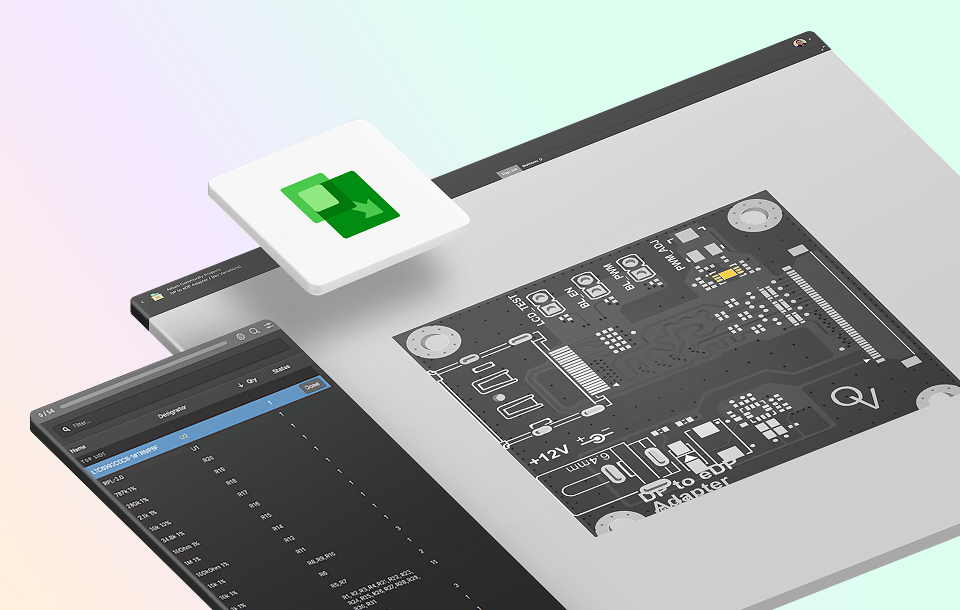
Develop a comprehensive understanding of how to use the Assembly Assistant in Altium Develop and Altium Agile to reduce errors, increase efficiency, and ensure consistency in your Printed Circuit Board Assembly.
Go Deeper with AI:
ChatGPT Perplexity Claude Gemini Grok
1 video
  • 00:16:20 • Jul 8, 2025
    00:16:20 • Jul 8, 2025
Product: Assembly Assistant Altium 365 Workshops PCB Design Engineers Electrical Engineers Engineering Managers

Overview:
In this comprehensive workshop you will learn how to use the Web browser based Project Assembly tool that allows interaction between a Project's detailed BOM data and its 2D/3D assembly view.  This session will provide you with Best Practices and familiarize you with navigating within the application and customizing views to best support your Workflow Assembly.

Agenda:

  • Accessing Assembly Assistant
  • Initiating the Assembly Process mode
  • Examine Location and Orientation of Components
  • Track Status of Completed BOM entries
  • Configure viewing options and Shortcut keys
  • Saving and Restarting the Assembly process

Best Practices:

  • Use Keyboard shortcuts to expedite Assembly process
  • Customize views to suit your Assembly workflow
  • Regular updates ensures design files are up to date to reflect the latest changes in Assembly Assistant

Summary:
By the end of this Workshop you will have a comprehensive understanding of how to use the Assembly Assistant in Altium Develop and Altium Agile to reduce errors, increase efficiency, and ensure consistency in your Printed Circuit Board Assembly.

Related Resources

Ask the Expert Weekly Sessions Join our Weekly "Ask an Expert" Session! Ask questions and learn from Altium 365 experts. Multiple Dates and Times November 4, 2026 10:30 AM Register
00:35:53 Altium 365: Library & Component Management Fundamentals In this comprehensive workshop, we will delve into the intricacies of component management within Altium 365. Watch Video
00:46:29 Altium 365: MCAD CoDesigner Learn how to effectively use Altium 365 MCAD CoDesigner for efficient collaboration between PCB and mechanical design teams. Watch Video
00:07:17 Altium 365: Jira Integration This workshop on Altium 365’s Jira integration provides a clear, step-by-step guide for setting up and leveraging the integration to streamline project management. Watch Video
00:14:43 Getting Started with Requirements & Systems Portal Learn how to effectively use Altium's Requirements & System Portal for managing and collaborating around requirements throughout the design process. Watch Video
00:25:33 Altium 365: Design Management Fundamentals In this workshop, we will focus on best practices for managing design projects and enhancing collaboration within Altium 365. Watch Video
00:25:16 Altium 365 Workspace Setup Join us for an interactive workshop on setting up and optimizing your Altium 365 Workspace. Watch Video

Related Technical Documentation

Altium 365 Platform Interface Altium 365 Platform Interface

Depending on your relationship with Altium, the services offered on the Altium Platform will be experienced from within Altium Designer and through the platform's browser-based interface. This page takes a look at the latter and provides an overview of what you'll see when you register an Altium Account and sign in to the Altium Platform Interface. For the latest information on the security,…

Read Documentation
New in Requirements Portal New in Requirements Portal

Requirements Portal is under continuous development. This page outlines new features and enhancements made to Requirements Portal in key updates. When the Sharing of Requirements Projects feature is released: remove the box below, leave the content. Update - xx October 2026 Sharing of Requirements Projects Requirements projects are now shown on the Projects page of the Workspace browser interface…

Read Documentation
Agentic Requirements Engineering Agentic Requirements Engineering

Agentic Requirements Engineering in Requirements Portal introduces AI agents that work directly with requirements data, transforming requirements from static documentation into a living, shared engineering model. Rather than forcing engineers to spend time on administrative tasks, Requirements Portal allows AI to answer project-specific questions, propose requirement updates, perform quality…

Read Documentation
Tutorial - A Complete Design Walkthrough with Requirements Portal Tutorial - A Complete Design Walkthrough with Requirements Portal

The goal of this tutorial is to cover the most basic functionalities of Requirements Portal. In this tutorial, we will design a table fan with a set of requirements and blocks and then perform a mass budget analysis and dynamic analyses for user interaction. We will also develop a quality testing procedure. Valifan The Valifan has some requirements that should be considered throughout the design…

Read Documentation
Direct ECAD-MCAD Design with CoDesigner Direct ECAD-MCAD Design with CoDesigner

Use of this CoDesigner documentation requires: A supported Altium design client: Note that not all features described on this page are available in all installations of Altium MCAD CoDesigner. Refer to the Feature Availability panel on the right for more information. To determine the supported Altium design clients, note the version of the MCAD CoDesigner Addin you are using, then check for…

Read Documentation
Requirements in a Design Requirements in a Design

Requirements Portal is an advanced engineering management tool used to ensure specification and performance compliance during system design development. When enabled for your Altium 365 Workspace, Requirements Portal integrates with your PCB design projects through the exchange of design data and formalized Requirements instances. The system requirements, as created in Requirements Portal, can be…

Read Documentation
Requirements Portal Requirements Portal

Altium’s requirements management and Verifications & Validations capabilities are purpose-built for electronics teams. Available in an Altium 365 Workspace created as part of the Altium Develop, Altium Agile Teams, or Altium Agile Enterprise solution, they replace scattered spreadsheets with a collaborative, versioned and traceable environment that integrates directly with your design and…

Read Documentation
New in CoDesigner New in CoDesigner

Altium's MCAD CoDesigner technology connects the mechanical and electrical design domains, allowing the mechanical and electronic engineers to pass the loaded PCB back and forth between the two domains. In your Altium design software, this is achieved through an extension that loads and extracts board and component data from the PCB editor, the MCAD CoDesigner extension. In the MCAD software the…

Read Documentation
Activation & Management Activation & Management

An Altium 365 Workspace is a dedicated server for your managed content. Hosted on the Altium platform, it facilitates the connectivity of the design, manufacturing and supply domains, and the mechanics for moving data between them. To be able to activate and use a Workspace for your company, you need to be registered with an Altium Account and have a purchased level of Altium product access –…

Read Documentation
Understanding Harness Synchronization – Advanced Users Understanding Harness Synchronization – Advanced Users

How MCAD CoDesigner supports Harness Design MCAD CoDesigner’s Harness support integrates the ECAD and MCAD models of the harness. The goal is to allow the harness geometry to be designed in MCAD and then transferred back to ECAD, as the physical parameters (lengths) of the harness elements. The common (and essentially similar) element between the ECAD and MCAD environments is that the schematic…

Read Documentation
Back to Home
Platform-based Solutions
  • Octopart Discover
  • Altium Develop
  • Altium Agile Teams
  • Altium Agile Enterprise
Tools
  • Altium Designer
  • Octopart
Platform
  • Altium 365
Company
  • Our Customers
  • Trust Center
  • Newsroom
Software Capabilities
  • PCB Layout and Design
  • Requirements Management
  • Electronics Data Management
  • IT Security
  • Electronics Manufacturing
  • Electronics Supply Chain
  • Engineering Management
Resources & Support
  • Status
  • Downloads
  • Learning Hub
  • Support Center
  • Bug Crunch
  • Forum
  • Documentation
  • Ideas
  • Education
  • Professional Training / Certification
  • Webinars
  • Beta Program
Education
  • Student Lab
  • Educator Center
  • Altium Education Curriculum
Careers
  • Career at Altium
  • Copyrights & Trademark
  • Privacy policy
  • Cookie policy
  • Terms of Service
  • Legal
© 2026 Altium LLC.