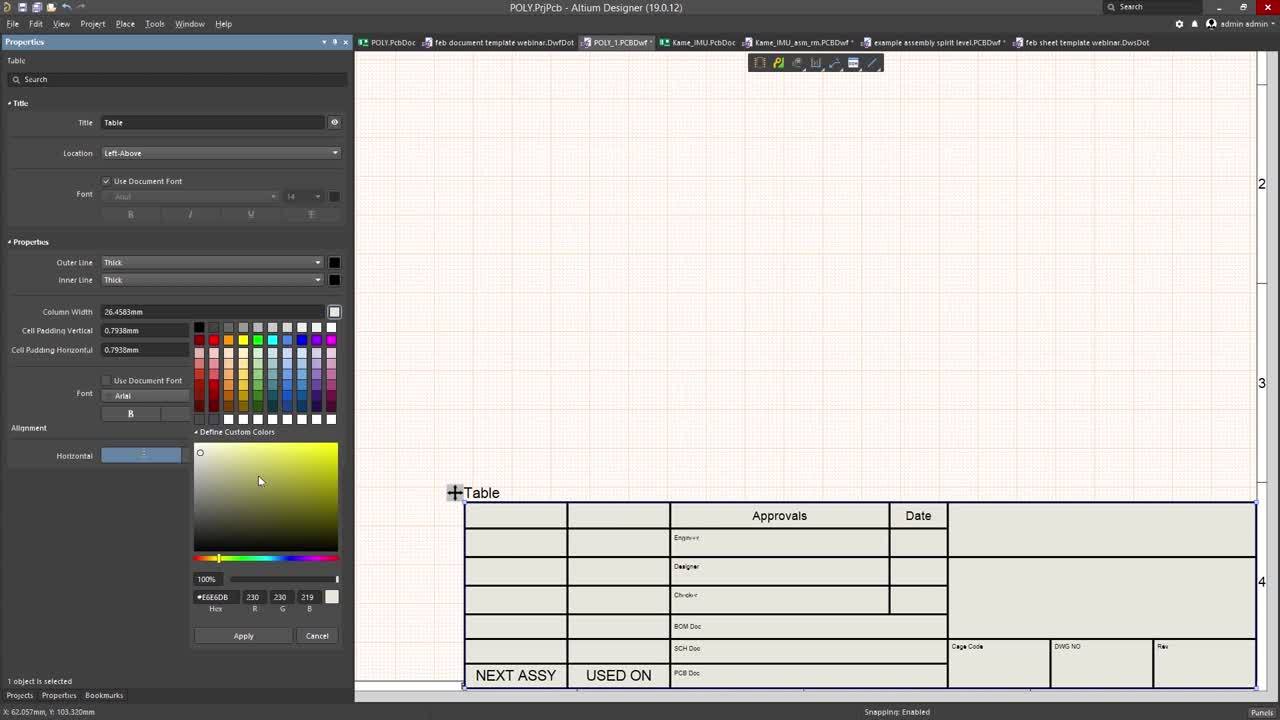


Knowing how to make title blocks is necessary for your documentation. Learn the fast way of creating title blocks with this video.
Depending on your relationship with Altium, the services offered on the Altium Platform will be experienced from within Altium Designer and through the platform's browser-based interface. This page takes a look at the latter and provides an overview of what you'll see when you register an Altium Account and sign in to the Altium Platform Interface. For the latest information on the security,…
Altium Designer, in conjunction with the Altium 365 Workspace, brings support for an advanced project construct that targets the development stage of the project lifecycle, simplifying the creation and ongoing workflow for version-controlled projects. Centralized storage under the control of the Workspace also enables this feature to be a foundation for other collaborative services. Some key…
This document is a reference guide for the syntax, operators, and conventions used in the Workspace hardware design search language. Search queries are based on a familiar field:value syntax, and can be used to perform quick, simple searches through to constructing powerful and precise queries. See Advanced Design Search for usage information. Search Syntax and Guide The below reference…
In addition to connecting to a Workspace through Altium Designer – interfacing to it through the Explorer panel and Components panel (for direct interaction with the components therein) – you also connect to it through a dedicated browser interface, with access to management interfaces for the various services available as part of the Workspace. In fact, with some of these services, your only…
User Management for a Workspace is performed by an Administrator through the Team and Admin areas of that Workspace's browser interface. This provides the interface to the Identity Service (IDS), with which to define applicable service access, through the specification of Users (Members) and Groups. An MCAD user can be invited to be a Team member from within Altium Designer, too. For more…
Content structure and access management for a Workspace can be performed from both the Admin – Explorer page (by an Administrator) or the main Projects page (by a Workspace member with sufficient rights). The commands and features on these pages allow you to: Browse the folders and Items within the Workspace. You are able to create, edit and remove folders and so build the structure of the…
The following sections list the release notes for publicly released versions of Altium On-Prem Enterprise Server 5.5. Version 5.5.2 Build: 3 Date: 20 December 2022 Infrastructure & Administration 20992 Updated log4j libraries to version 2.17.1. 23881 Added support for Windows Server 2022. 25368 Fixed issue where commits for managed projects in an internal SVN repository were not being…
Parent page: Altium On-Prem Enterprise Server In addition to connecting to your Enterprise Server through Altium Designer – interfacing to it through the Explorer panel and Components panel (for direct interaction with its components) – you can also connect to it through a dedicated browser interface. In fact, connection in this way is more than just a connection to the server itself. Rather it…
Parent page: PLM Integration Siemens Teamcenter® PLM integration requires additional setup that is not managed automatically by the Enterprise Server instance installer. Essentially, there are two levels of setup needed, depending on the integration features required. The first level enables Parts Synchronization and is also a prerequisite for the second level, which enables Project Publish…
Parent page: Processes & Workflows Altium Designer provides a powerful collaborative design environment. Part of that is the support for Workflows, that guide a company's designers through typical, everyday design processes such as: Requesting new Workspace library parts Performing design reviews Creation of new Workspace projects. Each Workflow that is used to implement a particular design…
Get Started