






AI-Assisted Requirements Importer in Requirements Portal

At a Glance
Learn how to convert PDFs, documents, and spreadsheets into structured requirements with the AI‑assisted importer in Requirements Portal. Import specs, standards, and complex projects with traceability preserved.


Learn how to turn PDFs and documents into structured requirements with an AI-assisted importer.
Engineering teams often receive requirements in emails or PDFs, then manage them in documents and spreadsheets. This way of working wastes time, causes errors, and leads to costly rework.
Even if you use a requirements tool, getting your team’s data into an importable format takes effort.
This article introduces the newest feature in Requirements Portal — the AI‑assisted importer. It converts unstructured requirements in PDFs, documents, and spreadsheets into structured project data that your whole team can access in your Altium cloud workspace.
We cover two representative use cases:
- Importing an engineering spec from a PDF
- Converting a standard into a requirements project
Requirements Portal is Altium’s lightweight requirements tool for hardware product teams. Instead of working from scattered documents, it enables teams to work with requirements in a shared cloud workspace that connects to their design tools.
Importing an Engineering Spec from a PDF
Project engineers in hardware, electronics, and mechanical design often receive requirements as documents.
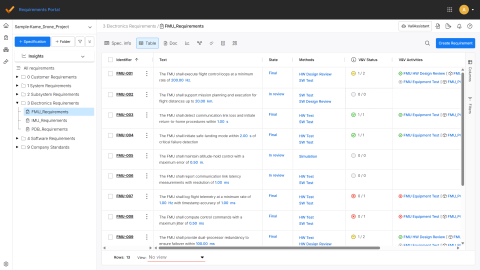
In this example, we imported requirements from a PDF, converted them into a structured table in your cloud workspace, and linked them to an Altium design project.
Linking requirements to Altium design projects helps engineers:
- View and work with requirements directly in their design tool
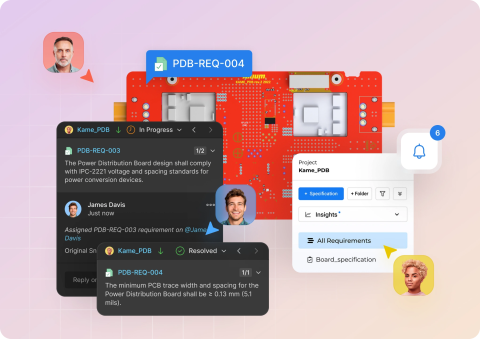
- Collaborate with their colleagues through comments in the web viewer
- Trace the implementation of a requirement down to a component or design feature
Creating a Standards Library into a Requirements Project
Regulatory and functional safety standards or guidelines are long requirements documents that engineers must review and understand.
In this example, we imported three sections of the ECSS Applicability Requirement Matrix, published by the European Cooperation for Space Standardization, into Requirements Portal. These sections included more than 450 requirements.
The result is a clear, structured set of requirements ready for analysis or reuse in other requirements projects.
If you work with similar standards or frameworks, we recommend creating a company standards library following this approach:
- First, import all relevant requirements into a dedicated requirements project.
- Then, review the standard and tag sections that apply to your company’s products.
- For each new project, copy the relevant sections to a new requirements project.
Try the AI-Assisted Requirements Importer
The AI‑assisted importer brings requirements from many formats into Requirements Portal — spreadsheets, PDFs, Word documents, and CSVs — even if the documents are unstructured. It gives engineering teams a clean starting point with minimal setup.
Try it yourself:
- Download the example files here:
- Use this link to create an Altium Develop evaluation workspace.
- Open Requirements Portal and create a new project.
Visit the documentation article to learn more about the technical capabilities of the AI-assisted importer.

About Author
Related Resources
Related Technical Documentation
Table of Contents
Better Requirements
Less Busywork
Build better hardware with AI agents that live and act in your requirements tool.
Learn More
Thank you, you are now subscribed to updates.