
Mobile menu
  • Solutions
    • Octopart Discover Go beyond part search to discover viable solutions, evaluate tradeoffs, and make better decisions earlier
    • Altium Develop Design advanced PCBs in Altium Designer, working independently or connecting reviewers, sourcing data, and release coordination when needed
    • Altium Agile Teams Bring structure to multidisciplinary electronics development and collaboration without sacrificing speed
    • Altium Agile Enterprise Connect context from intent through release with an intelligent, governed, extensible platform
  • Resources & Support
    Free Altium 365 Tools
    • Gerber Compare
    • Online PCB Viewer
    Resources & Support
    • Learning Hub
    • Support Center
    • Documentation
    • Webinars
    Altium Community
    • Forum
    • Bug Crunch
    • Ideas
  • Education & Training
    • Student Lab
    • Educator Center
    • Altium Education Curriculum
    • Altium Professional Training
  • Search Open
    Search Close
Sign In
Webinars

Main menu

  • Home
  • PCB Design
    • Collaboration
    • Component Creation
    • Data Management
    • Design Outputs
    • ECAD/MCAD
    • HDI Design
    • High Speed Design
    • Multi-Board
    • PCB Layout
    • PCB Routing
    • PCB Supply Chain
    • Power Integrity
    • RF Design
    • Rigid Flex
    • Schematic Capture
    • Signal Integrity
    • Simulation
  • Software
    • Develop
    • Discover
    • Agile
    • Altium 365
    • Altium Designer
  • Education
    • Programs
    • Altium Academy
    • Engineering News
    • Guide Books
    • Newsletters
    • Podcasts
    • Projects
    • Training Courses
    • Webinars
    • Whitepapers
Learning Hub Webinars How to Speed-up Product Development with Reusable Circuitry

Get the Most from Altium Designer 24

How to speed-up product development with reusable circuitry

It's no secret that software developers often use completed code fragments from other projects for quick and predictable results. The same can be done for PCB Design, there is no need to spend time rewiring schematics or laying out components on boards you’ve done before.

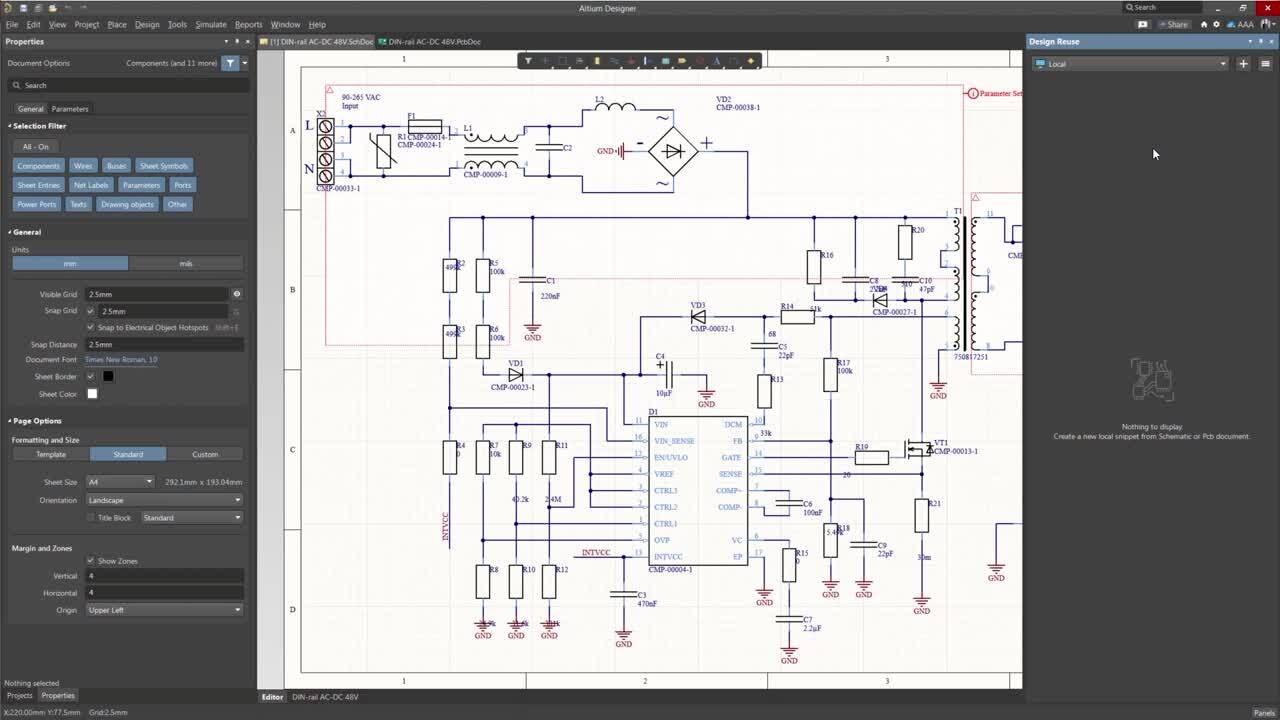
Join us this webinar where you'll learn about benefits of the design reuse blocks approach as well as the Design Reuse panel that has replaced the Snippets panel.

WE’LL DISCUSS:

  • What are Reuse Blocks?
  • The benefits of using Reuse Blocks.
  • The new Design Reuse panel.
  • What about snippets?
Design reuse

Registration has recently closed. Check back soon for on-demand webinar.

Related Resources

00:36:34 Your Design Data Has Zero Defense See how Altium Agile builds speed, structure, and security into every stage of electronics development. Watch Video
00:34:09 How BOM Portal supports R&D and Procurement with DFM & DFC analysis throughout the entire product lifecycle Explore how shared BOM projects help R&D and procurement teams collaborate more effectively. Watch Video
00:33:28 Make Better Design Decisions with Signal and Power Integrity Insight See how Signal and Power Analysis within Altium Agile Teams helps engineering teams reduce late-stage surprises and improve design outcomes. Watch Video
00:38:06 Altium Agile Teams - Solution Overview Get an overview of this new Electronic Product Development Platform. Watch Video
00:31:14 Agile Teams: From Design Tool to Product Development Platform If you’re using Altium Designer Pro, see how Agile Teams builds on what you already use. Watch Video
33:27 Easily Realize Complex PCB Documentation with Draftsman - EN - Webinar - EMEA - ADSCvid . Watch Video
00:58:44 Bring Structure and Speed to Hardware Production with AI-Native PLM Discover how modern hardware teams use AI-native, API-first PLM to bring structure, traceability, and velocity to their design workflows. Watch Video
00:33:23 Eliminate the Design-to-Production Gap with Agile Teams + Duro See how Agile Teams and Duro PLM unify design and production workflows with a connected, system-driven approach. Watch Video
00:35:20 Securing Your Electronics Development Workspace See how Altium Agile helps you build speed, structure, and security into every stage of your electronics development process. Watch Video
00:38:35 Collaborative Design Review: Ensuring Quality from Schematics to Supply Chain Join our live webinar to learn how Altium 365 accelerates collaboration, standardizes workflows, and ensures design integrity to mitigate risks and accelerate time to market.
Watch Video

Related Technical Documentation

Altium 365 Platform Interface Altium 365 Platform Interface

Depending on your relationship with Altium, the services offered on the Altium Platform will be experienced from within Altium Designer and through the platform's browser-based interface. This page takes a look at the latter and provides an overview of what you'll see when you register an Altium Account and sign in to the Altium Platform Interface. For the latest information on the security,…

Read Documentation
Altium 365 Personal Space Altium 365 Personal Space

As a registered user of the Altium 365 Platform (i.e. an Altium Account) you have your own Altium 365 Personal Space, which is accessible only by you. Your Personal Space accommodates persistent storage of various types of uploaded static data, including design 'snapshots' (from various ECAD platforms) and Gerber/ODB++ manufacturing data, with the ability to share with anyone for comments and…

Read Documentation
Web Viewer Web Viewer

The Altium 365 Web Viewer interface provides universal access to PCB project documents through a standard web browser. Much more than just a web-based viewer, its advanced browser technology allows users to navigate through the project structure, interact with design documents, extract information about elements in the design, and highlight areas or objects for commenting notes. When viewing…

Read Documentation
Search Query Reference Search Query Reference

This document is a reference guide for the syntax, operators, and conventions used in the Workspace hardware design search language. Search queries are based on a familiar field:value syntax, and can be used to perform quick, simple searches through to constructing powerful and precise queries. See Web Viewer Search for related usage information. Search Syntax and Guide The below reference…

Read Documentation
Global Sharing of Data Global Sharing of Data

One of the most powerful aspects of the Altium 365 infrastructure platform is its support for collaboration on a global scale. At the heart of this is the platform's support for Global Sharing. With Altium 365, you can effortlessly share your current design progress with management, or purchasing, or a potential manufacturer, in a way that is also easy for them – simplified, interactive…

Read Documentation
Electronic System Design Electronic System Design

In early stages of electronic designs, it is important to define the design on the conceptual/functional level. This initial step serves as a crucial foundation for the entire development process, providing a high-level overview of the system's architecture and its primary elements. A well-crafted block diagram clarifies the major functional units of the electronic system and illustrates their…

Read Documentation
Renesas 365 Renesas 365

Renesas 365, powered by Altium, is built on the Altium 365 platform and developed for electronics system design. It liberates engineers by unifying development workflows to improve efficiency and accelerate design cycles from concept to volume production. The main, high-level entity in Renesas 365 is a Solution that unifies different aspects of the system that you create – system design, software…

Read Documentation
Viewers Troubleshooting Guide Viewers Troubleshooting Guide

To ensure a smooth experience with Altium 365 Viewer and the Web Viewer interface within the Altium 365 platform itself, ensure you have: The latest version of a supported Web Browser installed. That WebGL (or WebGL 2.0) is enabled for it. That the option to use 'Hardware Acceleration' is enabled for your browser where available. This will typically result in a far smoother viewing experience,…

Read Documentation
Viewing Manufacturing Packages Viewing Manufacturing Packages

The Manufacturing Package Viewer, an element of the Altium 365 platform's Global Sharing support, allows invited stakeholders to view a manufacturing package from any web browser – anywhere in the world – but outside of your Workspace, so that your designs themselves and other valuable IP are kept off limits. The Viewer opens in its own browser tab and provides a summary overview of the design,…

Read Documentation
Altium 365 Viewers Altium 365 Viewers

Web Viewer Altium 365's Web Viewer interface provides universal access to PCB project documents through a standard web browser. Much more than just a web-based viewer, Web Viewer's advanced browser technology allows users to navigate through the project structure, interact with design documents, extract information about elements in the design and highlight areas or objects for commenting notes…

Read Documentation

How to speed-up product development with reusable circuitry

Created: August 1, 2024
At a Glance
In this webinar you'll learn more about the benefits of the design reuse blocks approach as well as the Design Reuse panel.
Go Deeper with AI:
ChatGPT Perplexity Claude Google Grok
7 videos
  • Hosted by Alexsander Tamari - Technical Marketing Engineer
    00:21:20 • Dec 13, 2024
    Hosted by Alexsander Tamari - Technical Marketing Engineer
    00:21:20 • Dec 13, 2024

    In this webinar you'll learn more about the benefits of the design reuse blocks approach as well as the Design Reuse panel.

  • Hosted by Jan Grooten - Field Application Engineer
    00:23:35 • Aug 29, 2024
    Hosted by Jan Grooten - Field Application Engineer
    00:23:35 • Aug 29, 2024

    In this webinar you'll learn more about the benefits of the design reuse blocks approach as well as the Design Reuse panel.

  • Präsentiert von Manuel Valero - Field Application Engineer
    00:26:51 • Dec 13, 2024
    Präsentiert von Manuel Valero - Field Application Engineer
    00:26:51 • Dec 13, 2024

    Erfahren Sie mehr über die Vorteile von wiederverwendbaren Designblöcken und das Panel zur Designwiederverwendung.

  • Presentato da Manuel Valero - Field Application Engineer
    00:24:20 • Dec 13, 2024
    Presentato da Manuel Valero - Field Application Engineer
    00:24:20 • Dec 13, 2024

    Partecipa a questo webinar per conoscere i vantaggi relativi alla strategia di riutilizzo dei blocchi di progettazione, che hanno ormai sostituito il pannello snippet.

  • Presentado por Manuel Valero - Field Application Engineer
    00:25:48 • Dec 13, 2024
    Presentado por Manuel Valero - Field Application Engineer
    00:25:48 • Dec 13, 2024

    Participa en este webinar en el que conocerás las ventajas del enfoque de bloques de reutilización del diseño, así como del panel de Reutilización de Diseño.
  • 오힘찬 FAE 발표
    00:24:23 • Aug 28, 2024
    오힘찬 FAE 발표
    00:24:23 • Aug 28, 2024

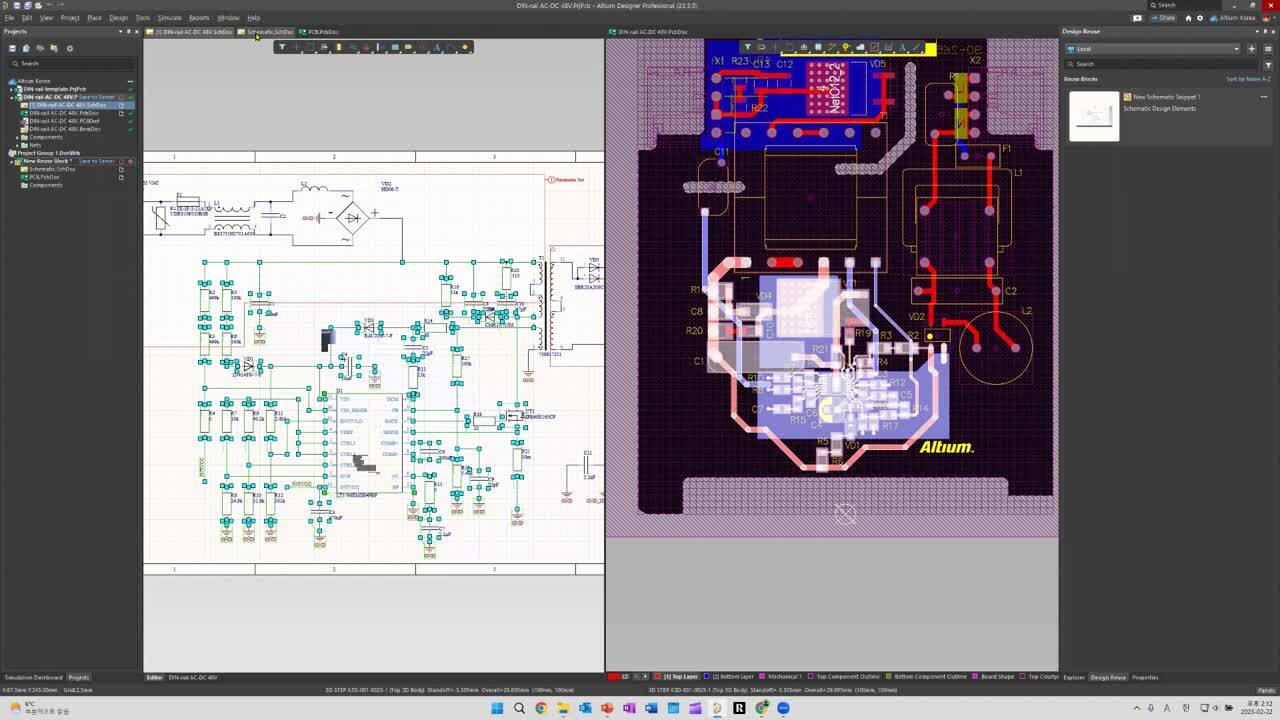
    이 웨비나에 참여하여 디자인 재사용 블록 접근 방식의 장점과 Snippet 패널을 대체한 디자인 Reuse(재사용) 패널에 대해 알아보세요.

  • プレゼンター:ダニエル チョウ
    00:29:05 • Aug 28, 2024
    プレゼンター:ダニエル チョウ
    00:29:05 • Aug 28, 2024

    今回のWebセミナーでは、デザインの再利用ブロックの利点、および [Snippets] パネルの後続である [Design Reuse] パネルについて説明します。

Product: Altium Designer Webinars Electrical Engineers
Other Recordings
Clear ×
Region
Language

It's no secret that software developers often use completed code fragments from other projects for quick and predictable results. The same can be done for PCB Design, there is no need to spend time rewiring schematics or laying out components on boards you’ve done before.

Join us this webinar where you'll learn about benefits of the design reuse blocks approach as well as the Design Reuse panel that has replaced the Snippets panel.

WE’LL DISCUSS:

  • What are Reuse Blocks?
  • The benefits of using Reuse Blocks.
  • The new Design Reuse panel.
  • What about snippets?

Author

Author

Alexsander joined Altium as a Technical Marketing Engineer and brings years of engineering expertise to the team. His passion for electronics design combined with his practical business experience provides a unique perspective to the marketing team at Altium. Alexsander graduated from one of the top 20 universities in the world at UCSD where he earned a Bachelor’s degree in Electrical Engineering.

More content by Alexsander Tamari

Author

Author

Jan Grooten is an Electronics Design Engineer who graduated (MScEE) in Asic design at the University of Twente, Netherlands. Besides Altium, Jan’s work experience includes Ericcsson, Sony and Plantronics where he served as Electronic System Engineer with focus on product development for Bluetooth headsets, with specialisation in small Li-ion batteries and Power management IC's. Jan started his career at Altium in 2017 as Field Application Engineer and is a Certified Interconnect Designer by IPC Council.
 

More content by Jan Grooten

Author

Author

Manuel Valero is an Electronics Engineer with experience ranging from his own repair and IT businesses to working with multinational companies in the semiconductor and passive components branches; he has covered diverse roles like Repair Engineer, Product Engineer, Testing Engineer, Design Engineer, Product Marketing Engineer, FDE, etc.

He has quite varied interests, not just the electronics area; this go from bicycle riding, swimming, wandering, astrophysics, physics, biology and a long etcetera.
Having worked and lived in several countries, he finds himself comfortable in multicultural environments and enjoys working with customers.
 

More content by Manuel Valero

Author

Author

Aiden은 대학에서 전자공학을 전공하였으며 PCB 설계 분야의 R&D로 7년 이상의 경험을 가지고 있습니다. 그는 전자 제품을 위한 SMPS, 인버터, 컨버터 설계 경험이 있습니다. 제품 프로젝트를 이끌었으며 설계, 관리, 인증 제품 테스트와 같은 모든 작업을 경험했습니다. 그리고 한국 리셀러(Hancom Intelligence) 팀에서 4년 이상 Altium Designer 사용자들을 위한 기술 지원 및 교육을 제공했습니다. Concord Pro와 Altium 365를 사용하여 PLM 요구 사항에 대한 컨설팅 및 지원을 했습니다. 또한 Altium Designer에 대한 수십 차례의 교육 및 웨비나를 경험했습니다.
Aiden은 2022년 11월부터 Altium에서 기술 영업 엔지니어로 근무하고 있으며 현재 한국 사무소에 근무하고 있습니다.

More content by Aiden Oh

Author

Author

Daniel joined Altium in 2019 as an Application engineer and moved into the Technical Sales role in the same year. Daniel provides technical assistance for sales, third party distributors, and customers in the Asia Pacific region (APAC) and is based in the Altium Tokyo, Japan office. Daniel has experience with PCB,  FPGA, and ASIC design in telecommunication and Information industries. 
 

More content by Daniel Cho

Related Resources

00:36:34 Your Design Data Has Zero Defense See how Altium Agile builds speed, structure, and security into every stage of electronics development. Watch Video
00:34:09 How BOM Portal supports R&D and Procurement with DFM & DFC analysis throughout the entire product lifecycle Explore how shared BOM projects help R&D and procurement teams collaborate more effectively. Watch Video
00:33:28 Make Better Design Decisions with Signal and Power Integrity Insight See how Signal and Power Analysis within Altium Agile Teams helps engineering teams reduce late-stage surprises and improve design outcomes. Watch Video
00:38:06 Altium Agile Teams - Solution Overview Get an overview of this new Electronic Product Development Platform. Watch Video
00:31:14 Agile Teams: From Design Tool to Product Development Platform If you’re using Altium Designer Pro, see how Agile Teams builds on what you already use. Watch Video
33:27 Easily Realize Complex PCB Documentation with Draftsman - EN - Webinar - EMEA - ADSCvid . Watch Video
00:58:44 Bring Structure and Speed to Hardware Production with AI-Native PLM Discover how modern hardware teams use AI-native, API-first PLM to bring structure, traceability, and velocity to their design workflows. Watch Video
00:33:23 Eliminate the Design-to-Production Gap with Agile Teams + Duro See how Agile Teams and Duro PLM unify design and production workflows with a connected, system-driven approach. Watch Video
00:35:20 Securing Your Electronics Development Workspace See how Altium Agile helps you build speed, structure, and security into every stage of your electronics development process. Watch Video
00:38:35 Collaborative Design Review: Ensuring Quality from Schematics to Supply Chain Join our live webinar to learn how Altium 365 accelerates collaboration, standardizes workflows, and ensures design integrity to mitigate risks and accelerate time to market.
Watch Video

Related Technical Documentation

Altium 365 Platform Interface Altium 365 Platform Interface

Depending on your relationship with Altium, the services offered on the Altium Platform will be experienced from within Altium Designer and through the platform's browser-based interface. This page takes a look at the latter and provides an overview of what you'll see when you register an Altium Account and sign in to the Altium Platform Interface. For the latest information on the security,…

Read Documentation
Altium 365 Personal Space Altium 365 Personal Space

As a registered user of the Altium 365 Platform (i.e. an Altium Account) you have your own Altium 365 Personal Space, which is accessible only by you. Your Personal Space accommodates persistent storage of various types of uploaded static data, including design 'snapshots' (from various ECAD platforms) and Gerber/ODB++ manufacturing data, with the ability to share with anyone for comments and…

Read Documentation
Web Viewer Web Viewer

The Altium 365 Web Viewer interface provides universal access to PCB project documents through a standard web browser. Much more than just a web-based viewer, its advanced browser technology allows users to navigate through the project structure, interact with design documents, extract information about elements in the design, and highlight areas or objects for commenting notes. When viewing…

Read Documentation
Search Query Reference Search Query Reference

This document is a reference guide for the syntax, operators, and conventions used in the Workspace hardware design search language. Search queries are based on a familiar field:value syntax, and can be used to perform quick, simple searches through to constructing powerful and precise queries. See Web Viewer Search for related usage information. Search Syntax and Guide The below reference…

Read Documentation
Global Sharing of Data Global Sharing of Data

One of the most powerful aspects of the Altium 365 infrastructure platform is its support for collaboration on a global scale. At the heart of this is the platform's support for Global Sharing. With Altium 365, you can effortlessly share your current design progress with management, or purchasing, or a potential manufacturer, in a way that is also easy for them – simplified, interactive…

Read Documentation
Electronic System Design Electronic System Design

In early stages of electronic designs, it is important to define the design on the conceptual/functional level. This initial step serves as a crucial foundation for the entire development process, providing a high-level overview of the system's architecture and its primary elements. A well-crafted block diagram clarifies the major functional units of the electronic system and illustrates their…

Read Documentation
Renesas 365 Renesas 365

Renesas 365, powered by Altium, is built on the Altium 365 platform and developed for electronics system design. It liberates engineers by unifying development workflows to improve efficiency and accelerate design cycles from concept to volume production. The main, high-level entity in Renesas 365 is a Solution that unifies different aspects of the system that you create – system design, software…

Read Documentation
Viewers Troubleshooting Guide Viewers Troubleshooting Guide

To ensure a smooth experience with Altium 365 Viewer and the Web Viewer interface within the Altium 365 platform itself, ensure you have: The latest version of a supported Web Browser installed. That WebGL (or WebGL 2.0) is enabled for it. That the option to use 'Hardware Acceleration' is enabled for your browser where available. This will typically result in a far smoother viewing experience,…

Read Documentation
Viewing Manufacturing Packages Viewing Manufacturing Packages

The Manufacturing Package Viewer, an element of the Altium 365 platform's Global Sharing support, allows invited stakeholders to view a manufacturing package from any web browser – anywhere in the world – but outside of your Workspace, so that your designs themselves and other valuable IP are kept off limits. The Viewer opens in its own browser tab and provides a summary overview of the design,…

Read Documentation
Altium 365 Viewers Altium 365 Viewers

Web Viewer Altium 365's Web Viewer interface provides universal access to PCB project documents through a standard web browser. Much more than just a web-based viewer, Web Viewer's advanced browser technology allows users to navigate through the project structure, interact with design documents, extract information about elements in the design and highlight areas or objects for commenting notes…

Read Documentation
Back to Home
Altium Develop

Design to Release, Without the Friction

  • Keep reviews tied to the right version
  • Reduce handoff confusion and rework
  • Spot sourcing and release risk earlier
  • Work solo, share when needed

Get Started

Platform-based Solutions
  • Octopart Discover
  • Altium Develop
  • Altium Agile
Tools
  • Altium Designer
  • Octopart
Platform
  • Altium 365
Company
  • Our Customers
  • Trust Center
  • Newsroom
Software Capabilities
  • PCB Layout and Design
  • Requirements Management
  • Electronics Data Management
  • IT Security
  • Electronics Manufacturing
  • Electronics Supply Chain
  • Engineering Management
Resources & Support
  • Status
  • Downloads
  • Learning Hub
  • Support Center
  • Bug Crunch
  • Forum
  • Documentation
  • Ideas
  • Education
  • Professional Training / Certification
  • Webinars
  • Beta Program
Education
  • Student Lab
  • Educator Center
  • Altium Education Curriculum
Careers
  • Career at Altium
  • Copyrights & Trademark
  • Privacy policy
  • Cookie policy
  • Terms of Service
  • Legal
© 2026 Altium Pty. Ltd.