











BOM Portal vs BOM Tool: What Changes When You Upgrade

At a Glance
Learn the difference between BOM Portal vs BOM Tool and when it makes sense to upgrade. Compare features for sourcing, collaboration, and production cost control.


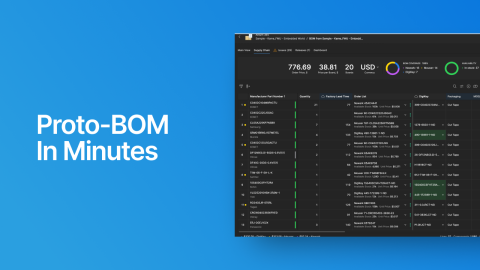
Octopart BOM Tool helps procurement teams turn a parts list into a costed, sourceable BOM in seconds. It allows users to instantly compare pricing and availability from 679 distributors in one place, identify the best offers, and move quickly from analysis to order. Built around how high-volume buyers actually procure, it streamlines bulk sourcing, simplifies distributor comparison, and makes it easy to validate real-time offers before you commit.
BOM Portal builds on that same foundation and extends it for teams, production workflows, and multi-project management. You get everything BOM Tool offers plus 1,000 new BOM uploads a year with full version control, 10,000 unique parts a year, and unlimited team members at no per-seat cost. Beyond scale, you gain production capabilities: consolidated multi-board procurement, automated cost optimization, lifecycle risk tracking, and engineering-procurement collaboration during design.
Quick Feature Comparison
Here's what changes when you move from BOM Tool to BOM Portal:
| Feature | Octopart BOM Tool | Altium BOM Portal |
| Pricing | Free | 30-Day Trial, then $995/year (Altium Develop) |
| Users | 1 User | Unlimited Users |
| BOM Limit | 1 BOM (overwritten with each new upload) | 1,000 new BOM uploads per year |
| Part Limit | Max. 500 Unique Parts | 10,000 unique parts per year |
| BOM Collaboration | Limited Sharing | Commenting, Sharing, CoDesign |
| Alternate Support & Suggestions | No | Yes (Manual Selection + Autofill Alternates) |
| Consolidated BOM | No | Yes |
| Parts in Use for Multiple BOMs/Projects | No | Yes |
| EE-Procurement CoDesign | No | Yes |
| Manage Approved Vendors & Parts | No | Yes |
| Advanced Parts Data Extensions | No | Paid extensions: SiliconExpert & Z2Data |
Four Core Differences
1. Scale: From Solo to Team
BOM Tool is designed to be fast and focused - upload a BOM, get instant pricing and availability data, make sourcing decisions. For individual engineers validating prototypes or doing quick component checks, it delivers real value at zero cost. It's optimized for simplicity: one active BOM, one user, up to 500 unique parts.
BOM Portal is built for when your workflow grows beyond quick lookups into managing teams and production:
BOM Portal is built for teams and production:
- Unlimited users with no per-seat charges
- Up to 1,000 new BOMs a year, all stored simultaneously with version control
- Up to 10,000 unique parts a year, well past the 500-part ceiling
- Web-based access for procurement teams without Altium Designer licenses
The advantage shows up when managing multiple PCB designs, comparing product variants, or coordinating between engineering and procurement. BOM Portal stores everything with proper version control and team access.
2. Intelligence: From Basic Data to Supply Chain Insights
BOM Tool gives you Octopart data: distributor pricing, stock levels, availability, lifecycle status, compliance data, and datasheets. Worth noting is that Octopart sources this information from both manufacturers and distributors, so completeness and accuracy vary by part. BOM Portal adds dedicated data layers on top of that foundation to give you verified, production-grade intelligence.
BOM Portal adds multiple data layers for deeper analysis:
- IHS Markit (Included): Manufacturer-verified parameters, lifecycle status (Active, NRND, EOL, Obsolete), compliance documentation (RoHS, REACH), and datasheets.
- SiliconExpert (Optional Extension): YTEOL forecasting, PCN tracking, form-fit-function alternatives from 6.5 billion crossed parts, and advanced compliance reporting.
- Z2Data (Optional Extension): Multi-dimensional risk scoring, manufacturer financial health evaluation, geopolitical and supply chain analysis, and counterfeit risk assessment.
The Dashboard displays health metrics with color-coded indicators. When you open a BOM, you immediately see lifecycle risks, compliance violations, and availability problems. The Issues panel categorizes problems by type for prioritization.

When you spot an NRND or EOL component, BOM Portal provides tools to find replacements: Suggestions based on extracted parameters, Part Choices from your approved library, Parametric Search, or Alternates Search for form-fit-function alternatives. The research process that used to take hours now takes minutes.
3. Cost Optimization: From Static Lists to Strategic Procurement
BOM Tool automatically selects the best available offer based on stock, preferred distributors, and pricing. What it doesn't do is actively look for savings beyond that initial match: no alternative component suggestions for cost reduction, no price break analysis, no consolidated volume pricing across multiple boards.
BOM Portal actively looks for cost savings and tells you where they are:
- Saving Opportunities (Automated): The system compares 679+ distributors to find lower-cost suppliers, suggests alternative components with better pricing, identifies price breaks, and analyzes single-order versus split-order costs. One-click application. Typical production BOM savings: 5-15%.
- Manual Optimization: Add extra quantity to reach price breaks (system shows thresholds), set per-component target prices with variance alerts, adjust batch size to see volume impact on unit cost, and benchmark against median market pricing.
- Consolidated BOM for Volume Pricing: Combine BOMs from multiple boards into a unified procurement view. Identical parts map automatically by manufacturer part number. You can also manually consolidate equivalent parts—merging 100nF capacitors from different manufacturers when they're functionally interchangeable.

Example: Three boards each use 100 of the same resistor. Instead of three 100-piece orders, you place one 300-piece order and hit the next price break tier.
The Order List compares stock levels, prices, lead times, and packaging across suppliers for optimal distributor selection.
ROI example: A $50,000 production BOM with 5-15% supplier optimization saves $2,500-$7,500 per project. Add consolidated volume pricing, and the $995/year cost pays back on the first production run.
4. Collaboration: From Handoffs to Parallel Work
BOM Tool forces sequential work. Engineering creates a BOM, exports it, sends it to procurement, waits for feedback, then implements changes. Every iteration takes time.
BOM Portal lets teams work in parallel:
- BOM CoDesign: Bidirectional sync between Altium Designer and BOM Portal means procurement reviews BOMs during design, not after layout. Teams discuss specific components via comments. Engineers apply procurement suggestions through the ECO workflow. Supply chain feedback arrives when changes are cheap (schematic phase) rather than expensive (post-layout).
- Release Management: Draft, Released, and Obsolete lifecycle states with version control track changes. Optional release blocking prevents manufacturing handoff when errors exist.
- Parts in Use: When a supplier discontinues a component, you immediately see which products are affected without searching through project files. Procurement gets web-based access to the same enriched data and can flag concerns while engineering has flexibility to make changes.
Who Should Upgrade
BOM Tool works fine for individual component research on straightforward single-board prototypes where you don't need team collaboration or version control.
BOM Portal makes sense when you need multiple people accessing BOMs, manage several projects simultaneously, work with multi-board products requiring consolidated purchasing, move from prototype to production (where cost optimization matters), require lifecycle tracking and supply chain risk assessment, want engineering-procurement collaboration during design, or work in industries with long product lifecycles like aerospace, medical, automotive, or industrial.
Conclusion
BOM Tool already does a lot of useful work: matching components to supplier offers, costing your BOM across distributors, and validating availability. For solo prototyping, that covers the basics well.
The moment you need a second person reviewing that BOM, or your part count pushes past 500, or you're juggling multiple boards for a single product, you're not doing anything wrong. You've just outgrown the tool. Altium’s BOM Portal picks up exactly where BOM Tool leaves off, with the same familiar interface plus team access, consolidated purchasing, lifecycle tracking, and automated cost optimization.
The 30-day trial is free with full feature access and no per-seat charges, so there's no risk in seeing the difference firsthand.
Ready to see the difference? Compare features and start your 30-day trial →

About Author
Related Resources
Related Technical Documentation
Table of Contents
Build Resilient Electronics Supply Chains
- Drive confident, data-driven choices in electronics procurement
- Improve procurement and engineering collaboration
- Minimize supply chain risk with visibility
Learn More
Thank you, you are now subscribed to updates.