




Collaborative Engineering: Breaking the Serial Loop with Team Ribbot

At a Glance
This article delves into how Team Ribbot overcame the challenges of merging cross-disciplinary updates by implementing MCAD CoDesigner, which allows engineers to selectively review, accept or reject changes without compromising their design integrity or progress.


Every hardware engineer is well acquainted with the horror of having to deal with the latest version of a partnering design file. Traditionally, getting a new assembly or board layout means that there is no way out. If your counterpart improved five mounting holes, but inadvertently moved one important connector, you will be in the same position as before. Either you accept everything that he or she did and correct the mistake manually, or you do not accept anything, which locks all the progress made.
Modern electronics development depends on effective collaboration between electrical and mechanical engineering teams. Traditional serial workflows often force engineers to accept entire design revisions or reject them completely, increasing the risk of rework and slowing product development. Selective change management enables parallel engineering by allowing teams to review, accept, or reject individual design updates while maintaining design integrity and synchronization across disciplines.
Key Takeaways
- In legacy workflows, engineers must either accept an entire set of changes or reject it completely, making it easy to introduce errors or lose valuable progress.
- MCAD CoDesigner allows engineers to review, accept, or reject individual changes, eliminating the need to compromise between progress and accuracy.
- Mechanical and electrical teams can work simultaneously on the same design, making multiple updates in parallel without blocking each other.
- Previewing and selectively applying changes ensures mistakes don’t propagate, maintaining stability while still enabling fast iteration.
The Ribbot Case: Merging Cross-Disciplinary Updates
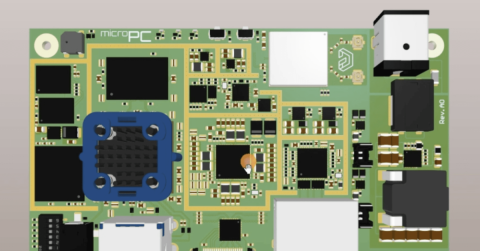
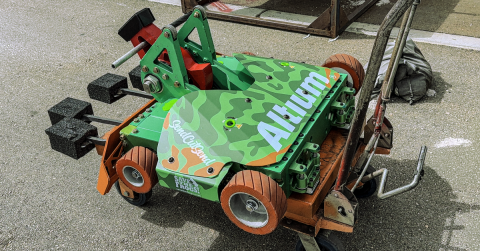
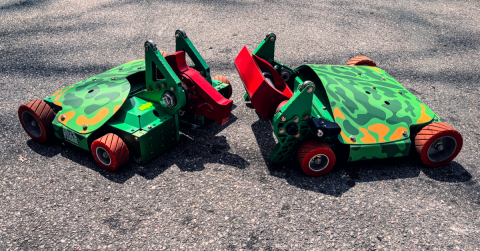
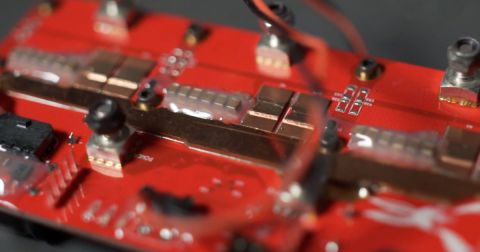
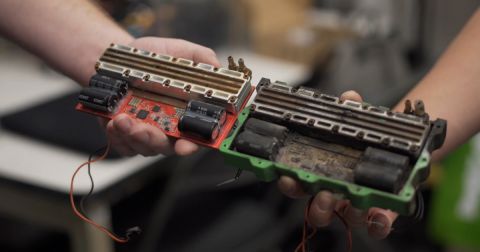
Although Team Ribbot operates in a highly competitive robotics environment, the collaboration challenges they faced are common across electronics, automotive, aerospace, industrial, and embedded systems development. Creating a champion bot for the BattleBots Pro League involves creating dense, complicated electronics in an armoured shell. The problem for this team is that its members live across five states while also being fully engaged in their careers. There is no time for any mistakes when making updates to the board layout.
When the updated assembly design is sent to an engineer, he or she must make the necessary adjustments without disrupting the rest of the team’s design. If the recipient engineer misunderstands, introduces errors, or alters the previous design, it could waste a lot of time and undo significant progress.
The All-or-Nothing Dilemma
The fundamental problem within collaborative design lies in the absence of granularity in combining efforts. If two engineers, one mechanical and the other electrical, are working on the same assembly at any point in time, there will be scores of changes made in each individual update. In the absence of any filtering capabilities, the engineers end up having an either-or choice: You can adopt every single change that your collaborator made or ignore the entire update altogether. Traditional engineering workflows often rely on serial design handoffs, where one discipline must finish its work before another team can safely continue.
Old Workflow: Forced Total Acceptance
Before implementing the current solution, we used to have the concept of replacing the project and/or assembly files. Whenever the mechanical design lead would provide an updated drawing, the electrical engineer would have no option but to import the entire package of documents. This would mean that if the mechanical lead was successful at moving a particular mounting hole but failed to do so for the connector by just a few millimeters, the electrical engineer could not choose between the two. This approach created unnecessary engineering risk because unrelated improvements and unintended changes were bundled together into a single update.
New Workflow: Granular, Selective Change Filtering
Ribbot achieved this by exploiting the Selective Change abilities of MCAD CoDesigner. Rather than receiving the updates in bulk, the software analyzes the updates received from the electrical designer and puts them up on a list for selective checking off. Granular change management allows engineering teams to preserve validated work while reviewing only the updates that affect their discipline.
In other words, if an update from the electrical side contains changes that may be good but also some that might create a clearance problem due to a mechanical component shift, the mechanical engineer can simply select only what he wants.
True Concurrency and the Filter Shield
Concurrent engineering allows electrical and mechanical teams to work in parallel instead of waiting for sequential design handoffs, significantly improving iteration speed while reducing coordination overhead. The mechanical team can modify the layout of the board while the electrical team is placing their components simultaneously, enabling them to make dozens of modifications within a single evening.
As the mechanical group sends in an update with five great structural changes but with an unintended placement adjustment for a component, the electronic team doesn't need to ignore the entire file or accept the mistake. Instead, they filter out the error, import the structural updates, and continue with full domain autonomy.
"We can also pick and choose what changes we want to accept... if [the mechanical engineer] accidentally moves something that I didn't want moved, I can just reject that part of his change while accepting the other changes. That's a huge benefit to us." — Nick Sorensen, Principal Electrical Engineer
Nonlinear Collaboration and Design Integrity
MCAD CoDesigner’s selective change management enables nonlinear collaboration by allowing engineering teams to evaluate proposed updates before they become part of the active design. This helps preserve design intent while supporting continuous collaboration across disciplines.
Why Serial Engineering Workflows Slow Hardware Development
Traditional hardware development often follows a serial workflow where electrical, mechanical, and manufacturing teams complete work sequentially. While straightforward, this approach creates bottlenecks because each discipline must wait for complete design revisions before moving forward. As projects become more complex, these delays increase the likelihood of version conflicts, duplicate work, communication gaps, and unnecessary rework. Parallel engineering workflows reduce these risks by allowing teams to collaborate continuously while maintaining control over individual design changes.
Manage Selective Design Changes (Step-by-Step)
Parallel Progress for Professional Results
In the BattleBots Pro League, Ribbot can do iterations faster than before. Thanks to the capability to collaborate and design in parallel, Ribbot will always be ahead of the game. The same workflow benefits apply to commercial hardware development, where reducing design iteration time can improve schedules, product quality, and engineering productivity.
Forget handoffs and begin designing in parallel. Get to know how to manage selective changes in MCAD CoDesigner.
Parallel Design: Frequently Asked Questions
Does selective acceptance work for both electrical and mechanical engineers?
Yes. With Altium Designer or any other MCAD tool, such as SOLIDWORKS, you will get the chance to view the suggested modifications and then selectively choose or unchoose each of them before applying them to your workspace.
If I reject a specific change from the partnering team, does it overwrite or break their original file?
Not at all. By rejecting a particular change, you are just excluding it from your workspace to maintain your existing arrangement status. The main file of the partner team remains intact, and the system marks the item as rejected for both teams' consideration regarding the differing design plans.
Is it difficult to see what specifically has changed in a complex assembly?
Not at all. The application provides a 3D preview of the movement with a highlighted image, which means that you can see where the component was before it was moved and where it will move to next. It is easy to detect any possible interference during the movement process before finalizing the operation.
Does this parallel workflow require a specific project management tool to track changes?
No. The version control mechanism and log book are both included in the MCAD CoDesigner interface, acting as the mediator and record keeper at the same time. All moves and interactions are recorded and timed in the application itself and serve as the communication center. There is no need to look for versions in a spreadsheet outside of this application.
Related Resources
Related Technical Documentation
Table of Contents
- Key Takeaways
- The Ribbot Case: Merging Cross-Disciplinary Updates
- The All-or-Nothing Dilemma
- Old Workflow: Forced Total Acceptance
- New Workflow: Granular, Selective Change Filtering
- True Concurrency and the Filter Shield
- Nonlinear Collaboration and Design Integrity
- Parallel Progress for Professional Results
- Parallel Design: Frequently Asked Questions
- Does selective acceptance work for both electrical and mechanical engineers?
- If I reject a specific change from the partnering team, does it overwrite or break their original file?
- Is it difficult to see what specifically has changed in a complex assembly?
- Does this parallel workflow require a specific project management tool to track changes?
Solutions for Every Role and Team
- Discover and evaluate design options earlier
- Develop in one shared workspace
- Scale with control and compliance
- Connect every stage of hardware development
Learn More
Thank you, you are now subscribed to updates.