Mobile menu
  • Solutions
    • Octopart DiscoverGo beyond part search to discover viable solutions, evaluate tradeoffs, and make better decisions earlier
    • Altium DevelopDesign advanced PCBs in Altium Designer, working independently or connecting reviewers, sourcing data, and release coordination when needed
    • Altium Agile TeamsBring structure to multidisciplinary electronics development and collaboration without sacrificing speed
    • Altium Agile EnterpriseConnect context from intent through release with an intelligent, governed, extensible platform
  • Resources & Support
    Free Altium 365 Tools
    • Gerber Compare
    • Online PCB Viewer
    Resources & Support
    • Learning Hub
    • Support Center
    • Documentation
    • Webinars
    Altium Community
    • Forum
    • Bug Crunch
    • Ideas
  • Education & Training
    • Student Lab Free access to professional PCB design software, training, and learning resources for students
    • Educator Center A comprehensive education platform providing curriculum, software, training, and classroom resources for educators
    • Altium Education Curriculum Free college- and university-level PCB design curriculum designed to prepare students for real-world engineering careers
    • Altium Professional Training Flexible on-demand and instructor-led training courses that help engineers build and advance their PCB design skills
  • Search Open
    Search Close
Sign In
Webinars

Main menu

  • Home
  • PCB Design
    • Collaboration
    • Component Creation
    • Data Management
    • Design Outputs
    • ECAD/MCAD
    • HDI Design
    • High Speed Design
    • Multi-Board
    • PCB Layout
    • PCB Routing
    • PCB Supply Chain
    • Power Integrity
    • RF Design
    • Rigid Flex
    • Schematic Capture
    • Signal Integrity
    • Simulation
  • Software
    • Discover
    • Develop
    • Agile Teams
    • Agile Enterprise
    • Altium 365
    • Altium Designer
  • Education
    • Programs
    • Altium Academy
    • Engineering News
    • Guide Books
    • Newsletters
    • Podcasts
    • Projects
    • Training Courses
    • Webinars
    • Whitepapers
Learning Hub Webinars Unlock Complete System Design with Altium Designer 24

Get the Most from Altium Designer 24

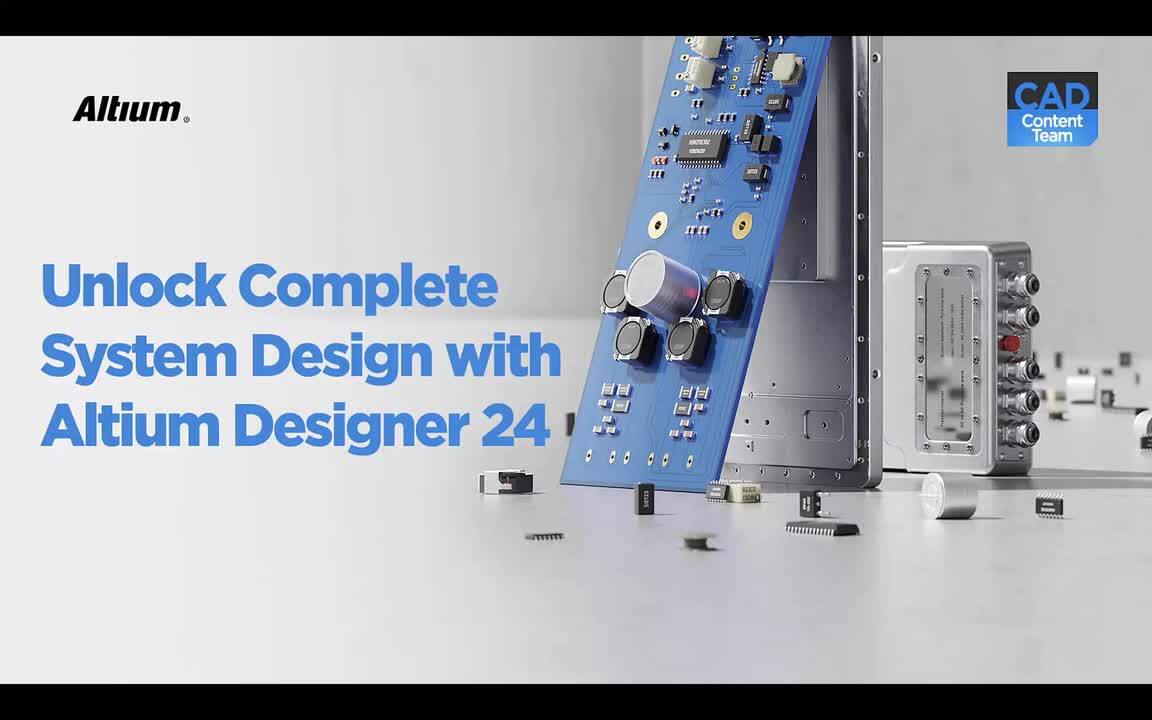
Unlock Complete System Design with Altium Designer 24

In a rapidly evolving technological landscape, the ability to design fully efficient and adaptable electronic systems is paramount. Without harnessing the power of functionalities like Harness, Multi-board, and MCAD CoDesigner, you risk encountering significant setbacks in your projects. Not leveraging these tools can lead to missed deadlines, increased design errors, and a lack of synchronization between electrical and mechanical aspects, hampering overall project success.

Are you prepared to tackle any design complexity? With Altium Designer 24, you have the opportunity to revolutionize your approach. Register now to see how Altium Designer 24 offers comprehensive solutions for Harness design, Multi-board, and collaboration with mechanical designers through MCAD CoDesigner.

JOIN OUR UPCOMING WEBINAR TO LEARN MORE ABOUT:

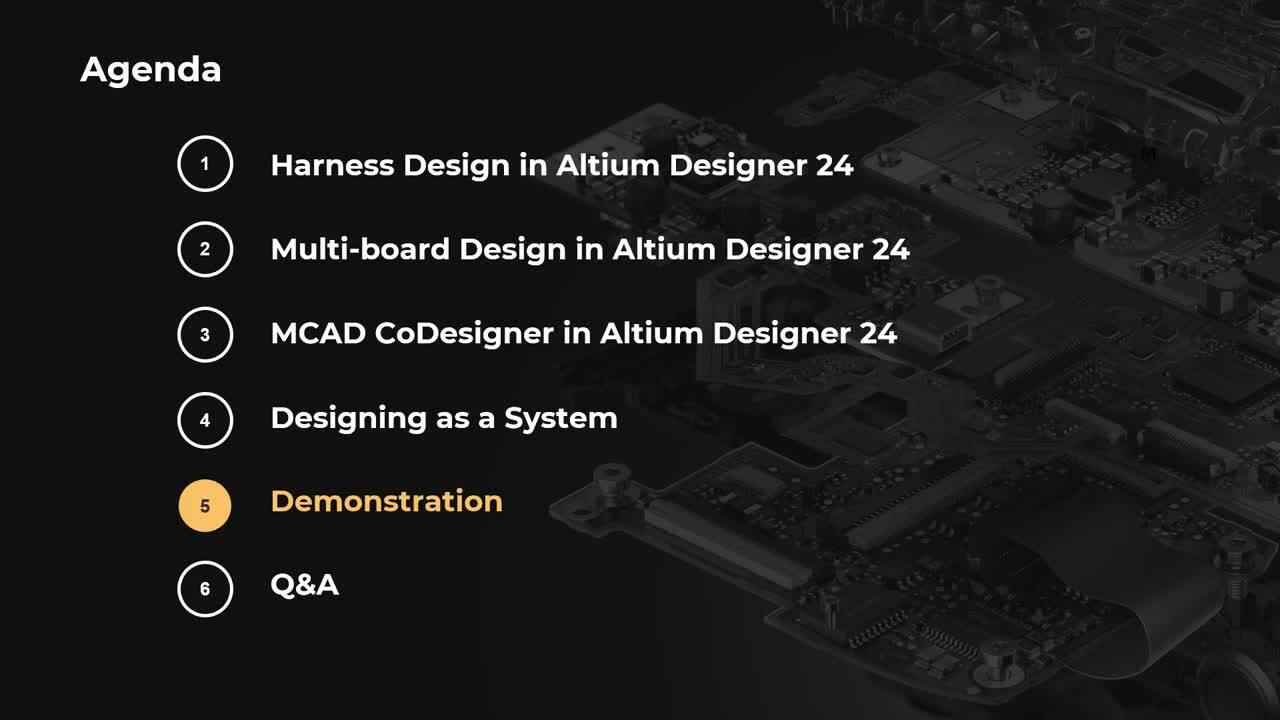
  • Harness Design within Altium Designer 24
  • Multi-board Design in a unified environment
  • Integrating seamlessly with MCAD CoDesigner
Harness design

Registration has recently closed. Check back soon for on-demand webinar.

Related Resources

00:38:30 Beyond ECAD: How Altium Agile Teams optimizes your engineering process Altium Agile Teams, a product platform, helps optimize the entire development lifecycle across departments. Watch Video
Just Ask Duro’s MCP: Set Up & Configure Your PLM in Plain English Product Lifecycle Management (PLM) platforms have always been a powerful way to connect your entire tech stack. December 2, 2026 11:00 AM Register
Streamline Requests, Reviews, Approvals, and Releases with Workflow Automation Engineering teams often rely on emails, spreadsheets, and manual follow-ups to manage requests, reviews, approvals, and release processes. Watch Video
Building Safer Hardware: Connecting Electronic Design with Automated Safety Analysis How can engineering teams identify potential failures and build safer, more reliable hardware?
Watch Video
00:28:12 Beyond Length Matching: From Controlled Impedance to DDR4/DDR5 Signal Integrity Verification See how to investigate signal integrity on a real DDR4/DDR5 design and turn electrical analysis results into practical PCB design decisions.
Watch Video
00:38:06 Altium Agile Teams: Solution Overview Get an overview of this new Electronic Product Development Platform. Watch Video
00:56:06 Collaboration Lessons from a Hardware Design CEO A CEO’s Story About How a Design Service Bureau Puts Collaboration First Watch Video
Core Altium Designer Basics: Getting Started with PCB Design Every Great PCB Design Starts With the Basics. Learn the Tools to Get There. Watch Video
00:36:16 Transform BOM Reviews with Real-Time Supply Chain Intelligence and Collaboration A Bill of Materials (BOM) is more than a list of components. It is the foundation for sourcing, procurement, manufacturing, and product delivery.
Watch Video
00:39:52 Sustainability & Energy Efficiency in Electronic Product Development Watch Video

Related Technical Documentation

Altium 365 Platform Interface Altium 365 Platform Interface

Get familiar with the Altium 365 browser-based interface, from registering an Altium Account and signing in to accessing your Personal Space and available Workspaces. This article introduces the interface’s main navigation areas, account controls, and ways to switch between Workspaces, with details on supported sign-in methods and administrator-controlled authentication. Keep reading to navigate…

Read Documentation
Preparing Autodesk Inventor for CoDesign Preparing Autodesk Inventor for CoDesign

Prepare Autodesk Inventor for ECAD and MCAD collaboration with Altium MCAD CoDesigner. This guide walks you through installing and enabling the add-in, displaying the CoDesigner panel, connecting to your Altium Workspace, and configuring collaboration settings. Keep reading to get your Inventor environment ready to collaborate on PCB designs. - Learn which installer to use for your Inventor…

Read Documentation
Preparing PTC Creo for CoDesign Preparing PTC Creo for CoDesign

Prepare PTC Creo for ECAD-MCAD collaboration with Altium MCAD CoDesigner. This guide covers installing the add-in, connecting to an Altium Workspace, configuring collaboration settings, and checking Creo template requirements. It also provides troubleshooting steps for a missing CoDesigner panel or an add-in that fails to initialize or load. Keep reading to get your Creo environment ready for…

Read Documentation
Linking ECAD and MCAD Design Components Linking ECAD and MCAD Design Components

Altium MCAD CoDesigner transfers component models between ECAD and MCAD, but using native components and synchronizing placement changes requires understanding how those models are handled. This article explains the default transfer process, the role of native component linking, and how to configure model naming, along with platform and Workspace requirements. Keep reading to understand how to…

Read Documentation
Installing & Configuring CoDesigner Installing & Configuring CoDesigner

Altium MCAD CoDesigner connects ECAD and MCAD software through an Altium Workspace, allowing teams to exchange PCB design changes. This guide covers supported MCAD platforms, plugin installation and updates, account sign-in, licensing considerations, and Workspace access and member settings. Keep reading to prepare your CoDesigner setup and connect your design teams. - Check platform…

Read Documentation
Synchronizing a Rigid-Flex Board Synchronizing a Rigid-Flex Board

Synchronizing a rigid-flex PCB between ECAD and MCAD requires careful attention to board geometry, bend definitions, and platform compatibility. This article explains how Altium MCAD CoDesigner transfers standard and advanced rigid-flex designs, how flexible regions are represented as MCAD sheet-metal parts, and which board outline and bending requirements must be met for synchronization. Keep…

Read Documentation
Preparing Autodesk Fusion for CoDesign Preparing Autodesk Fusion for CoDesign

Prepare Autodesk Fusion for PCB collaboration with Altium MCAD CoDesigner. This guide covers installing the Windows-only add-in, connecting to your Altium Workspace, and configuring settings for exchanging design changes between ECAD and MCAD. It also explains working with device assemblies, displaying copper and silkscreen layers, resolving grounded component placement issues, and collaborating…

Read Documentation
Altium MCAD CoDesigner Altium MCAD CoDesigner

Altium MCAD CoDesigner connects electronic and mechanical design teams, enabling them to exchange design changes directly rather than rely on intermediate file transfers. This article introduces its collaboration capabilities, from linking native components to synchronizing rigid-flex boards, multi-board assemblies, and harness designs, with support varying by MCAD platform. Keep reading to…

Read Documentation
Direct ECAD-MCAD Design with CoDesigner Direct ECAD-MCAD Design with CoDesigner

Altium MCAD CoDesigner connects electronic and mechanical design teams, allowing them to exchange PCB design changes through an Altium Workspace while continuing to work independently. This article explains the Push and Pull workflow, the Workspace’s role in transferring design data, and how PCB objects translate between ECAD and MCAD environments. Keep reading to understand how CoDesigner can…

Read Documentation
ECAD-MCAD Video Tutorials ECAD-MCAD Video Tutorials

Explore how Altium MCAD CoDesigner connects electronic and mechanical design through video tutorials covering setup, design transfers, and collaboration. From shaping PCBs and importing enclosures to editing rigid-flex boards and fixing component models, this collection demonstrates practical workflows for exchanging designs between Altium Designer and MCAD tools. Keep reading to find the…

Read Documentation

Unlock Complete System Design with Altium Designer 24

Created: March 12, 2024
At a Glance
Join us in this webinar where you'll gain valuable insights into optimizing your design workflow, enhancing productivity, and overcoming common challenges faced in multi-board design projects.
Go Deeper with AI:
ChatGPT Perplexity Claude Gemini Grok
8 videos
  • Hosted by Alex Hall - Technical Marketing Engineer
    00:33:46 • Mar 22, 2024
    Hosted by Alex Hall - Technical Marketing Engineer
    00:33:46 • Mar 22, 2024
  • Hosted by Aida Gharahkhani - Field Application Engineer
    00:48:52 • Mar 21, 2024
    Hosted by Aida Gharahkhani - Field Application Engineer
    00:48:52 • Mar 21, 2024
  • Présenté par Nourhene Kerkeni - Field Application Engineer
    00:33:36 • Mar 29, 2024
    Présenté par Nourhene Kerkeni - Field Application Engineer
    00:33:36 • Mar 29, 2024
  • Präsentiert von Martin Malenica - Field Application Engineer
    00:22:58 • Mar 28, 2024
    Präsentiert von Martin Malenica - Field Application Engineer
    00:22:58 • Mar 28, 2024
  • 오힘찬 FAE 발표
    00:40:11 • Mar 25, 2024
    오힘찬 FAE 발표
    00:40:11 • Mar 25, 2024
  • Presentato da Manuel Valero - Field Application Engineer
    00:47:54 • Mar 25, 2024
    Presentato da Manuel Valero - Field Application Engineer
    00:47:54 • Mar 25, 2024
  • Presentado por Manuel Valero - Field Application Engineer
    00:47:27 • Mar 22, 2024
    Presentado por Manuel Valero - Field Application Engineer
    00:47:27 • Mar 22, 2024
  • プレゼンター:ダニエル チョウ
    01:07:41 • Mar 20, 2024
    プレゼンター:ダニエル チョウ
    01:07:41 • Mar 20, 2024
Product: Multi-Board Harness Design Altium Designer Webinars Electrical Engineers Systems and Product Design
Other Recordings
Clear ×
Region
Language

In a rapidly evolving technological landscape, the ability to design fully efficient and adaptable electronic systems is paramount. Without harnessing the power of functionalities like Harness, Multi-board, and MCAD CoDesigner, you risk encountering significant setbacks in your projects. Not leveraging these tools can lead to missed deadlines, increased design errors, and a lack of synchronization between electrical and mechanical aspects, hampering overall project success.

Are you prepared to tackle any design complexity?

If you enjoyed our webinar discussing the functionalities listed above, you may also be interested in our upcoming webinar. If you'd like, please check and register for it here: Mastering Data Management with Altium Designer 24.

Author

Author

Alex has a background in electrical engineering and a strong passion for technical marketing. Graduating with a bachelor’s in electrical engineering from Clemson University in 2018, he has since excelled in various roles within the technology sector. Starting his career at Kyocera AVX, Alex served as an RF Field Applications Engineer, establishing strong client relationships and designing passive bandpass filters and antenna systems. He then transitioned to TDK as an Account Executive, where he provided sales and technical support, leading a dynamic sales team and offering design assistance to customers. Currently, Alex is a Technical Marketing Engineer at Altium, leveraging his technical expertise to develop marketing materials.
 

More content by Alex Hall

Author

Author

Aida works as a Technical Sales Engineer at Altium and is based in the Sydney, Australia office. Aida studied Electrical/Electronic Engineering and completed Master of Engineering (MEng) Field of Mechatronics, Robotics, and Automation Engineering from the University of Western Sydney (UWS). Aida also completed certificates in Microcontroller Programming, Project Management Principles and Practices Specialization from the university of UC Irvine California. Aida has experience as an Electrical Engineer, Business Development Manager, Project Manager, Operations Manager, most recently in the last 10 years prior to joining Altium working in Engineering Process improvement. The most important thing that she always focuses on in her career is communication and trust. Aida strongly believes that communication is the solvent of all problems, when the trust accountability is high, communication is easy, instant, and effective.

More content by Aida Gharahkhani

Author

Author

Nourhene is an Electronic Engineer specializing in PCB Design and FPGA Programming, holding a Master’s degree in RFID technologies. Since joining Altium in 2019, she has partnered closely with the sales team to support both prospects and existing customers through technical sales and marketing initiatives across Altium’s portfolio.

Before Altium, Nourhene designed complex PCBs for Automotive and Aerospace applications at large international companies, where she also managed comprehensive testing processes. She has extensive experience collaborating with PCB manufacturers across Europe and Asia. Nourhene holds CID certification and is a certified Altium Designer Trainer.

More content by Nourhene Kerkeni

Author

Author

Martin Malenica has a masters in electronic and computer engineering at the University of Zagreb. His previous experience consists of multiple embedded systems positions at robotics start-ups (Gideon with USD 35m in Seed and Series-A funding) and SMEs. His engineering strengths lie in system architecture, PCB design and embedded programming. Aside from engineering, Martin has spent the last 1.5 years working at a leading European management consulting firm, where he focused on strategies to support large OEMs and Tier-1s regarding the current semiconductor shortage across the whole EMEA region. Martin has practical experience within AD, but also a good understanding of competitor tools, especially on the procurement and supply chain side, like Everstream, Resilinc, Silicon Expert, Z2Data etc. Martin Joined Altium in 2023 as part of the Technical Sales team in Germany.
 

More content by Martin Malenica

Author

Author

Aiden은 대학에서 전자공학을 전공하였으며 PCB 설계 분야의 R&D로 7년 이상의 경험을 가지고 있습니다. 그는 전자 제품을 위한 SMPS, 인버터, 컨버터 설계 경험이 있습니다. 제품 프로젝트를 이끌었으며 설계, 관리, 인증 제품 테스트와 같은 모든 작업을 경험했습니다. 그리고 한국 리셀러(Hancom Intelligence) 팀에서 4년 이상 Altium Designer 사용자들을 위한 기술 지원 및 교육을 제공했습니다. Concord Pro와 Altium 365를 사용하여 PLM 요구 사항에 대한 컨설팅 및 지원을 했습니다. 또한 Altium Designer에 대한 수십 차례의 교육 및 웨비나를 경험했습니다.
Aiden은 2022년 11월부터 Altium에서 기술 영업 엔지니어로 근무하고 있으며 현재 한국 사무소에 근무하고 있습니다.

More content by Aiden Oh

Author

Author

Manuel Valero is an Electronics Engineer with experience ranging from his own repair and IT businesses to working with multinational companies in the semiconductor and passive components branches; he has covered diverse roles like Repair Engineer, Product Engineer, Testing Engineer, Design Engineer, Product Marketing Engineer, FDE, etc.

He has quite varied interests, not just the electronics area; this go from bicycle riding, swimming, wandering, astrophysics, physics, biology and a long etcetera.
Having worked and lived in several countries, he finds himself comfortable in multicultural environments and enjoys working with customers.
 

More content by Manuel Valero

Author

Author

Daniel joined Altium in 2019 as an Application engineer and moved into the Technical Sales role in the same year. Daniel provides technical assistance for sales, third party distributors, and customers in the Asia Pacific region (APAC) and is based in the Altium Tokyo, Japan office. Daniel has experience with PCB,  FPGA, and ASIC design in telecommunication and Information industries. 
 

More content by Daniel Cho

Related Resources

00:38:30 Beyond ECAD: How Altium Agile Teams optimizes your engineering process Altium Agile Teams, a product platform, helps optimize the entire development lifecycle across departments. Watch Video
Just Ask Duro’s MCP: Set Up & Configure Your PLM in Plain English Product Lifecycle Management (PLM) platforms have always been a powerful way to connect your entire tech stack. December 2, 2026 11:00 AM Register
Streamline Requests, Reviews, Approvals, and Releases with Workflow Automation Engineering teams often rely on emails, spreadsheets, and manual follow-ups to manage requests, reviews, approvals, and release processes. Watch Video
Building Safer Hardware: Connecting Electronic Design with Automated Safety Analysis How can engineering teams identify potential failures and build safer, more reliable hardware?
Watch Video
00:28:12 Beyond Length Matching: From Controlled Impedance to DDR4/DDR5 Signal Integrity Verification See how to investigate signal integrity on a real DDR4/DDR5 design and turn electrical analysis results into practical PCB design decisions.
Watch Video
00:38:06 Altium Agile Teams: Solution Overview Get an overview of this new Electronic Product Development Platform. Watch Video
00:56:06 Collaboration Lessons from a Hardware Design CEO A CEO’s Story About How a Design Service Bureau Puts Collaboration First Watch Video
Core Altium Designer Basics: Getting Started with PCB Design Every Great PCB Design Starts With the Basics. Learn the Tools to Get There. Watch Video
00:36:16 Transform BOM Reviews with Real-Time Supply Chain Intelligence and Collaboration A Bill of Materials (BOM) is more than a list of components. It is the foundation for sourcing, procurement, manufacturing, and product delivery.
Watch Video
00:39:52 Sustainability & Energy Efficiency in Electronic Product Development Watch Video

Related Technical Documentation

Altium 365 Platform Interface Altium 365 Platform Interface

Get familiar with the Altium 365 browser-based interface, from registering an Altium Account and signing in to accessing your Personal Space and available Workspaces. This article introduces the interface’s main navigation areas, account controls, and ways to switch between Workspaces, with details on supported sign-in methods and administrator-controlled authentication. Keep reading to navigate…

Read Documentation
Preparing Autodesk Inventor for CoDesign Preparing Autodesk Inventor for CoDesign

Prepare Autodesk Inventor for ECAD and MCAD collaboration with Altium MCAD CoDesigner. This guide walks you through installing and enabling the add-in, displaying the CoDesigner panel, connecting to your Altium Workspace, and configuring collaboration settings. Keep reading to get your Inventor environment ready to collaborate on PCB designs. - Learn which installer to use for your Inventor…

Read Documentation
Preparing PTC Creo for CoDesign Preparing PTC Creo for CoDesign

Prepare PTC Creo for ECAD-MCAD collaboration with Altium MCAD CoDesigner. This guide covers installing the add-in, connecting to an Altium Workspace, configuring collaboration settings, and checking Creo template requirements. It also provides troubleshooting steps for a missing CoDesigner panel or an add-in that fails to initialize or load. Keep reading to get your Creo environment ready for…

Read Documentation
Linking ECAD and MCAD Design Components Linking ECAD and MCAD Design Components

Altium MCAD CoDesigner transfers component models between ECAD and MCAD, but using native components and synchronizing placement changes requires understanding how those models are handled. This article explains the default transfer process, the role of native component linking, and how to configure model naming, along with platform and Workspace requirements. Keep reading to understand how to…

Read Documentation
Installing & Configuring CoDesigner Installing & Configuring CoDesigner

Altium MCAD CoDesigner connects ECAD and MCAD software through an Altium Workspace, allowing teams to exchange PCB design changes. This guide covers supported MCAD platforms, plugin installation and updates, account sign-in, licensing considerations, and Workspace access and member settings. Keep reading to prepare your CoDesigner setup and connect your design teams. - Check platform…

Read Documentation
Synchronizing a Rigid-Flex Board Synchronizing a Rigid-Flex Board

Synchronizing a rigid-flex PCB between ECAD and MCAD requires careful attention to board geometry, bend definitions, and platform compatibility. This article explains how Altium MCAD CoDesigner transfers standard and advanced rigid-flex designs, how flexible regions are represented as MCAD sheet-metal parts, and which board outline and bending requirements must be met for synchronization. Keep…

Read Documentation
Preparing Autodesk Fusion for CoDesign Preparing Autodesk Fusion for CoDesign

Prepare Autodesk Fusion for PCB collaboration with Altium MCAD CoDesigner. This guide covers installing the Windows-only add-in, connecting to your Altium Workspace, and configuring settings for exchanging design changes between ECAD and MCAD. It also explains working with device assemblies, displaying copper and silkscreen layers, resolving grounded component placement issues, and collaborating…

Read Documentation
Altium MCAD CoDesigner Altium MCAD CoDesigner

Altium MCAD CoDesigner connects electronic and mechanical design teams, enabling them to exchange design changes directly rather than rely on intermediate file transfers. This article introduces its collaboration capabilities, from linking native components to synchronizing rigid-flex boards, multi-board assemblies, and harness designs, with support varying by MCAD platform. Keep reading to…

Read Documentation
Direct ECAD-MCAD Design with CoDesigner Direct ECAD-MCAD Design with CoDesigner

Altium MCAD CoDesigner connects electronic and mechanical design teams, allowing them to exchange PCB design changes through an Altium Workspace while continuing to work independently. This article explains the Push and Pull workflow, the Workspace’s role in transferring design data, and how PCB objects translate between ECAD and MCAD environments. Keep reading to understand how CoDesigner can…

Read Documentation
ECAD-MCAD Video Tutorials ECAD-MCAD Video Tutorials

Explore how Altium MCAD CoDesigner connects electronic and mechanical design through video tutorials covering setup, design transfers, and collaboration. From shaping PCBs and importing enclosures to editing rigid-flex boards and fixing component models, this collection demonstrates practical workflows for exchanging designs between Altium Designer and MCAD tools. Keep reading to find the…

Read Documentation
Back to Home
Altium logo

Solutions for Every Role and Team

  • Discover and evaluate design options earlier
  • Develop in one shared workspace
  • Scale with control and compliance
  • Connect every stage of hardware development

Learn More

Platform-based Solutions
  • Octopart Discover
  • Altium Develop
  • Altium Agile Teams
  • Altium Agile Enterprise
Tools
  • Altium Designer
  • Octopart
Platform
  • Altium 365
Company
  • Our Customers
  • Trust Center
  • Newsroom
Software Capabilities
  • PCB Layout and Design
  • Requirements Management
  • Electronics Data Management
  • IT Security
  • Electronics Manufacturing
  • Electronics Supply Chain
  • Engineering Management
Resources & Support
  • Status
  • Downloads
  • Learning Hub
  • Support Center
  • Bug Crunch
  • Forum
  • Documentation
  • Ideas
  • Education
  • Professional Training / Certification
  • Webinars
  • Beta Program
Education
  • Student Lab
  • Educator Center
  • Altium Education Curriculum
Careers
  • Career at Altium
  • Copyrights & Trademark
  • Privacy policy
  • Cookie policy
  • Terms of Service
  • Legal
© 2026 Altium LLC.