Download PDF
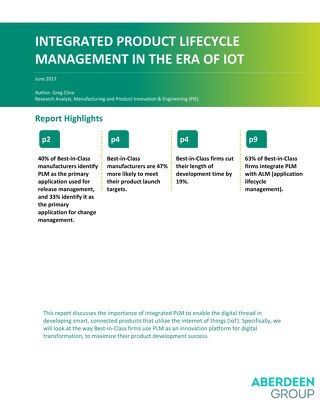
Integrated Product Lifecycle Management (PLM) is essential to successful product release in an increasingly competitive and complex market. Behavior by Best-in-Class firms demonstrates how PLM can and is being used as an innovative platform for digital transformation and, ultimately, a tool for promoting more successful and effective product development from start to finish. Key findings include: 40% of Best-in-Class manufacturers identify PLM as
Queries allow you to find, isolate, and operate on objects in a PCB design. Altium Designer provides multiple methods of utilizing queries prioritized by particular rules. This will help you use the Query Builder and Query Finder, which are two essential tools for implementing the definitions of queries in different areas of the PCB documents. INTRODUCTION A query is a string composed of various, yet specific, keywords and syntax, which will
Learn how to quickly add and clearly communicate hole size tolerance specifications to your fabricator to ensure your PCB design is manufactured properly. One of the more forgotten topics in PCB design are the holes through which components are mounted. Specifying the tolerance of hole dimensions in PCB fabrication ensures proper fit of plated-through-hole (PTH) components. Just as important, those dimensions must be clearly communicated to the
HIERARCHICAL SCHEMATIC DESIGN IN ALTIUM DESIGNER New Altium Designer users may not fully understand the benefits of organizing schematic sheets into a hierarchical top-down or bottom-up perspective. As a result, users often proceed with simple (flat) schematic designs without giving a second thought to project organization. In this paper, we’ll take a comprehensive look at the sheet symbols and how they’re used to synchronize the parts of a larger
Learn how to clearly communicate proper board assembly with multiple variants with BOM customization in Altium Designer. Upon completion of a design, the project enters the assembly process where the assemblers and/or purchasers rely on trustworthy documentation to provide a list of components, materials, and parts necessary to produce the board design. This document, called the bill of materials (BOM), lists all of the required materials needed
Altium Designer users can use Altium Vault to produce automated, high-integrity design release systems that automate output job file processing. Using Output Job files to define and store the necessary documentation needs for any Altium Designerproject is an extremely efficient and powerful feature. As more output types are supported by Output Job files (e.g., footprint comparison report, STEP file export, 3D Movie creation), or your company’s
An improper layer stack in your PCB design is one of the most common errors leading to fabrication failures and rejects. Every multilayer circuit board needs a precise PCB stack-up and accurate layout before it can be sent for PCB manufacturing. When you have the right set of circuit board design tools, you can turn your stackup into a real PCB layout and prepare the documentation your fabricator needs. The multi-layer PCB troubleshooting tools
Designers now have the ability to set specific parameters between same net objects when placing primitives on a board. Restricting space allows you to maintain clearance for primitives, and restricting primitives of the same net to a set clearance ultimately allows greater flexibility when forcing electrical primitives to interact with other electrical objects in a specific manner. INTRODUCTION Clearance rules set requirement constraints that
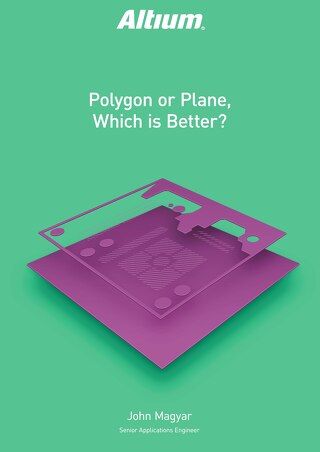
PCB designers have two choices when implementing large copper areas for power and ground regions: polygons or planes. Users often ask which is better in PCB designs, a polygon or a plane for implementing power and ground nets, but both design features produce similar end results. Once you’ve decided which type of structure is most useful in your PCB polygon layout, you can place the structure you need for your design using the right set of CAD
The key to properly managing your component placements and traces is to utilize different techniques of grouping objects together rather than individually modifying each individual object. A lot of users hate the idea of having to individually bring a component to the board layout. This paper details what Altium Designer can do to make layout management easier and less time consuming, allowing you to meet your project deadlines. INTRODUCTION TO
Depending on your relationship with Altium, the services offered on the Altium Platform will be experienced from within Altium Designer and through the platform's browser-based interface. This page takes a look at the latter and provides an overview of what you'll see when you register an Altium Account and sign in to the Altium Platform Interface. For the latest information on the security,…
Requirements Portal's Document Export wizard is your go-to for whipping up editable Microsoft Word *.docx files straight from your requirements and V&V activities. You can use predefined templates or upload your own templates. The wizard is fueled by the Python-Docx-Template library, which, in turn, leverages the Jinja Templating Engine. This dynamic duo allows you to craft custom templates…
Defining Custom Fields Requirements Portal already offers a great variety of columns to describe your Requirements. However, if your use-case requires a specific column with a specific name, you can add additional columns called Custom Fields or Custom Columns. Workspace Administrators can review defined custom fields and create new ones on the Settings – Custom Fields page (accessed by clicking…
The Workspace provides an advanced, manufacturing-oriented CAD-centric view of the project. This management interface offers Design, Tasks, and History views options, plus more: Design – display and navigate source project design documents, view design object properties and place review comments. This view uses the Web Viewer interface to present your design across five distinct data sub-views,…
The project Design Reviews page is the central location for all project stakeholders to perform and manage structured reviews of a Workspace design project. The interface allows the creation, access and management of Design Review instances by any Workspace member, which in turn can be assigned to other Workspace members as Reviewers. The Design Review creator (the Initiator) can add attachments…
The BOM Portal’s Consolidated BOM mode allows you to create a procurement-orientated BOM document from multiple engineering BOMs, which unifies the parts requirements for delivering a complete product – typically based on multiple PCBs, modules, or functional sub-sections. It replaces the need to aggregate multiple BOM lists through spreadsheets or other manual means while calculating parts…
The BOM Portal interface provides options and features that allow you to set up the system to match your specific needs for the current Managed BOM. These include configuring the sourced supplier data to your company's requirements, and working with the BOM listing in a manner that suits your processes. BOM Settings The BOM Settings window, opened from the BOM Settings option in the main menu,…
The BOM Portal will automatically analyze a Managed BOM document to detect any issues in BOM Item lines, based on their logical structure and the part’s manufacturer and supplier data. These include invalid part numbers, deprecated or low-stock items, non-compliant parts, and much more. BOM line item errors and warnings are summarized by the listing's right-most column icons. Hover over an icon…
Requirements Portal has always prided itself in the fact that it reduces the need to manage documentation by housing and connecting the engineering data which typically resides in different document types belonging to different software tools. However, many of users still need to generate documentation for activities such as certification and change control, which should be done quickly with no…
While Requirements Portal reduces the need to manage documentation by housing and connecting the engineering data which typically resides in different document types belonging to different software tools, in some cases, it is still needed to generate documentation for activities such as certification and change control. To cater for this, the Document Export functionality is available as a self…
Solutions for Every Role and Team
Discover and evaluate design options earlier
Develop in one shared workspace
Scale with control and compliance
Connect every stage of hardware development
Learn More