
Mobile menu
  • Octopart Discover
  • Altium Develop
  • Altium Agile
  • Resources & Support
    Free Altium 365 Tools
    • Gerber Compare
    • Online PCB Viewer
    Resources & Support
    • Learning Hub
    • Support Center
    • Documentation
    • Webinars
    Altium Community
    • Forum
    • Bug Crunch
    • Ideas
  • Education
    • Student Lab
    • Educator Center
    • Altium Education Curriculum
  • Search Open
    Search Close
Sign In
Webinars

Main menu

  • Home
  • PCB Design
    • Collaboration
    • Component Creation
    • Data Management
    • Design Outputs
    • ECAD/MCAD
    • HDI Design
    • High Speed Design
    • Multi-Board
    • PCB Layout
    • PCB Routing
    • PCB Supply Chain
    • Power Integrity
    • RF Design
    • Rigid Flex
    • Schematic Capture
    • Signal Integrity
    • Simulation
  • Software
    • Develop
    • Discover
    • Agile
    • Altium 365
    • Altium Designer
  • Education
    • Programs
    • Altium Academy
    • Engineering News
    • Guide Books
    • Newsletters
    • Podcasts
    • Projects
    • Training Courses
    • Webinars
    • Whitepapers
Learning Hub Webinars From Design to First Assembly: Complete Your BOM & Plan Your Build

From Design to First Assembly: Complete Your BOM & Plan Your Build

Discover how BOM Portal and Assembly Assistant take you from a released design to prototype-ready in minutes, not days.

After releasing your PCB design and generating manufacturing files, the real race begins: preparing your BOM, sourcing parts, and assembling your first prototypes. Yet this phase is where many teams lose days or weeks to manual spreadsheet work, scattered supplier research, and error-prone hand assembly without guidance. Join us for a hands-on walkthrough of the complete post-release workflow, from creating and enriching your BOM inside BOM Portal through to placing parts on your first board with Assembly Assistant, showing you how to close the gap between design completion and a working prototype.

What You'll Learn

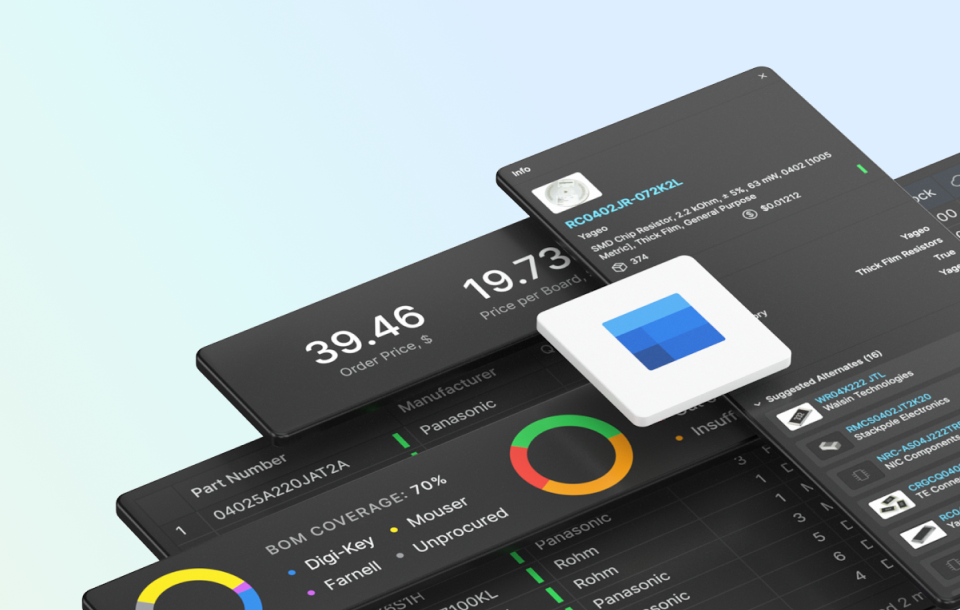
  • Prepare a prototype-ready BOM without leaving Altium 365: Create a Managed BOM directly from your released project, automatically enrich it with lifecycle, compliance, pricing, and stock data, and resolve missing manufacturer part numbers — all in one interface.
  • Identify and resolve supply chain risks before they delay your build: Use automated issue detection to find obsolete parts, source confident alternates, and optimize your BOM for the fewest number of suppliers to simplify ordering and reduce cost.
  • Go from finalized BOM to parts on order in minutes: Release your BOM to prototype stage and use the integrated Octocart workflow to place orders directly with major distributors — no more copying part numbers into supplier websites.
  • Assemble your first prototype boards with guided, visual assistance: Learn how Assembly Assistant replaces printed-out assembly drawings and manual part hunting with an interactive, step-by-step placement guide that reduces errors and speeds up hand assembly.

Why Attend?

  • See the complete workflow from a released PCB design to parts on order and boards assembled
  • Understand how automated data enrichment eliminates hours of manual component research
  • Learn how to find alternates for obsolete parts and optimize your supplier strategy in one place
  • Discover how Assembly Assistant transforms error-prone hand assembly into a guided, visual process
  • Ask questions directly to experts during the live Q&A session

Who Should Attend?

  • PCB Designers & Electronics Engineers looking to accelerate the path from design release to working prototype without manual BOM cleanup.
  • Procurement Specialists & Buyers seeking a streamlined, data-enriched BOM workflow that reduces supplier research and ordering overhead.
  • NPI & Prototype Engineers responsible for getting first articles built quickly and accurately.
  • Engineering Managers & Team Leads wanting to reduce the time and rework between design completion and prototype validation.
  • Any hardware team that has experienced delays, BOM errors, or assembly mistakes during the prototype phase.

Reserve Your Spot

Don't miss this opportunity to see how BOM Portal and Assembly Assistant can help you close the gap between a finished design and a working prototype — faster and with fewer errors.

Space is limited—secure your spot today and take the next step in connected electronics design!


Author

Author

Fabian Winkler is a versatile Product Marketing Manager with a rare combination of deep technical expertise and market-driven strategy. At Altium, he drives new product launches for Altium 365, developing compelling educational content and engaging hundreds of participants through technical webinars that bridge theory with practical application. His background as an Applications Engineer at Allegro MicroSystems and Electronics Developer at Heidelberg Instruments provides him with comprehensive knowledge of sensor technology and electronic systems development—expertise he leverages to articulate the benefits of Altium’s tools to diverse audiences. Fabian excels at translating technical capabilities into customer-centric value propositions, exemplified by his leadership of the influential Forrester Total Economic Impact study.
More content by Fabian Winkler
BOM Portal Image
JUN
CET
No result.
View All Dates

Registration has recently closed. Check back soon for on-demand webinar.

Related Resources

47:55 ECAD-MCAD CoDesign with Altium 365 & SOLIDWORKS MCAD CoDesigner allows for seamless collaboration between electrical and mechanical domains and has the exact fit and form factor of your printed circuit board and enclosure. It aids in the ease of adding essential features, such as Holes, Cutouts, Keep-outs, and Placement of Components, through a ribbon panel to your design while keeping it secure in the Altium 365 cloud-based server. Using the built-in version control for your project data and Watch Video
41:46 Analyzing Your Power Networks in Altium Designer powered by Keysight Join this live webinar to learn how power distribution network analysis works and why it matters Watch Video
36:48 Is There A Weak Link In Your Supply Chain Watch Video
34:04 Smart Data Management: Part 2 Watch Video
36:34 11.02 Tips and Tricks: Schematic Hierarchy Watch Video
41:55 MCAD Co-Designer Extension - RUS Watch Video
22:25 Smart Data Management: Part 1 Watch Video
26:48 Moving To Altium Designer: Data Migration - DE Watch Video
20:14 Tips And Tricks: Design Cap Touch Devices Watch Video
19:24 Tips And Tricks: Customizing The Altium Designer Environment Watch Video

Related Technical Documentation

Creating the ActiveBOM Document in Altium Designer Creating the ActiveBOM Document in Altium Designer

Explore Altium Designer 24 technical documentation for Creating the BOM Document and related features.

Read Documentation
Preparing Validation Reports in Altium Designer Preparing Validation Reports in Altium Designer

Explore Altium Designer 24 technical documentation for Preparing Validation Reports and related features.

Read Documentation
Preparing Reports in Altium Designer Preparing Reports in Altium Designer

Explore Altium Designer 24 technical documentation for Preparing Reports and related features.

Read Documentation
Preparing Assembly Data in Altium Designer Preparing Assembly Data in Altium Designer

Explore Altium Designer 24 technical documentation for Preparing Assembly Data and related features.

Read Documentation
Finalizing Your BOM in Altium Designer Finalizing Your BOM in Altium Designer

Explore Altium Designer 24 technical documentation for Finalizing Your BOM and related features.

Read Documentation
Managing Your ActiveBOM Solutions in Altium Designer Managing Your ActiveBOM Solutions in Altium Designer

Explore Altium Designer 24 technical documentation for Managing the Solutions and related features.

Read Documentation
Working with the Variant Management Dialog in Altium Designer Working with the Variant Management Dialog in Altium Designer

Explore Altium Designer 24 technical documentation for Working with the Variant Management Dialog and related features.

Read Documentation
Altium Designer Documentation Altium Designer Documentation

This page introduces Altium Designer - the world's foremost professional PCB design software, where the entire design process is performed within a single Unified Design Environment, the only one of its kind and engineered to deliver optimal productivity

Read Documentation
Tutorial - A Complete Design Walkthrough with Altium Designer Tutorial - A Complete Design Walkthrough with Altium Designer

This tutorial guides you through the complete design process using Altium Designer and a connected Workspace, from idea to generated manufacturing output released to the Workspace. Also explores features related to project management and collaboration

Read Documentation
Generating Reports for a CAM Document in Altium Designer Generating Reports for a CAM Document in Altium Designer

Explore Altium Designer 24 technical documentation for Generating Reports and related features.

Read Documentation

From Design to First Assembly: Complete Your BOM & Plan Your Build

Created: March 9, 2026
Product: Agile Teams Agile Webinars PCB Design Engineers Bill of Materials (BOM) Design Outputs Manufacturing Outputs and Compliance

Discover how BOM Portal and Assembly Assistant take you from a released design to prototype-ready in minutes, not days. 

After releasing your PCB design and generating manufacturing files, the real race begins: preparing your BOM, sourcing parts, and assembling your first prototypes. Yet this phase is where many teams lose days or weeks to manual spreadsheet work, scattered supplier research, and error-prone hand assembly without guidance. Join us for a hands-on walkthrough of the complete post-release workflow, from creating and enriching your BOM inside BOM Portal through to placing parts on your first board with Assembly Assistant, showing you how to close the gap between design completion and a working prototype.


What You'll Learn

  • Prepare a prototype-ready BOM without leaving Altium 365: Create a Managed BOM directly from your released project, automatically enrich it with lifecycle, compliance, pricing, and stock data, and resolve missing manufacturer part numbers — all in one interface.
  • Identify and resolve supply chain risks before they delay your build: Use automated issue detection to find obsolete parts, source confident alternates, and optimize your BOM for the fewest number of suppliers to simplify ordering and reduce cost.
  • Go from finalized BOM to parts on order in minutes: Release your BOM to prototype stage and use the integrated Octocart workflow to place orders directly with major distributors — no more copying part numbers into supplier websites.
  • Assemble your first prototype boards with guided, visual assistance: Learn how Assembly Assistant replaces printed-out assembly drawings and manual part hunting with an interactive, step-by-step placement guide that reduces errors and speeds up hand assembly.

Why Attend?

  • See the complete workflow from a released PCB design to parts on order and boards assembled
  • Understand how automated data enrichment eliminates hours of manual component research
  • Learn how to find alternates for obsolete parts and optimize your supplier strategy in one place
  • Discover how Assembly Assistant transforms error-prone hand assembly into a guided, visual process
  • Ask questions directly to experts during the live Q&A session

Who Should Attend?

  • PCB Designers & Electronics Engineers looking to accelerate the path from design release to working prototype without manual BOM cleanup.
  • Procurement Specialists & Buyers seeking a streamlined, data-enriched BOM workflow that reduces supplier research and ordering overhead.
  • NPI & Prototype Engineers responsible for getting first articles built quickly and accurately.
  • Engineering Managers & Team Leads wanting to reduce the time and rework between design completion and prototype validation.
  • Any hardware team that has experienced delays, BOM errors, or assembly mistakes during the prototype phase.

Related Resources

47:55 ECAD-MCAD CoDesign with Altium 365 & SOLIDWORKS MCAD CoDesigner allows for seamless collaboration between electrical and mechanical domains and has the exact fit and form factor of your printed circuit board and enclosure. It aids in the ease of adding essential features, such as Holes, Cutouts, Keep-outs, and Placement of Components, through a ribbon panel to your design while keeping it secure in the Altium 365 cloud-based server. Using the built-in version control for your project data and Watch Video
41:46 Analyzing Your Power Networks in Altium Designer powered by Keysight Join this live webinar to learn how power distribution network analysis works and why it matters Watch Video
36:48 Is There A Weak Link In Your Supply Chain Watch Video
34:04 Smart Data Management: Part 2 Watch Video
36:34 11.02 Tips and Tricks: Schematic Hierarchy Watch Video
41:55 MCAD Co-Designer Extension - RUS Watch Video
22:25 Smart Data Management: Part 1 Watch Video
26:48 Moving To Altium Designer: Data Migration - DE Watch Video
20:14 Tips And Tricks: Design Cap Touch Devices Watch Video
19:24 Tips And Tricks: Customizing The Altium Designer Environment Watch Video

Related Technical Documentation

Creating the ActiveBOM Document in Altium Designer Creating the ActiveBOM Document in Altium Designer

Explore Altium Designer 24 technical documentation for Creating the BOM Document and related features.

Read Documentation
Preparing Validation Reports in Altium Designer Preparing Validation Reports in Altium Designer

Explore Altium Designer 24 technical documentation for Preparing Validation Reports and related features.

Read Documentation
Preparing Reports in Altium Designer Preparing Reports in Altium Designer

Explore Altium Designer 24 technical documentation for Preparing Reports and related features.

Read Documentation
Preparing Assembly Data in Altium Designer Preparing Assembly Data in Altium Designer

Explore Altium Designer 24 technical documentation for Preparing Assembly Data and related features.

Read Documentation
Finalizing Your BOM in Altium Designer Finalizing Your BOM in Altium Designer

Explore Altium Designer 24 technical documentation for Finalizing Your BOM and related features.

Read Documentation
Managing Your ActiveBOM Solutions in Altium Designer Managing Your ActiveBOM Solutions in Altium Designer

Explore Altium Designer 24 technical documentation for Managing the Solutions and related features.

Read Documentation
Working with the Variant Management Dialog in Altium Designer Working with the Variant Management Dialog in Altium Designer

Explore Altium Designer 24 technical documentation for Working with the Variant Management Dialog and related features.

Read Documentation
Altium Designer Documentation Altium Designer Documentation

This page introduces Altium Designer - the world's foremost professional PCB design software, where the entire design process is performed within a single Unified Design Environment, the only one of its kind and engineered to deliver optimal productivity

Read Documentation
Tutorial - A Complete Design Walkthrough with Altium Designer Tutorial - A Complete Design Walkthrough with Altium Designer

This tutorial guides you through the complete design process using Altium Designer and a connected Workspace, from idea to generated manufacturing output released to the Workspace. Also explores features related to project management and collaboration

Read Documentation
Generating Reports for a CAM Document in Altium Designer Generating Reports for a CAM Document in Altium Designer

Explore Altium Designer 24 technical documentation for Generating Reports and related features.

Read Documentation
Back to Home
Altium Agile logo

Control Without Complexity

  • Scale with connection, compliance, and control
  • Empower teams without added complexity
  • Integrate seamlessly with existing systems
  • Secure teams with structured workflows

Learn More

Platform-based Solutions
  • Octopart Discover
  • Altium Develop
  • Altium Agile
Tools
  • Altium Designer
  • Octopart
Platform
  • Altium 365
Product Extension
  • Power Analyzer
  • Signal Analyzer
Company
  • Our Customers
  • Trust Center
  • Newsroom
Resources & Support
  • Status
  • Downloads
  • Learning Hub
  • Support Center
  • Bug Crunch
  • Forum
  • Documentation
  • Ideas
  • Education
  • Professional Training / Certification
  • Webinars
  • Beta Program
Education
  • Student Lab
  • Educator Center
  • Altium Education Curriculum
Careers
  • Career at Altium
  • Copyrights & Trademark
  • Privacy policy
  • Cookie policy
  • Terms of Service
  • Legal
© 2026 Altium Pty. Ltd.