

This article introduces the Manufacturing design rule types available for PCB layout in Altium Designer, with a focus on how these rules help define fabrication limits and guide layout decisions. It specifically highlights rules such as Minimum Annular Ring and explains how manufacturing constraints can affect routing density, board reliability, and production cost. If you want a clearer…
This article gives you a focused overview of the Testpoint design rule types available in Altium Designer, with an emphasis on the Fabrication Testpoint Style and Assembly Testpoint Style rules and how they define the physical pad and via parameters used for testpoint assignment. It also highlights an important requirement for successful use in the Testpoint Manager, namely that at least one…
This article introduces the Plane category of design rules in Altium Designer and explains how these rules control connections to power planes during PCB layout. It highlights the available rule types, with a focus on the Power Plane Connect Style rule and the constraint options that determine how pads and vias connect, including the Simple and Advanced modes of operation. If you want a clearer…
This article gives a focused overview of the SMT design rule types available for PCB layout in Altium Designer, with specific attention to what each rule controls, the constraints you can define, and how those rules affect routing and design rule checking. From the example shown, readers can see how a rule like SMD To Corner sets the minimum distance from a surface mount pad to the first routing…
Altium's MCAD CoDesigner technology connects the mechanical and electrical design domains, allowing the mechanical and electronic engineers to pass the loaded PCB back and forth between the two domains. In your Altium design software, this is achieved through an extension that loads and extracts board and component data from the PCB editor, the MCAD CoDesigner extension. In the MCAD software the…
Parent page: Creating a New Component Before saving a Workspace Library component defined/edited in the Component Editor (in its Single Component Editing or Batch Component Editing mode) to the connected Workspace and making the component be available for use in designs, it is essential to make sure that this component meets the requirements in accordance with the configured settings. When you…
Explore historical public release notes for Altium Designer versions 25 through 20.0, covering documented fixes, feature additions, and performance improvements across schematic capture, PCB design, data management, and other design tools. Entries are organized by version and functional area, with build numbers and release dates to help you locate relevant changes. You’ll also find directions to…
Altium Designer, in conjunction with the Altium 365 Workspace, brings support for an advanced project construct that targets the development stage of the project lifecycle, simplifying the creation and ongoing workflow for version-controlled projects. Centralized storage under the control of the Workspace also enables this feature to be a foundation for other collaborative services. Some key…
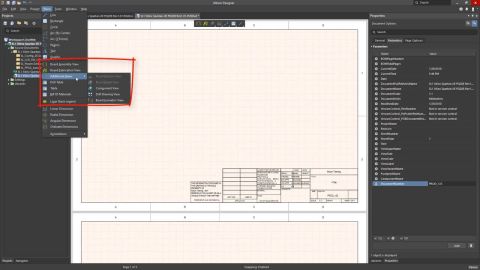
Learn how to create and annotate a manufacturing drawing for a completed multi-board assembly in Altium Designer’s Draftsman editor. This article covers setting up a drawing document, creating reusable templates, importing assembly changes, and placing and configuring multi-board and section views. Continue reading to turn your multi-board assembly into a clearly organized manufacturing drawing. …
Mates in Altium Designer connect separate objects in a multi-board assembly, aligning their selected surfaces and axes so they can move together. This article walks you through defining target and source mate sites, modifying mate settings, and using different mating modes to control how objects are positioned. Keep reading to take control of the relationships between objects in your assembly. -…
Learn More