








Designing for 224G: High-Speed Connectors, Flyover Cables, and the Road to Co-Packaged Optics

At a Glance
Design 224G channels with the right connectors and flyover cables. Plan for shorter reach. Keep serviceability in view.


Key Takeaways
- At 224G, the connector and cable system becomes a channel-architecture decision that drives bandwidth, power, layout, and serviceability.
- Flyover and near-chip cable systems are fast becoming the default for critical links, with co-packaged and near-packaged optics close behind.
- Choose the right high-speed connector families and track availability, alternates, and lifecycle in your BOM to help keep AI and networking designs buildable through the next speed bump.
What 224G PAM4 Actually Means
224G refers to a per-lane data rate of 224 Gbit/s using four-level pulse-amplitude modulation (PAM4). PAM4 carries two bits per symbol, so a 224G lane runs at about 112 Gbaud, with a Nyquist frequency near 56 GHz. At these rates, FR-4 loss, connector transitions, vias, and stubs can quickly consume signal margin, raising the bar for equalization, FEC, and accurate channel modeling.
224G is driven by rising bandwidth demands from 800G through 3.2T Ethernet ports, PCIe 7.0 timelines, and AI back-end fabrics. As electrical reach on standard materials shrinks, teams are pushing more of the channel into low-loss twinax, shortening on-board traces, and selecting connector and cable systems earlier because they now set practical limits on reach, density, and serviceability.
Why 224G Is Different (and Why It’s Showing Up Now)
If you work on AI servers, switches, or accelerator platforms, you’re already feeling the pressure from larger clusters, tighter power and thermal budgets, and shorter electrical reach in dense systems. Moving from 56G to 112G PAM4 was a big step. 224G doubles the per-lane data rate again, further squeezing your electrical channel margins. Long PCB runs that were acceptable at 56G now introduce enough loss and reflections to close the PAM4 eyes, reducing eye height, eye width, and mask margin.
That’s why connector decisions are moving upstream. You need to pick the high-speed connector system early in the layout cycle and anchor your simulations and mechanical constraints around it. At 224G, the connector and cable system becomes part of your channel design from day one.
Anatomy of a 224G Channel
|
ASIC → breakout → connector → cable or trace → cage or module → remote side |
Depending on the architecture, retimers may sit in the path, affecting both reach assumptions and validation plans. What changes is how aggressively you have to manage each segment and how tightly they’re coupled:
- Breakout and vias become channel features. Use backdrilling, tight stub control, and clean reference-plane transitions near the connector.
- Connector launches become loss and reflection points. Treat launch geometry and vendor S-parameters as first-class inputs.
- Cable versus PCB reach becomes an architecture choice. Decide early which segments must live in twinax, then design the board around short, controlled runs.
Copper Gets Creative: Flyover and Near-Chip Cable Systems
Conventional Backplanes vs. Flyover Architectures
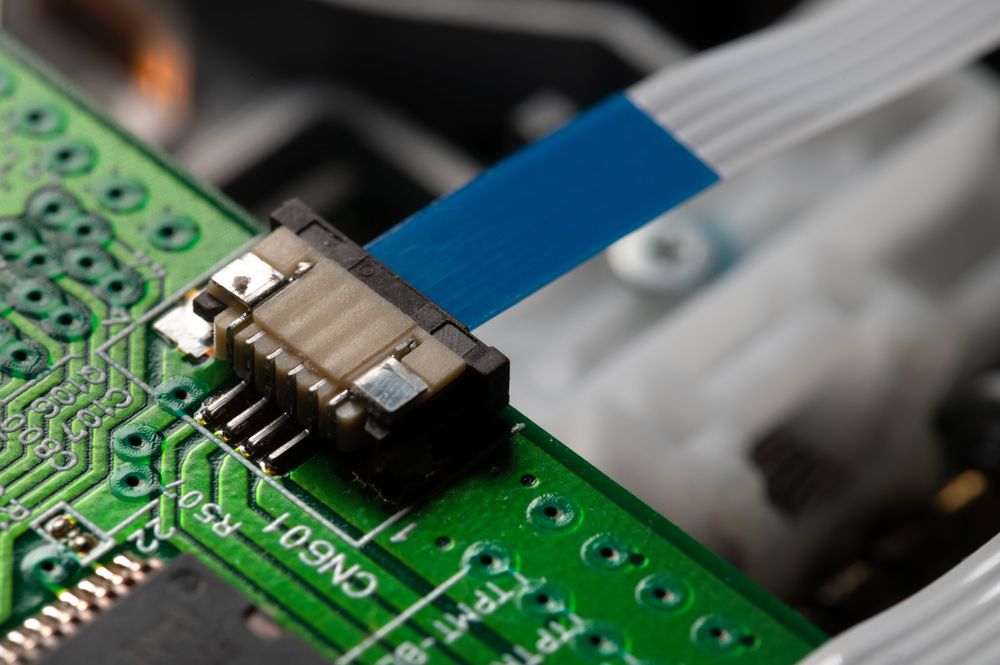
Traditional architectures ran long high-speed traces across a backplane or motherboard with mezzanine/card-edge connectors at each end. That worked at 10–28G. At 112–224G, long FR-4 runs and multiple transitions can burn too much loss and reflection budget. Flyover moves the critical reach into controlled twinax so your board routing can stay short and predictable.
With flyover architectures, you can:
- Move the high-speed portion into low-loss twinax cables.
- Keep PCB traces as short as possible between the ASIC and the cable launch.
- Use internal cable assemblies to reach front-panel cages or other boards.
Near-Chip and Co-Packaged Cable Systems
Near-chip systems extend this idea to the ASIC. Instead of routing high-speed pairs through long breakouts, you can:
- Place a high-density connector array very close to the ASIC.
- Route only short traces from the ASIC balls to that array.
- Launch into twinax assemblies that run to front-panel cages, mid-board connectors, or other devices.
Thermal constraints around the ASIC, cable bend radius, and rework strategy all become critical. You’re managing airflow, heatsinks, and a bundle of high-speed cables in the same cramped hot zone.
Featured Product: Samtec Si-Fly® HD
Samtec Si-Fly® HD is a good example of where 224G-class copper is going. It’s a near-chip/co-packaged cable system with very high differential-pair density and PAM4-ready performance. It shifts the highest-loss portion of the channel from FR-4 into a controlled twinax assembly, buying back margin where 224G is most sensitive.
Preparing for Co-Packaged and Near-Packaged Optics
224G quickly leads to a discussion of optics moving closer to the silicon.
CPO vs NPO in Practice
- Co-packaged optics (CPO) mount optical engines directly on, or very close to, the same package or substrate as the switch ASIC. This shrinks electrical reach to a few millimeters or centimeters.
- Near-packaged optics (NPO) place optical engines just off-package on the same PCB or an adjacent module, still much closer than front-panel pluggables.
Both approaches cut electrical reach and can improve power efficiency at 224G. The trade-off is serviceability. You give up simple front-panel replacement in exchange for line-card replacement or assembly-level rework.
What Co-Packaged and Near-Packaged Optics Mean for Connectors
Even as optics move inboard, copper remains essential. You still need:
- Internal high-speed cables between ASIC/NPO engines and front-panel cages.
- Short-reach links to neighboring devices or subsystems.
- Robust internal I/O connectors in chassis and blades.
The key is that electrical reach is shorter, and performance per millimeter is more demanding. Connector and cable systems that were comfortable at 112G may have limited margin at 224G.
Featured Product: Molex CX2 / CX2 Dual-Speed Interconnects
Molex CX2 and CX2 Dual-Speed connectors and cable assemblies are designed for near-ASIC connectivity in 112–224G environments. They combine shielded connector launches with twinax cabling to create a controlled internal link to front-panel cages or mid-board interfaces, while keeping on-board routing short and predictable.
Design Playbook for 224G-Class Connectors
PCB and Mechanical Guidelines
A few best practices guide most successful 224G layouts:
- Lock the connector family early. You want footprints, keep-outs, and via fields stable before you start serious routing and simulation.
- Design stack-ups around the channel. Material selection, layer ordering, and plane strategy near the connector should be driven by the 224G channel requirement, not generic rules of thumb.
- Plan 3D cable management carefully. Bend radius, strain relief, and assembly and rework access all need to be specified rather than improvised once the first prototype arrives.
SI and Validation Practices
At 224G, the lab and the simulator need to be aligned from the start:
- Start with a channel budget and assumptions. Include loss budget, target reach, cable length, and connector family, then capture them in the design notes.
- Use vendor S-parameters and reference channels for the connector and cable system. Avoid idealized models that hide launch and assembly effects.
- Simulate worst-case topologies end-to-end. Include connectors, cables, and cages in the model, and do not isolate a single segment.
- Reserve physical access for loopbacks and debug. Leave room around high-speed connectors so you can validate and troubleshoot without cutting traces.
- Plan de-embedding early. Define fixtures, account for VNA uncertainty, and correlate measured results back to the channel model.
Failure Modes to Watch
Common failure patterns at these speeds include:
- Marginal eye openings that pass at bring-up but drift at temperature or with aging.
- Crosstalk from densely packed cages or connector fields.
- Thermal issues where hot cages and heatsinks degrade connector performance or reliability.
Treat these as design constraints to avoid post-silicon surprises.
BOM and Procurement Strategy for High-Speed Interconnects
On the sourcing side, high-speed connector systems behave more like strategic components than commodities.
- Vendor concentration: A few suppliers dominate many 224G-class ecosystems. Understand where you rely on a single vendor.
- Program lifetime vs. roadmap: Check that the connector system you select will be supported throughout your platform's lifecycle.
- Form-factor alignment: Favor families that track emerging industry standards or widely used internal I/O form factors, so the design aligns with specifications that continue to evolve.
Using Octopart and the BOM Tool
Octopart can help bring structure to these choices:
- Use search and filters to explore connector families – backplane, mezzanine, internal high-speed I/O, cages – and see which specific part numbers are actually stocked.
- For candidate families (for example, around systems like Samtec Si-Fly® HD or Molex CX2), drop representative part numbers into the Octopart BOM Tool to compare pricing, availability, and manufacturer options side by side.
- Capture alternates the way you will buy them: stocked cable lengths, compatible connector variants, and second-source paths when available.
- Document mating compatibility and constraints in BOM notes so substitutions preserve mechanical fit and SI margins.
Pro Tips for 224G
To wrap up, here are a few pro tips to make 224G-class projects easier:
- Design for one speed bump ahead. Whenever possible, choose connector families and footprints with a clear 112G→224G migration path so the next protocol upgrade keeps the same mechanical envelope.
- Prototype with visibility. Leave physical room for scopes, loopbacks, and future rework around high-speed connectors. A little space now is cheaper than a respin later.
- Document the channel assumptions. Record loss budgets, intended cable lengths, connector part numbers, and test conditions in your design notes so future revisions understand your decisions immediately.
224G is now a planning assumption on many AI and networking roadmaps, and the next speed bump is already in view. Design for that next step by treating high-speed connector and cable systems as core parts of your channel architecture and BOM strategy. Use Octopart and the BOM Tool to track up-to-date availability, alternates, and lifecycle so your validation assumptions stay aligned with what you can actually source, and your platform remains buildable through the next standard.

About Author
Related Resources
Related Technical Documentation
Table of Contents
- Key Takeaways
- What 224G PAM4 Actually Means
- Why 224G Is Different (and Why It’s Showing Up Now)
- Anatomy of a 224G Channel
- Copper Gets Creative: Flyover and Near-Chip Cable Systems
- Conventional Backplanes vs. Flyover Architectures
- Near-Chip and Co-Packaged Cable Systems
- Preparing for Co-Packaged and Near-Packaged Optics
- CPO vs NPO in Practice
- What Co-Packaged and Near-Packaged Optics Mean for Connectors
- Featured Product: Molex CX2 / CX2 Dual-Speed Interconnects
- Design Playbook for 224G-Class Connectors
- PCB and Mechanical Guidelines
- SI and Validation Practices
- Failure Modes to Watch
- BOM and Procurement Strategy for High-Speed Interconnects
- Using Octopart and the BOM Tool
- Pro Tips for 224G
Solutions for Every Role and Team
- Discover and evaluate design options earlier
- Develop in one shared workspace
- Scale with control and compliance
- Connect every stage of hardware development
Learn More
Thank you, you are now subscribed to updates.