







Why ECAD–MCAD Collaboration Is Essential to Design for Manufacturability (DFM)

At a Glance
Learn why ECAD–MCAD collaboration is essential to Design for Manufacturability and how shared models reduce PCB re-spins, delays, and ramp-to-volume risk.


Modern products compress complex electronics and precise mechanics into tighter spaces and shorter schedules, pushing Design for Manufacturability (DFM) across traditional domain boundaries. DFM now spans electrical, mechanical, thermal, and manufacturing concerns that interact in increasingly complex ways.
This complexity makes ECAD–MCAD collaboration essential. Working around a shared product model allows electrical and mechanical teams to improve manufacturability, decrease re-spins, and achieve more predictable ramp-to-volume.
Key Takeaways
- ECAD–MCAD collaboration has become a core DFM lever. Shared product models pull fit, clearance, connector alignment, and serviceability issues into earlier design cycles, reducing late re-spins.
- DFM spans electrical and mechanical domains, with variations determined by manufacturers’ capabilities. Manage fabrication and assembly constraints as design inputs and validate them early as enclosure, placement, and stackup decisions evolve.
- Strong co-design functions as a repeatable workflow. With shared context, traceable updates, and 3D-aware reviews, teams keep decisions tied to the current design state.
How DFM Naturally Spans ECAD and MCAD
DFM decisions rarely live in a single tool or discipline, as several core dimensions inherently require ECAD–MCAD co-design. DFM and design-for-assembly (DFA) constraints also vary by manufacturer capability, making it essential for teams to use them as design inputs and validate them early with chosen fabrication and assembly partners.
Enclosure-driven Constraints
Board outlines, keepouts, and component height limits all derive from mechanical packaging, yet they control routing density, layer usage, and manufacturability on the electrical side. Tight ECAD–MCAD loops allow outlines, stiffeners, and mounting holes to evolve while layout stays within buildable boundaries. Without coordination, constraint changes can invalidate entire layouts, forcing components to shift or increasing layer counts.
Assembly and Test
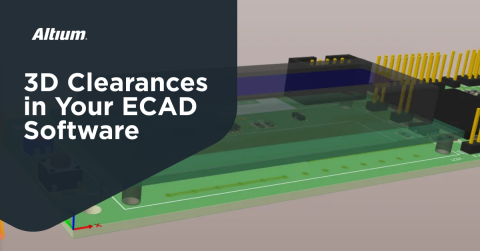
Pick-and-place reach, reflow shadowing, probe access, and fixture design depend on how boards, enclosures, and subassemblies come together in 3D. When ECAD can see mechanical keepouts and MCAD can see realistic component envelopes and test hardware, DFM checks become part of the design process.
Thermal and Structural Behavior
Heatsinks, shields, brackets, and thermal interfaces must align with real device locations, copper patterns, and airflow paths. Co-design workflows make it easier to run assembly-level thermal and structural checks using accurate geometry and stackup assumptions. This leads to DFM decisions that balance thermal performance, cost, and assembly complexity.
Serviceability and Field Repair
Access to fasteners, test pads, programming headers, and swappable modules is both a mechanical and electrical concern. With products developed through closer ECAD–MCAD collaboration, technicians can reach critical components without major disassembly or risk of damage.
Without proper coordination across these dimensions, teams encounter recurring failure patterns.
Typical DFM Failures When ECAD and MCAD Drift Apart
Collaboration based on static exports and email threads produces a consistent set of failure modes. Structured co-design workflows with reviewable updates help teams surface these issues earlier and reduce their frequency.
The most common issues fall into four categories:
- Fit and clearance misses: components touch housings, lids cannot close, or boards clash with standoffs when outlines and placements change without synchronized 3D validation.
- Connector misalignment: USB or RF ports land millimeters off-center relative to their openings, while mezzanine and board-to-board connectors fail to fully seat due to stackup or tolerance mismatches.
- Rigid-flex strain and cracking: flex regions route through hinge lines or tight bends, causing copper fatigue or delamination under real motion.
- Difficult assembly and test: tools lack line of sight, probes can’t access critical points, and reflow becomes challenging in mechanically constrained regions.
What Strong ECAD–MCAD Collaboration Looks Like
High-performing hardware teams integrate ECAD–MCAD collaboration as a live, bidirectional workflow with clear handshakes and review points. These teams follow common patterns:
Shared Product Model with Bidirectional Updates
Both domains work from consistent representations of board shapes, mounting features, and 3D component bodies. Geometry and constraints cross the boundary through well-defined mechanisms and structured handoffs.
Incremental, Traceable Updates
Mechanical and electrical changes flow as small, reviewable deltas. Each side can propose modifications and inspect their impact before accepting or rejecting them with full traceability.
3D-Aware PCB Layout
Placement and routing occur in an environment that displays enclosures, keepouts, height restrictions, and neighboring boards in 3D. This visibility allows engineers to check interference, connector reach, and rigid-flex bending behavior as they work.
DFM Checks Embedded in Both Domains
ECAD tools enforce mechanical and assembly constraints through rules. MCAD workflows incorporate PCB-relevant geometry and constraints, including keepouts, component envelopes, and flex regions. DFM becomes a continuous, shared responsibility across both disciplines.
ECAD–MCAD DFM in Rigid-Flex, Wearables, and Complex Assemblies
Rigid-flex and highly integrated form factors magnify the importance of ECAD–MCAD co-design for manufacturability. These designs demand close coordination across several critical areas:
- Bend behavior and stackup: bend radii, copper distribution, coverlay design, and via placement determine whether a flex section survives repeated motion. Coordinated ECAD–MCAD models help mechanical teams to simulate deformation using more accurate rigid-flex stackup data.
- Hinges, sliders, and moving parts: wearables, foldables, and instrument lids place flex zones exactly where mechanical motion occurs. Co-design supports routing paths that align with natural strain patterns while avoiding creases and pinch points.
- Space-constrained multi-board assemblies: multiple PCBs, batteries, displays, and antennas share volume in phones, IoT nodes, and instruments. Joint layout and packaging decisions create room for assembly, rework, and test hardware.
These specialized applications demonstrate why collaboration matters. The next step is expanding that collaboration beyond ECAD and MCAD alone.
From File Sharing to Clearer Design Decisions
Many teams already rely on cloud storage, chat tools, and email to pass ECAD and MCAD files back and forth. While this keeps information moving, it often introduces friction: feedback disconnected from the working version, unclear ownership of changes, and extra effort spent confirming what has been reviewed and what has not.
A more effective approach focuses on clarity around the design state, not on forcing new processes. When mechanical context, manufacturability considerations, and feedback are visible alongside the design itself, engineers can resolve issues earlier and move forward with greater confidence.
In practice, this means:
- Version clarity: Reviews and discussions stay tied to the active design instead of exported files or screenshots.
- Contextual feedback: DFM questions and decisions reference real geometry, stackups, and placements, reducing interpretation errors.
- Intent preservation: Changes are easier to understand, evaluate, and accept without losing track of why decisions were made.
DFM shifts from a series of handoffs to a set of clearer, better‑timed decisions during active design work.
Altium Develop: Supporting ECAD–MCAD DFM Without Extra Overhead
Altium Develop is built for individual engineers and small teams that want stronger DFM outcomes without introducing governance‑heavy systems or forced process change. It keeps the Altium‑grade design experience intact while making it easier to share work, review decisions, and prepare for release as mechanical and manufacturing considerations come into play.
From an ECAD–MCAD DFM perspective, Altium Develop helps by reducing everyday workflow friction:
Mechanical Context Where It Matters
Board outlines, component heights, rigid‑flex regions, and enclosure constraints are easier to reference during layout and review, helping engineers align electrical decisions with mechanical realities earlier.
Reviews That Stay Tied to the Design
Comments, review notes, and feedback are associated with the current design state, reducing version confusion and minimizing the need for repeated explanations or rework when layouts change.
Earlier Visibility Into Manufacturing and Sourcing Impacts
Component availability, BOM details, and basic manufacturability considerations can be reviewed alongside design decisions, helping teams catch risk sooner instead of discovering issues during late‑stage release preparation.
Altium Develop doesn’t redefine how teams work. It supports the workflow engineers already use, providing clearer transitions from design to review to release.
Bringing It All Together
DFM has moved beyond single‑domain checklists. As products become more integrated and schedules compress, electrical and mechanical constraints increasingly intersect during active design. When ECAD–MCAD considerations are visible at the right moments, engineers gain earlier insight into manufacturability risk, iterate with more confidence, and reduce late‑stage surprises that slow the path to volume.
The real shift is toward clearer decisions anchored to the current design state. Reviews that stay connected to the work, traceable changes, and DFM checks applied in context help preserve design intent as layouts evolve. Altium Develop supports this by reducing friction between design, review, and release, helping engineers move forward with clarity instead of relying on disconnected file exchanges.
Altium Develop brings Altium‑grade design into a workflow built for individuals and small teams, helping engineers move from design to review to release with more clarity and less friction. Experience Altium Develop today and see how keeping decisions tied to the design can reduce rework and late‑stage surprises.
Frequently Asked Questions
What is ECAD–MCAD collaboration in Design for Manufacturability (DFM)?
ECAD–MCAD collaboration is the coordinated workflow between electrical (ECAD) and mechanical (MCAD) design teams to ensure a product can be built, assembled, tested, and serviced reliably. In DFM, this collaboration connects PCB layout decisions with enclosure geometry, clearances, connectors, thermal features, and assembly constraints. Working from shared 3D-aware product models helps teams detect fit, alignment, and manufacturing issues early, before they cause costly re-spins.
Why does DFM require both electrical and mechanical design input?
DFM naturally spans domains because many manufacturability constraints sit at the boundary between electronics and mechanics. Board outlines, component heights, connector placement, rigid-flex bends, heatsinks, and test access all depend on mechanical packaging while directly affecting electrical layout and routing. Without synchronized ECAD–MCAD input, late changes in either domain can invalidate layouts, increase layer counts, or block assembly and test.
What are the most common DFM problems caused by poor ECAD–MCAD coordination?
When ECAD and MCAD workflows drift apart, teams often encounter predictable failures: components colliding with enclosures, connectors misaligned with openings, rigid‑flex cables cracking under real motion, and boards that are difficult to assemble or probe during test. These issues typically stem from working with static file exports instead of shared, traceable design context and up‑to‑date 3D geometry.
How does earlier ECAD–MCAD collaboration reduce PCB re-spins and delays?
Early collaboration brings manufacturability constraints, such as clearances, stackups, bend limits, and assembly access, into active design decisions instead of treating them as late-stage checks. With shared models, 3D-aware reviews, and traceable changes, teams can evaluate the impact of updates immediately. This reduces late surprises, shortens iteration cycles, and improves predictability when moving from prototype to volume production.

About Author
Related Resources
Related Technical Documentation
Table of Contents
- Key Takeaways
- How DFM Naturally Spans ECAD and MCAD
- Enclosure-driven Constraints
- Assembly and Test
- Thermal and Structural Behavior
- Serviceability and Field Repair
- Typical DFM Failures When ECAD and MCAD Drift Apart
- What Strong ECAD–MCAD Collaboration Looks Like
- Shared Product Model with Bidirectional Updates
- Incremental, Traceable Updates
- 3D-Aware PCB Layout
- DFM Checks Embedded in Both Domains
- ECAD–MCAD DFM in Rigid-Flex, Wearables, and Complex Assemblies
- From File Sharing to Clearer Design Decisions
- Altium Develop: Supporting ECAD–MCAD DFM Without Extra Overhead
- Mechanical Context Where It Matters
- Reviews That Stay Tied to the Design
- Earlier Visibility Into Manufacturing and Sourcing Impacts
- Bringing It All Together
- Frequently Asked Questions
- What is ECAD–MCAD collaboration in Design for Manufacturability (DFM)?
- Why does DFM require both electrical and mechanical design input?
- What are the most common DFM problems caused by poor ECAD–MCAD coordination?
- How does earlier ECAD–MCAD collaboration reduce PCB re-spins and delays?
Solutions for Every Role and Team
- Discover and evaluate design options earlier
- Develop in one shared workspace
- Scale with control and compliance
- Connect every stage of hardware development
Learn More
Thank you, you are now subscribed to updates.