
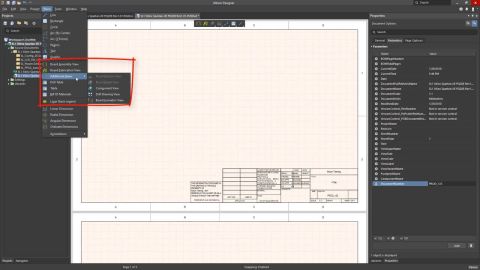

We are happy to announce the release of the new Altium Designer Getting Started User Guide. Whether you are new to Altium Designer or you want to brush up on some topics, the Altium Designer Getting Started User Guide will take you from a beginner to a master in PCB design. This is only the beginning! This guide will be updated with new information based on user feedback. Let’s first go over the contents of the guide.
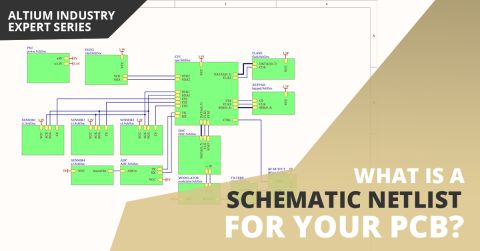
If you’ve created your next great schematic, there is a lot going on behind the scenes in your design software. The connectivity between components in your schematic can be reduced to a small number of logical and electrical identifiers. The schematic may provide a graphical picture showing connections between different components and pins, but to really understand everything about your design, you’ll need an important document. A schematic
Your modern digital board is most likely classified as high speed, regardless of whether you looked at the datasheets for your components. Designing your board successfully will take some important steps when you begin your design. Aside from floorplanning and stackup design, your routing strategy will need to operate within some important PCB design constraints. After you capture your schematic as an initial layout and create an initial
When schematics were originally captured on paper, it was often on a single sheet of paper large enough to fill a big drafting table, which was reproduced on a dedicated, large-format copier. Times have changed, now schematics are captured on a desktop PC, stored on a server, and printed on a small-format laser printer. This change means that even a simple design can be more easily displayed and…
The content of this page is available only for Altium Designer version 20.0 and above. To select a version of the software, use the version selector at the top of the page.
Altium Designer combines a myriad of features and functionality, including: Advanced routing technology Support for cutting-edge rigid-flex board design Powerful data management tools ECAD Libraries containing over 300,000 ready-to-use components Powerful design reuse tools Real-time cost estimation and tracking Dynamic supply chain intelligence Native 3D visualizations and clearance checking…
Configuration and Customization Overview There are many ways you can configure the Altium Designer design space so that it works the best for you, including using dual monitors, viewing all documents simultaneously, and saving your unique desktop layout. The Altium Designer design space can be customized in order to help you be more productive in your design work. Resources in an editor are the…
The following sections list historical release notes for Public releases of Altium Designer (from version 25 down to 20.0). For the latest release notes for Altium Designer, Altium Designer Develop and Altium Designer Agile, visit the Public Release Notes page. Looking for public release notes for all previous versions of Altium Designer? Visit the Legacy Documentation section of the Other…
The following sections list the release notes for publically released versions of Altium Designer 15.1 and Altium Designer 15.0 For a summary of new features and enhancements in Altium Designer 15.x, see New in Altium Designer. For a listing of release notes for versions of the software prior to 15.0, see Historical Release Notes. Version 15.1.16 Build: 63332 Date: 2 June 2016 7492 Restored the…
Release Notes Release Notes for Altium Designer 15.1 Release Notes for Altium Designer 15.0 Historical Release Notes QuickLinks Exploring Altium Designer Altium Designer - Features Altium Designer 15.1 Released: 8 May 2015 - Version: 15.1.9 Released: 2 June 2015 - Version: 15.1.12 Released: 2 July 2015 - Version: 15.1.13 Released: 22 July 2015 - Version: 15.1.14 Released: 14 September 2015 -…
Parent page: Design Reuse There is a strong incentive to re-use sections of circuitry from existing designs; the design is proven so the engineering is complete, it saves time, it can help reduce component inventory, and it frees up your design team to focus on the development of new concepts and products. Designers are clever people, they already reuse existing designs all the time. It might be…
Parent page: Creating a New Component Before saving a Workspace Library component defined/edited in the Component Editor (in its Single Component Editing or Batch Component Editing mode) to the connected Workspace and making the component be available for use in designs, it is essential to make sure that this component meets the requirements in accordance with the configured settings. When you…
How MCAD CoDesigner supports Harness Design MCAD CoDesigner’s Harness support integrates the ECAD and MCAD models of the harness. The goal is to allow the harness geometry to be designed in MCAD and then transferred back to ECAD, as the physical parameters (lengths) of the harness elements. The common (and essentially similar) element between the ECAD and MCAD environments is that the schematic…
Solutions for Every Role and Team
Discover and evaluate design options earlier
Develop in one shared workspace
Scale with control and compliance
Connect every stage of hardware development
Learn More