

The Object Visibility region of the View Configuration panel can be used to set the transparency of each PCB object. Use the Transparency slide bar to set the percentage or enter the desired percentage directly in the percentage field. Altium Designer also provides support for setting the transparency of each object type individually and on a per-layer basis for each layer that can be used in…
This page includes detailed information for features and functionality that are currently in Closed Beta. Altium Designer users: When you update your Altium Designer installation to a newer version and you use a Standalone or Private Server license, you may need to reactivate/refresh the license to be able to access and use new features and functionality. For more information, refer to the…
Altium Designer is probably just one of many engineering design environments that you work with, or need to interface to. Perhaps you need to interface to another design and analysis platform to perform a power simulation, or perhaps you need to import an older design that was developed in another design environment. Whatever the reason, it's likely that one day you'll need to be able to…
What do SOLIDWORKS PCB and SOLIDWORKS PCB Connector end-of-life mean? Starting August 15, 2023, SOLIDWORKS PCB and SOLIDWORKS PCB Connector will no longer receive updates or support. Will SOLIDWORKS PCB or SOLIDWORKS PCB Connector still be supported? SOLIDWORKS PCB and SOLIDWORKS PCB Connector will be supported through August 14, 2023. Will I need to export all the files from the solutions before…
Altium Designer combines a myriad of features and functionality, including: Advanced routing technology Support for cutting-edge rigid-flex board design Powerful data management tools ECAD Libraries containing over 300,000 ready-to-use components Powerful design reuse tools Real-time cost estimation and tracking Dynamic supply chain intelligence Native 3D visualizations and clearance checking…
Due to the complexity of modern electronic products featuring high-speed and RF circuits, intensive communication between PCB and simulation engineers is required during the PCB design process, and this communication should be as clear and simple for both sides as possible. It is not sufficient to export a design changed by the PCB engineer or optimized by the simulation engineer and pass it to…
Altium CoDesigner brings the electronic and mechanical design worlds together. With this comes the challenge of defining design object and spatial requirements in different design domains, and different design languages. This series of videos will help in the process of understanding how best to transfer your design between the mechanical and electronic design domains. The videos on this page…
The following sections list the release notes for publically released versions of Altium Designer 15.1 and Altium Designer 15.0 For a summary of new features and enhancements in Altium Designer 15.x, see New in Altium Designer. For a listing of release notes for versions of the software prior to 15.0, see Historical Release Notes. Version 15.1.16 Build: 63332 Date: 2 June 2016 7492 Restored the…
Release Notes Release Notes for Altium Designer 15.1 Release Notes for Altium Designer 15.0 Historical Release Notes QuickLinks Exploring Altium Designer Altium Designer - Features Altium Designer 15.1 Released: 8 May 2015 - Version: 15.1.9 Released: 2 June 2015 - Version: 15.1.12 Released: 2 July 2015 - Version: 15.1.13 Released: 22 July 2015 - Version: 15.1.14 Released: 14 September 2015 -…
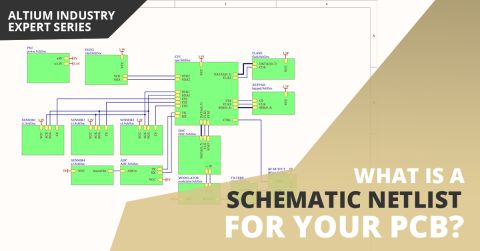
Parent page: Advanced Topics The SPICE netlist is a textual representation of the circuit. It must include all necessary components with parameters, component models, connections, and types of analysis. It is the SPICE netlist that is processed by the simulation engine. The graphical representation of the schematic is used to simplify the creation of the netlist from the user's work when…
Get Started