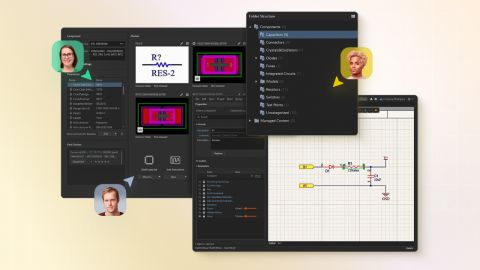



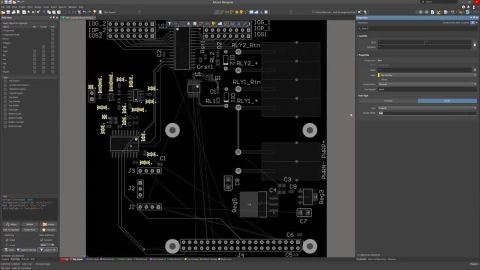

Altium's MCAD CoDesigner technology connects the mechanical and electrical design domains, allowing the mechanical and electronic engineers to pass the loaded PCB back and forth between the two domains. In your Altium design software, this is achieved through an extension that loads and extracts board and component data from the PCB editor, the MCAD CoDesigner extension. In the MCAD software the…
How MCAD CoDesigner supports Harness Design MCAD CoDesigner’s Harness support integrates the ECAD and MCAD models of the harness. The goal is to allow the harness geometry to be designed in MCAD and then transferred back to ECAD, as the physical parameters (lengths) of the harness elements. The common (and essentially similar) element between the ECAD and MCAD environments is that the schematic…
Altium CoDesigner for Siemens® NX™ is only available for designers with an Altium Enterprise Solution. Altium CoDesigner for Siemens NX moved out of Beta in Altium CoDesigner 3.0. Altium CoDesigner is an interface for transferring printed circuit board designs between the ECAD and MCAD design domains. Once the CoDesigner add-in has been added to your MCAD software, CoDesigner can pass design…
Parent page: Installing & Configuring Altium CoDesigner Altium CoDesigner is an interface for transferring printed circuit board designs between the ECAD and MCAD design domains. Once the CoDesigner add-in has been added to your MCAD software, CoDesigner can pass design changes back and forth. Design changes are passed through an Altium Workspace, which acts as a bridge between the ECAD and MCAD…
Command Line Installation Instructions From version 3.16 and higher, the Altium MCAD CoDesigner installer for PTC Creo supports: Silent / single-line installation flow for CoDesigner. Specifying the Creo version and custom Creo install path without UI interaction. Overview Altium.Designer.PtcCreo.InstallUI.exe supports three kinds of command-line usage: legacy forced install legacy forced…
Altium CoDesigner is an interface for transferring printed circuit board designs between the ECAD and MCAD design domains. Once the CoDesigner add-in has been added to your MCAD software, CoDesigner can pass design changes back and forth between your MCAD software and your Altium ECAD software. Design changes are passed through an Altium Workspace, which acts as a bridge between the ECAD and MCAD…
Altium CoDesigner is an interface for transferring printed circuit board designs between the ECAD and MCAD design domains. Once the CoDesigner add-in has been added to your MCAD software, CoDesigner can pass design changes back and forth. Design changes are passed through an Altium Workspace, which acts as a bridge between the ECAD and MCAD domains. ► Check the version compatibility between your…
Supported MCAD Software The following MCAD platforms and versions are currently supported: Autodesk Inventor Professional® Autodesk Fusion® (Microsoft Windows version only. Autodesk Fusion Personal license only supported by Altium CircuitMaker) Dassault Systemes SOLIDWORKS® (Standard, Pro & Premium) PTC Creo Parametric® Siemens® NX™ - (for designers with an Altium Enterprise Solution) Onshape®…
This article introduces the Manufacturing design rule types available for PCB layout in Altium Designer, with a focus on how these rules help define fabrication limits and guide layout decisions. It specifically highlights rules such as Minimum Annular Ring and explains how manufacturing constraints can affect routing density, board reliability, and production cost. If you want a clearer…
Learn More