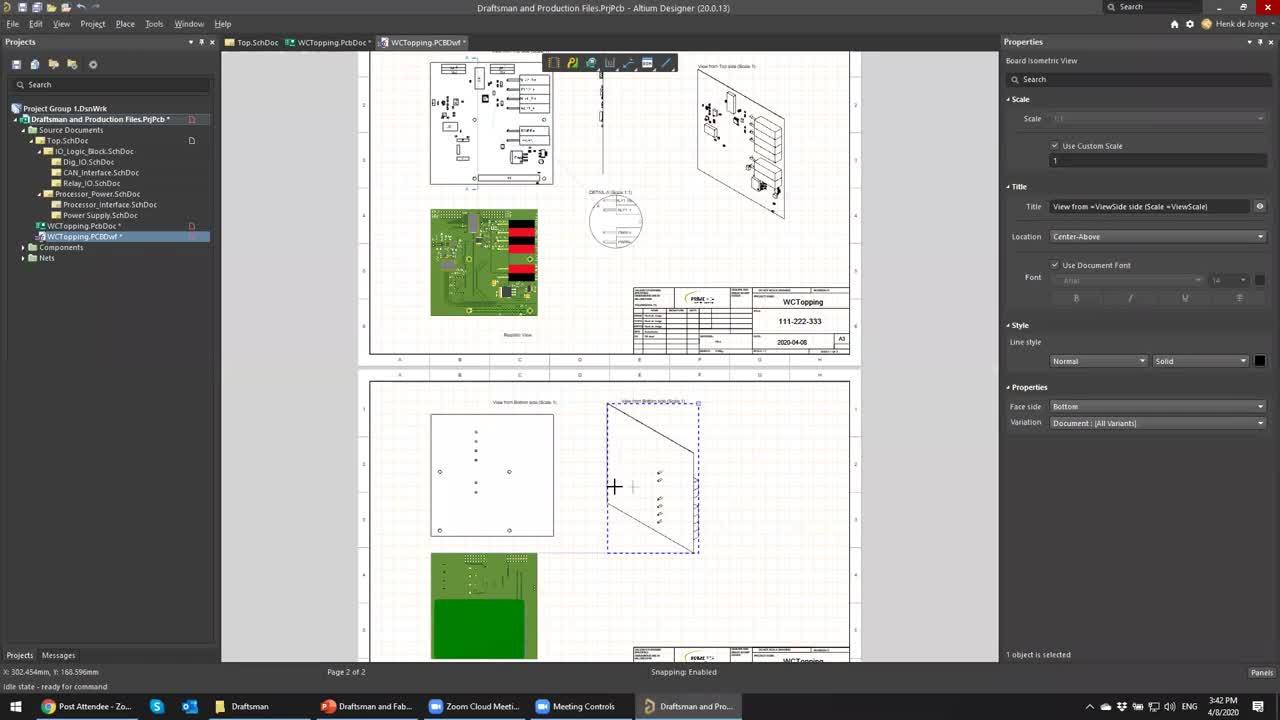

In this session, we will cover Draftsman for design documentation, FAB/Assembly house file generation and automating their creation using Outjobs.
Requirements Portal is under continuous development. This page outlines new features and enhancements made to Requirements Portal in key updates. When the Sharing of Requirements Projects feature is released: remove the box below, leave the content. Update - xx October 2026 Sharing of Requirements Projects Requirements projects are now shown on the Projects page of the Workspace browser interface…
AI agents provide substantial advantages for engineering tasks like requirements capturing and test planning by significantly enhancing efficiency and automating complex, repetitive workflows. Requirements Portal's Engineering Assistant leverages AI technologies to provide you with fast, automated review tool for your requirements projects that allows you to ask questions about requirements and…
Requirements Portal supports commenting within your requirement projects. A comment is a user-added note that is assigned to a specific requirement, specification, section, V&V activity, or block and may be replied to by other users. Comments promote collaboration between users without altering the shared data itself, because comments are stored by the Workspace independently of that data. You…
The Project Module in Requirements Portal details and provides project management capabilities. The user interface to the Project Module is the Home page that opens when Requirements Portal is accessed from the nine-dot menu at the top right of the Workspace's browser-based interface (). The page provides access to existing requirements projects, which target requirements management, and also…
This article gives you a focused overview of the Testpoint design rule types available in Altium Designer, with an emphasis on the Fabrication Testpoint Style and Assembly Testpoint Style rules and how they define the physical pad and via parameters used for testpoint assignment. It also highlights an important requirement for successful use in the Testpoint Manager, namely that at least one…
Learn how to work in NC Editor mode with a CAM document in Altium Designer's CAMtastic editor, from converting circular flashes into drill points and changing drill tools, to generating a drill layer from Gerber data. This article also explains how to place drill points, circles, slots, and text, and add drill points to rout plunge points, with guidance on active layers and tool definitions. Keep…
Altium Designer’s CAMtastic editor includes reports for fabrication quotations, drill tools, Dcode and layer usage, design rule violations, netlists, routing and milling paths, and selected objects’ XY coordinates. This article explains how to access these reports from the Reports menu, configure the required options, and understand key prerequisites and file-saving behavior. Keep reading to…
Explore the Analysis tools in Altium Designer’s CAMtastic editor for checking and working with your CAM document. This article explains how to configure design rule checks, review violations and apply available fixes, locate invalid polygons, create fabrication drawings from drill layers, and fill, clean, or generate boundaries. It also introduces query commands for inspecting CAM objects. Keep…
Explore the additional tools in Altium Designer’s CAMtastic editor for calculating copper area, placing copper pours, removing isolated and stacked pads, resizing objects, adding teardrops, and trimming silkscreen. This article explains the steps, settings, and prerequisites for these operations, helping you understand how to apply them to your CAM documents. Keep reading to put these practical…
Altium Designer’s CAMtastic editor provides tools to import PCB fabrication data, check layer assignments and stack-up, extract a netlist, and run design rule checks to identify potential fabrication issues. This article walks you through the verification workflow, including reviewing violations, investigating affected objects, and applying Auto Fix where available. Read on to put these tools to…
Learn More