







Best Cloud Tools for Hardware Design Teams

At a Glance
Hardware design teams increasingly use cloud collaboration software to accomplish multidisciplinary engineering objectives. See what the best cloud platforms are for hardware teams building electronic products.


Hardware design isn’t purely mechanical and it isn’t purely electrical. A successful product requires tight coordination between PCB layout, enclosure design, connectors, cables, thermal management, and manufacturing constraints. A change in copper routing can affect enclosure geometry. A mechanical shift in mounting features can invalidate connector placement. Hardware design is inherently collaborative.
Modern engineering software platforms reflect this reality. The best cloud-enabled tools for hardware designers go far beyond emailing STEP files or Gerbers. They provide synchronized data environments where electrical and mechanical engineers can review, comment, and iterate on shared design models in real time. Below are the key areas where cloud platforms impact hardware development.
What’s in the Cloud for Hardware Designers
PCB Design and Layout
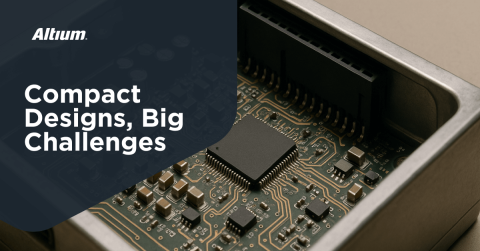
The PCB is both the primary electrical engine of most products and one of the most important mechanical components. It defines connector locations, mounting holes, board outlines, keepout regions, and overall product form factor. In many products, the PCB becomes the mechanical constraint that drives enclosure dimensions, airflow paths, and assembly structure.
At the same time, the PCB must satisfy electrical requirements: impedance control, stackup design, signal integrity, power distribution, and EMI control. Because it sits at the intersection of mechanical and electrical systems, it becomes the central artifact in multidisciplinary collaboration.

There are fully cloud-based PCB design tools, but serious hardware teams get the best performance from hybrid desktop-plus-cloud platforms. In these systems, compute-intensive tasks run locally while collaboration and data management occur in the cloud.
Typically:
- Performed on the desktop:
- Schematic capture
- PCB layout and interactive routing
- 3D component placement
- Design rule checking
- High-speed tuning and constraint management
- Performed in the cloud:
- Design review and commenting
- Version control and revision history tracking
- Secure design sharing
- Release management
- Cross-disciplinary access to 3D models
This structure ensures high performance while maintaining centralized collaboration.
Multi-Board Assemblies and Wiring Harnesses
Modern products frequently use multi-board PCB assemblies. These systems introduce constraints at several levels: individual board outline constraints, connector placement constraints, signal integrity constraints across board-to-board interfaces, and enclosure-level spatial limitations. When these constraints combine, mechanical feasibility becomes non-trivial. Mechanical designer input is essential to ensure the full assembly can be manufactured, assembled, and serviced.
Wire harnesses and cable assemblies add another layer of complexity. They must route between boards without violating bend radius limits, clearance constraints, or enclosure boundaries. Mechanical engineers are typically responsible for modeling cable runs in 3D space to ensure they fit within the mechanical envelope while maintaining serviceability and reliability.

Because of these interactions, teams require tight integration between PCB 3D models, connector definitions, cable geometry, and enclosure data. This leads directly into the need for interference checking and synchronized 3D environments.
3D Enclosure Models and Interference Checking
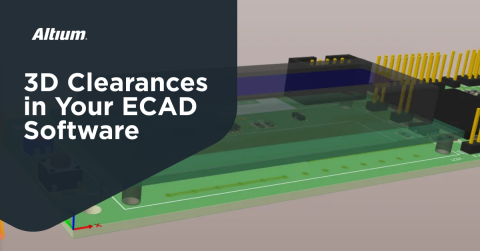
Modern ECAD tools include integrated 3D visualization and interference checking capabilities. Electrical designers can import enclosure STEP models and instantly detect mechanical collisions between electronic components and enclosure features. This includes:
- Instant detection of component-to-enclosure collisions
- Verification of connector alignment with panel cutouts
- Checking mounting hole alignment
- Identifying height violations in three dimensions
Instead of discovering issues during prototype assembly, designers can resolve them directly inside the PCB layout environment.

MCAD Collaboration
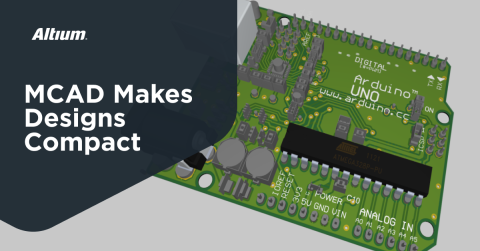
MCAD collaboration tools enable synchronized data exchange between electrical and mechanical design environments. Rather than relying on periodic file exports, modern platforms allow an entire PCB layout, including board outline, component placement, and mechanical features, to remain synchronized with enclosure models.
This synchronization supports:
- Real-time or near-real-time updates between ECAD and MCAD
- Controlled change tracking of board outlines and mounting features
- Shared visibility of component heights and mechanical constraints
- Iterative refinement without manual file management

Modern cloud platforms have largely eliminated manual file exchanges between ECAD and MCAD tools. Instead of exporting and re-importing STEP files through email or shared folders, data is synchronized through managed collaboration environments. Designers work within their native tools while changes propagate through controlled synchronization workflows.
Additional Features Your Cloud Tools Should Provide
A multidisciplinary hardware design team requires more than just 3D model sharing. A comprehensive cloud platform should also provide:
- Centralized design data management
- Version control with full design history
- Controlled release workflows for manufacturing
- Secure sharing with external partners
- Web-based design review without requiring full software licenses
- Commenting and markup directly on schematics and PCB layouts
- Supply chain visibility and component lifecycle tracking
- Role-based access control for team members
Modern platforms such as Altium Develop and Altium Agile Teams enable full multidisciplinary collaboration across hardware teams. With direct ECAD-MCAD linking, synchronized PCB and enclosure data, cloud-based review environments, and integrated release management, engineers can identify and solve mechanical design problems early without quick prototype fixes or scrapped production runs.
Whether you need to build reliable power electronics or advanced digital systems, use Altium’s complete set of PCB design features and world-class CAD tools. Altium provides the world’s premier electronic product development platform, complete with the industry’s best PCB design tools and cross-disciplinary collaboration features for advanced design teams.
Frequently Asked Questions
How are design teams using cloud features for electronic product design?
Design teams do not perform the engineering tasks in the cloud directly, and instead leverage the cloud for collaboration, including cross-disciplinary collaboration. The core engineering design tasks, specifically PCB layout and mechanical design, are still done through dedicated desktop applications integrated into the cloud environment. Only some cloud services can integrate directly into a PCB design environment or the MCAD environment for the mechanical designer.
Why do cloud-only PCB platforms and open-source platforms struggle with complex designs?
These applications are purpose-built around simpler designs that are often created by hobbyists, students, and electronics enthusiasts. This creates noticeable lag during design, where the applications are unable to handle large layer counts, large part counts, and large net counts.
Do I need an internet connection to use hybrid cloud+desktop PCB design tools?
Typically, no. The main design tools run on your local computer, not on the cloud, so basic design tasks don’t require an internet connection. However, accessing design files, saving them to your repository, and certain other features will require an internet connection.
When should a mechanical designer use an MCAD Collaboration feature to work with an ECAD user?
Anytime there is a need to enforce mechanical constraints in a complex design, the MCAD user can directly enforce the important mechanical constraints on the ECAD user without sending files through email. Altium Designer and CircuitMaker both provide options for connecting MCAD users with ECAD users via the cloud services in Altium 365, and there is support for popular MCAD applications in each case.
How secure are cloud-based hardware design platforms?
Enterprise-grade cloud platforms for PCB design use encrypted data storage, encrypted transmission (TLS), role-based access control, and audit trails to protect intellectual property. Hardware teams working with proprietary designs or regulated products rely on these cloud tools to provide granular permissions, revision tracking, and full traceability of who accessed or modified design data.

About Author
Related Resources
Related Technical Documentation
Table of Contents
- What’s in the Cloud for Hardware Designers
- PCB Design and Layout
- Multi-Board Assemblies and Wiring Harnesses
- 3D Enclosure Models and Interference Checking
- MCAD Collaboration
- Additional Features Your Cloud Tools Should Provide
- Frequently Asked Questions
- How are design teams using cloud features for electronic product design?
- Why do cloud-only PCB platforms and open-source platforms struggle with complex designs?
- Do I need an internet connection to use hybrid cloud+desktop PCB design tools?
- When should a mechanical designer use an MCAD Collaboration feature to work with an ECAD user?
- How secure are cloud-based hardware design platforms?
Solutions for Every Role and Team
- Discover and evaluate design options earlier
- Develop in one shared workspace
- Scale with control and compliance
- Connect every stage of hardware development
Learn More
Thank you, you are now subscribed to updates.



