






I'm Just Starting PCB Design, What Tool Should I Use?

At a Glance
Anyone getting started with PCB design will need to learn a piece of design software. Learn about your PCB design software options in this guide.


So you've decided to start learning PCB design: what's the best way to get started?
The first order of business is to pick a PCB design software program. All the design software options perform a few basic tasks in similar ways. These are schematic capture, component placement, basic routing of copper traces, and Gerber file generation.
The software you start using should reflect your goals in learning PCB design. Is your intention to do PCB design as a hobby, or do you want to work at a company as a professional PCB design engineer? Some design software is only used by hobbyists and does not provide a pathway towards a career as a professional designer. Choose wisely, and make sure your choice aligns with your goals.
Free PCB Design Software for Hobbyists
It’s completely understandable that hobbyists gravitate toward free PCB design software. If you’re just experimenting, building Arduino shields, or designing a small two-layer board for a personal project, it’s hard to justify paying hundreds or thousands of dollars for professional tools. Free platforms remove the financial barrier and make it easy to start drawing schematics and routing simple boards within minutes. For many people, that’s exactly what they need: a low-risk way to explore PCB design.
EasyEDA
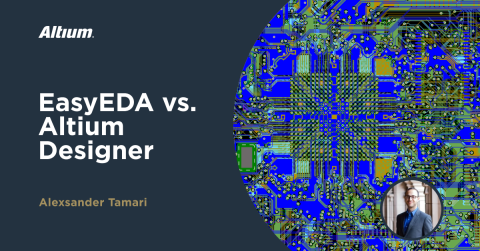
EasyEDA is a browser-based PCB design tool aimed squarely at hobbyists and entry-level users building simple designs. It provides schematic capture, basic PCB layout, and integrated ordering through JLCPCB. For straightforward two- or four-layer boards, development boards, and small IoT-style products, it gets the job done quickly and with minimal setup.

3D preview of a simple PCB in EasyEDA [Source: easyeda.com]
Where EasyEDA falls short is in professional-grade capability. The interface and rule system are designed for simple boards, not complex, high-layer-count, high-speed designs. Advanced routing tools, stackup control, impedance control, and supply-chain integration are non-existent, while they are standard features in professional platforms. Instead, the built-in library is confined to parts available through LCSC, which will constrain design flexibility significantly. For hobby projects this may be convenient, but professional designers never use EasyEDA because it does not work for even design tasks.
Flux.ai
Flux.ai is another cloud-based PCB design platform focused on collaboration and ease of entry. It is positioned for makers, startups, and educational users who value sharing and browser-based access. For simple boards and collaborative experimentation, it offers an accessible experience.

PCB layout view in Flux.ai [Source: flux.ai]
However, Flux.ai uses a non-traditional interface that differs significantly from industry-standard PCB tools. While that may feel modern, it creates a learning curve that does not translate directly to professional environments. The browser-based nature of the tool makes the interface slower compared to desktop-native applications, even for basic designs. More importantly, it lacks any of the professional-level features required for high-speed design, complex stackups, advanced routing constraints, and enterprise workflows.
CircuitMaker
CircuitMaker offers a hybrid approach: a desktop PCB design application backed by cloud collaboration features. Developed by Altium, it shares much of the design philosophy and interface style found in Altium Designer. Users get schematic capture, PCB layout, 3D viewing, and rule-driven design tools that feel much closer to professional-grade software.

While CircuitMaker does not include certain enterprise-level capabilities, it does not restrict user libraries to LCSC’s inventory the way EasyEDA does. CircuitMaker users can access millions of components covering nearly all manufacturers and distributors. Because the design engine runs locally on your desktop, the interface is fast and responsive, even on moderately complex boards. At the same time, it retains cloud-based sharing and collaboration features similar to Flux.ai. For serious hobbyists or aspiring professionals, CircuitMaker provides a much more realistic introduction to professional PCB workflows.
On Your Way to Going Pro
KiCad
KiCad is another free tool that is extremely popular among hobbyists. It is open-source and provides full schematic and PCB layout capability without licensing costs. It also sees some limited use among professional designers working on simpler, low-layer-count designs where advanced constraint management and enterprise integration are not required.
However, KiCad does not offer the same depth of advanced routing tools, supply-chain integration, and enterprise collaboration features demanded in high-end professional environments. Designers working on dense, high-speed, high-layer-count boards (where salaries are typically higher) require more advanced platforms to meet technical and workflow demands. In addition, many products are HDI designs, rigid-flex designs, or fully flex PCBs, all of which are not supported by KiCad.
From CircuitMaker to Altium Designer
CircuitMaker is excellent preparation for transitioning into Altium Designer because the interface, workflows, and design philosophy are very similar. Moving from CircuitMaker to Altium Designer feels more like upgrading your toolset than starting over from scratch.
Here are some of the additional professional-level capabilities found in Altium Designer:
- Advanced interactive routing and tuning for high-speed differential pairs
- Comprehensive layer stackup definition and impedance control tools
- Integrated supply chain and component data management
- Advanced design rule management and constraint systems
- Multi-board and system-level design capabilities
- Enterprise data management and release workflows

If your goal is to work professionally as a PCB design engineer, investing in a professional tool like Altium Designer opens more doors. It provides access to more advanced projects, including high-speed digital, RF, aerospace, medical, and defense work. It aligns with the largest number of salaried PCB design positions in the industry. It is also widely used in freelance and consulting work, where clients expect deliverables in professional formats. In general, the highest-value projects and highest-salary positions tend to require experience with professional-grade tools.
Students Can Skip the Hobby Software and Go Directly to Altium Designer
Students with a valid educational institution email address can apply for a free student license of Altium Designer at education.altium.com. This allows you to begin learning on the same professional platform used in industry without paying for a commercial license.
The Altium Education Program typically includes:
- Free student licenses for Altium Designer
- Access to Altium 365 cloud collaboration features
- Educational tutorials and training resources
- Sample projects and guided learning materials
- Integration with real-world design workflows
For students who are serious about building a career in PCB design, starting directly on a professional tool can dramatically shorten the learning curve when transitioning into internships, freelance work, or full-time engineering roles.
If you want to advance your career as a designer, then you should start learning and using CircuitMaker and eventually transition to Altium Designer. Whether you need to build reliable power electronics or advanced digital systems, contact Altium Education or speak with an expert at Altium to get started!
Frequently Asked Questions
What is the basic feature set new designers need in PCB design software?
A designer can complete a PCB and create manufacturing files as long as they have schematic capture, PCB component placement, basic trace routing, and Gerber generation features. This is the bare minimum required to create the copper traces on a PCB and these features can be found in any PCB design software application.
What features do large companies need to produce their designs?
Large companies that manufacture products at scale need visibility into the component supply chain, ability to track and release design data for production, and automation tools in the PCB layout that enable cross-disciplinary collaboration. Open-source software and free software does not include these features, which is why those applications tend to be useful only to hobbyists.
Why do cloud-based PCB platforms and open-source platforms struggle with complex designs?
These applications are purpose-built around simpler designs that are often created by hobbyists, students, and electronics enthusiasts. This creates noticeable lag during design, where the applications are unable to handle large layer counts, large part counts, and large net counts.
Does Altium offer any free PCB design options?
Yes. Altium offers CircuitMaker for schematic capture and PCB layout. CircuitMaker is a free PCB design application that provides storage space for your projects in the cloud. The cloud connection allows users to access their projects from anywhere and to share their projects with other designers. CircuitMaker is like an “Altium Designer Lite” application; it provides all the schematic capture, layout, and routing tools you would expect to see in Altium Designer but without the SI, integrations, and design management features normally needed by enterprises.
If I start using Altium Designer, can I convert my CircuitMaker projects into Altium’s format?
Yes. Altium Designer can open your CircuitMaker files directly without requiring a file conversion and cleanup. This includes schematics, PCB files, and library files with your electronic components.

About Author
Related Resources
Related Technical Documentation
Table of Contents
- Free PCB Design Software for Hobbyists
- EasyEDA
- Flux.ai
- CircuitMaker
- On Your Way to Going Pro
- KiCad
- From CircuitMaker to Altium Designer
- Students Can Skip the Hobby Software and Go Directly to Altium Designer
- Frequently Asked Questions
- What is the basic feature set new designers need in PCB design software?
- What features do large companies need to produce their designs?
- Why do cloud-based PCB platforms and open-source platforms struggle with complex designs?
- Does Altium offer any free PCB design options?
- If I start using Altium Designer, can I convert my CircuitMaker projects into Altium’s format?
Solutions for Every Role and Team
- Discover and evaluate design options earlier
- Develop in one shared workspace
- Scale with control and compliance
- Connect every stage of hardware development
Learn More
Thank you, you are now subscribed to updates.



